Guide summary
Best mechanical keyboards for your desk
Mechanical boards differ by switch feel, layout size, noise tolerance, and wireless versus wired stability—desk space decides more than RGB.
6 of 6 shortlist picks have editorial photos on this page.
- Category
- Keyboards
- Shortlist
- 6 tracked picks
- Lead pick
- Keychron Q5 Max / Q Max Series
- Use case
- Best mechanical keyboard overall
Key buying checks
How to choose a mechanical keyboard you will type on daily
Layout, switch feel, wired or wireless needs, and case quality matter more than lighting features. Use these checks while you read the shortlist—they separate good fits from common buyer mistakes.
Layout versus keys you use daily
Compact boards save space but may hide punctuation or arrows behind function layers.
Users who know which keys they need for work and travel.
Missing numpad or arrow cluster frustrates spreadsheet and navigation workflows.
Numpad need, arrow keys, function row, travel size constraints.
Switch feel and noise for your environment
Clicky switches are distracting in open offices; hot-swap boards let you change switches later.
Typists who care about tactile feedback and noise limits.
Soldered budget boards lock you into one switch type.
Switch family, noise ceiling, hot-swap support, dampening options.
Wired reliability versus wireless convenience
Bluetooth suits light office use; low-latency wireless or wired suits fast-paced games.
Users who switch between laptop and desktop often.
Some models need software for basic remapping or lighting.
Latency needs, dongle storage, Bluetooth limitations, software dependency.
Case stiffness and typing angle
Flex and hollow sound affect long sessions; adjustable feet or a separate wrist rest may help.
Writers and developers on multi-hour sessions.
Sharp edges or slippery feet reduce comfort even with good switches.
Case material, default angle, aftermarket rest needs, flex in reviews.
Confirm the exact model before you buy
Model names, regions, and bundles change what is in the box. Check the manufacturer page for your country, the seller listing, warranty text, and which accessories are included.
Buyers who shop online and need the shipment to match the configuration they selected.
Small naming differences can mean different ports, stands, or power adapters between regions.
SKU, country variant, return window, warranty, and that photos match the product you add to the cart.
When headline specifications miss real-world limits
A strong specification can still disappoint if glare, noise, edge cleaning, or return terms do not fit how you use the product.
Buyers who want to compare trade-offs before deciding.
Marketing often assumes ideal conditions; your room, hearing, or layout may differ.
Return policy, upkeep (filters, bags, mop pads), physical fit in the space, and whether the downsides are acceptable.
Mechanical routing
Lay out acoustics, wireless behavior, desk width, plus mouse arcs before narrowing specific models
This map summarizes Better Buy Lab keyboards and sibling desk peripherals already live in this repo—RTINGS pages remain cited elsewhere as benchmarks only. Ledger-approved Amazon Associates buttons may appear beside specific shortlist picks; we still omit live prices, stock claims, and retailer star ratings on this guide.
Keyboard and mouse ergonomics planned together
- Use this path when
- Shooting-heavy play, repeatable stabilizers, and deliberate wireless habits already matter—you are choosing peripherals intentionally.
- Avoid this shortcut if
- Switch feel alone rarely fixes posture—desk height, monitor distance, or arm fatigue can still dominate.
- Next step
- Read Quick Verdict plus Buying Advice, then open /mice/best-wireless-gaming-mouse/ and /monitors/best-gaming-monitors/ once layouts are clear.
Typing-heavy writers leaving soft membranes
- Use this path when
- Finger fatigue grows on spongy desktop keyboards or shallow laptop decks—predictable actuation is worth a heavier board.
- Avoid this shortcut if
- Aggressive clicky switches still bother thin walls—novel sound signatures do not soften neighbor complaints.
- Next step
- Use Comparison Table acoustics cues, then revisit numbered pick paragraphs before branching to reviews.
Open offices plus realistic noise budgets
- Use this path when
- Hot-desking favors subdued linears, tuned stabilizers, desk mats, and steady typing—not quiet marketing myths alone.
- Avoid this shortcut if
- Heavy aluminum builds still hurt travel weight—avoid chasing premium metal if backpacks or lockers cannot absorb mass.
- Next step
- Pair /editorial-policy/ with FAQ noise guidance when editorial independence matters.
Compact desks balancing arrows versus mouse arcs
- Use this path when
- Dedicated numpad habits clash with wide mouse arcs—layouts should shrink thoughtfully, not blindly.
- Avoid this shortcut if
- Skipping documented Bluetooth limits causes more friction than middling switches when multiple hosts reconnect daily.
- Next step
- Match Buying Advice TKL versus 75% notes to your workflows before SKU hunting.
Multi-device Mac versus Windows desks
- Use this path when
- Hybrid setups depend on where you plug the dongle, predictable Bluetooth swapping, plus firmware disclosures you can cite.
- Avoid this shortcut if
- Vendor triple-pair Bluetooth claims deserve manual confirmation—assume limits until manuals prove otherwise.
- Next step
- Use /methodology/ and /verification-policy/ whenever radios choke on MDM routers or captive portals.
Hot-swap keyboards without soldering
- Use this path when
- You expect to audition tactiles versus linears—or replace lone dead switches—with sockets instead of irons.
- Avoid this shortcut if
- Hot-swap sockets can strip pins occasionally—budget tooling plus patience whenever QC dips.
- Next step
- Open Shortlist-linked review pages before disassembling anything irreversible.
First mechanical buys under tight budgets
- Use this path when
- Gasket-damped plastics, respectable caps, and stable firmware outweigh prestige mass when spend is capped.
- Avoid this shortcut if
- Quoted “speed switches” deserve real typing tests—comfort still decides faster than marketing labels.
- Next step
- Trust Pick logic cues for Budget mechanical polling trims before budgeting aluminum upgrades.
Wireless quirks beyond the keyboard vendor
- Use this path when
- Sticky Bluetooth reconnects persist while dongles roam—Gateways, rogue extenders, or weak hops dominate sometimes.
- Avoid this shortcut if
- Ordering another keyboard rarely fixes overcrowded gateways before AP spacing audits finish.
- Next step
- Skim /networking/best-mesh-wifi/ when radios degrade broadly—not only during FPS rounds.
Need keyboard hub orientation before brands
- Use this path when
- Layout, latency appetite, acoustics allowances, plus wireless pairing habits still blur before product searches begin.
- Avoid this shortcut if
- Forum anecdotes rarely replace ruler-based desk widths.
- Next step
- Start at /keyboards/ for aisle context before returning to mechanical picks.
Mechanical depth
What this mechanical keyboard guide rehearses deliberately
These bullets keep expectations aligned with tactile reality, neighbor-conscious noise habits, programmable layers, radios, ergonomics—not recycled hype threads or scraped RTINGS wording. Approved Amazon Associates PDP buttons may appear beside eligible shortlist picks with reader-visible disclosure; live prices, stock claims, and forbidden schema remain off this guide.
When mechanical shortlist models stay live but layout, switch, and wireless questions remain, cross-read Keychron V1 Ultra 8K product note, Keychron V5 Max / V Max Series product note, Lemokey P1 HE product note, Razer Pro Type Ultra product note, Logitech G715 product note, and Keychron Q5 Max / Q Max Series product note—commerce-free checklist pages beside this guide, not storefronts.
When the whole desk—not only switches—needs alignment, compare Best wireless gaming mouse, Mouse guides hub, Best gaming monitors, Best gaming headsets, and Keyboard guides hub before you lock a layout. Peripheral storefront buttons stay off Better Buy Lab until listing checks and manifest approval allow them.
Switch types without relying on colors alone
Linear, tactile, and clicky distinctions stay tied to roommate tolerance, audible profiles, travel depth—not only rebadged color marketing.
Layouts for spreadsheets and shooters together
Full-size, tenkeyless, seventy-five percent, plus compact footprints each trade mouse clearance for navigation blocks—comparison notes spell out who wins.
Latency and radios unpacked plainly
Vendor 2.4 GHz dongle habits stay separate from Bluetooth typing commutes while macOS software parity earns explicit reminders.
Case resonance, gasket work, stabilizer upkeep
Ping, gasket versus tray philosophies, rattly stab wires, and screw torque stay visible issues before lubing absorbs every tweak hour.
Software, caps, and ergonomics grounding
Utility maturity, opaque macro licensing, wrist angles, and replacement cap inventories still matter beside lighting demos shoppers notice first.
Commerce and measured-performance gates closed
Dollar banners, SKU buying buttons beyond navigation rails, synthesized numeric scorecards, storefront availability promises, keystroke benchmarking we never reproduced here, affiliate modules, JSON-LD payloads that mimic storefront commerce or shopper star ratings, or vendor bench claims Better Buy Lab has not recreated stay unpublished until reviewer-backed listing confirmations exist.
Mechanical pick logic
How to read this mechanical keyboard shortlist
These cards summarize editorial judgments—we do not publish internal lab keystroke scores, storefront prices on this guide, sponsorship-driven ranks, or firm stock pledges tied to payouts.
Keychron Q5 Max / Q Max Series
- Shortlist role
- Best mechanical keyboard overall
- Why it’s listed here
- Premium aluminum build, gasket mount, strong typing quality, wireless options, hot-swap support, and multiple layouts.
- Watch out
- Skip it if heavy and not the cheapest path into mechanical keyboards.
Razer Pro Type Ultra
- Shortlist role
- Best office-friendly upper mid-range keyboard
- Why it’s listed here
- Clean design, wrist rest, quiet linear switches, wireless support, and strong dual office/gaming appeal.
- Watch out
- Skip it if less customizable and uses ABS keycaps.
Keychron V5 Max / V Max Series
- Shortlist role
- Best mid-range mechanical keyboard
- Why it’s listed here
- Sturdy plastic build, gasket mount, PBT keycaps, hot-swap support, and strong value across layouts.
- Watch out
- Skip it if not as premium-feeling as the Q Max series.
Lemokey P1 HE
- Shortlist role
- Best gaming mechanical keyboard
- Why it’s listed here
- Hall-effect style gaming features, adjustable actuation, and better gaming capability than normal mechanical boards.
- Watch out
- Skip it if less office-neutral and more specialized.
Keychron V1 Ultra 8K
- Shortlist role
- Budget mechanical polling emphasis
- Why it’s listed here
- High polling emphasis, respectable battery narratives on many trims, hot-swap sockets, and a feature-rich chassis for disciplined budget buyers.
- Watch out
- Skip if you want consistent stabilizer behavior out of the box without tolerance for firmware updates.
Logitech G715
- Shortlist role
- Best aesthetic wireless alternative
- Why it’s listed here
- Comfortable wireless gaming/typing board with more switch-style options than Razer Pro Type Ultra.
- Watch out
- Skip it if often higher-commitment for the level of customization.
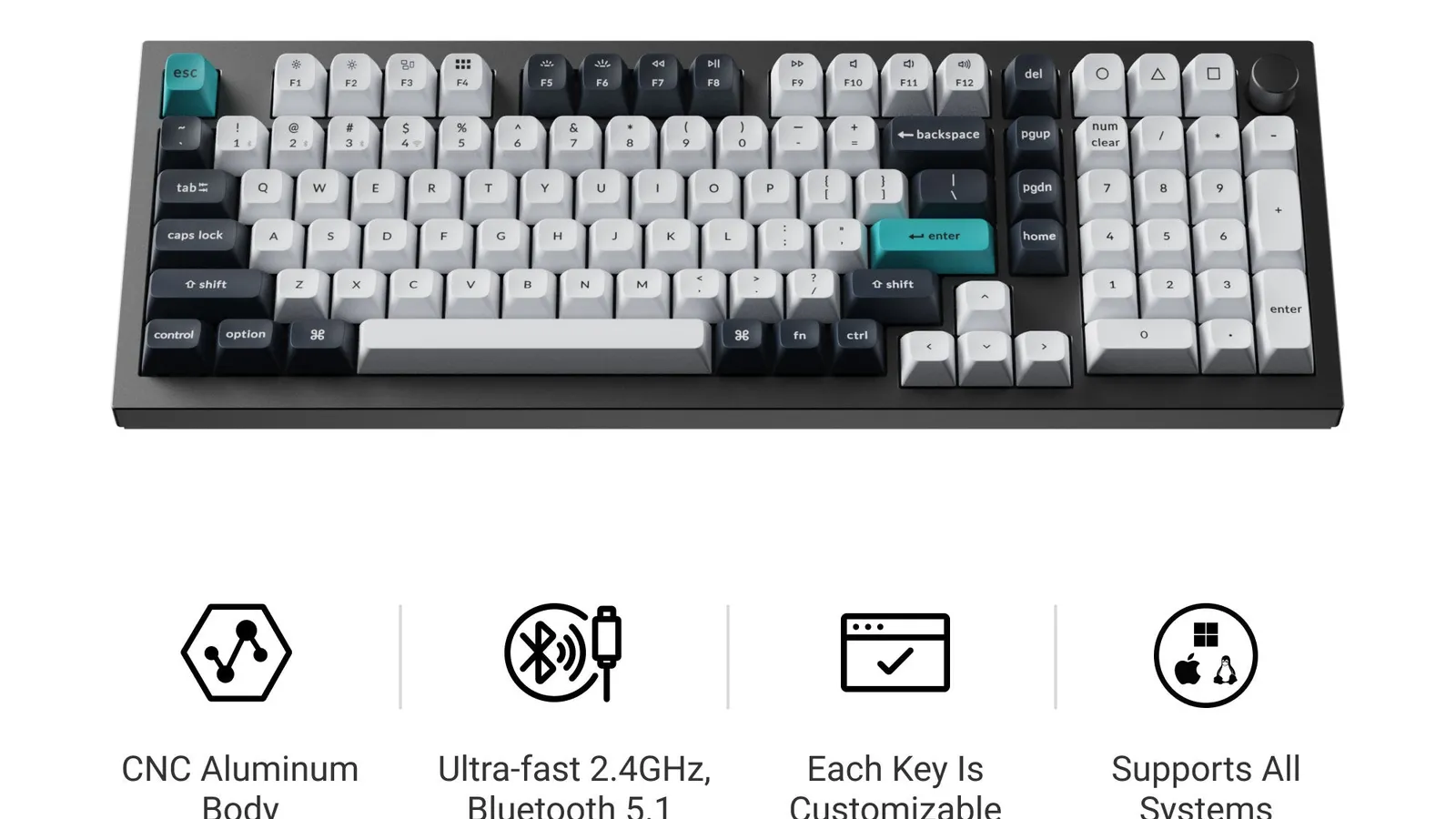
#1 ranked pick
Keychron Q5 Max / Q Max Series
Best mechanical keyboard overall
Shortlist at a glance
Use these cards for buyer-fit context and research notes first. Optional Amazon listing buttons appear only on approved picks—always confirm model, bundle, and seller on the listing you open.
Keychron Q5 Max / Q Max Series
Best mechanical keyboard overall
- Best for
- Best mechanical keyboard overall
- Why it is here
- Aluminum heft, gasket mount, wireless workflows, MX-style hot-swap, layouts you can tailor before checkout.
- Watch-out
- Mass and cost climb fast; portability suffers versus plastic mid-rangers.
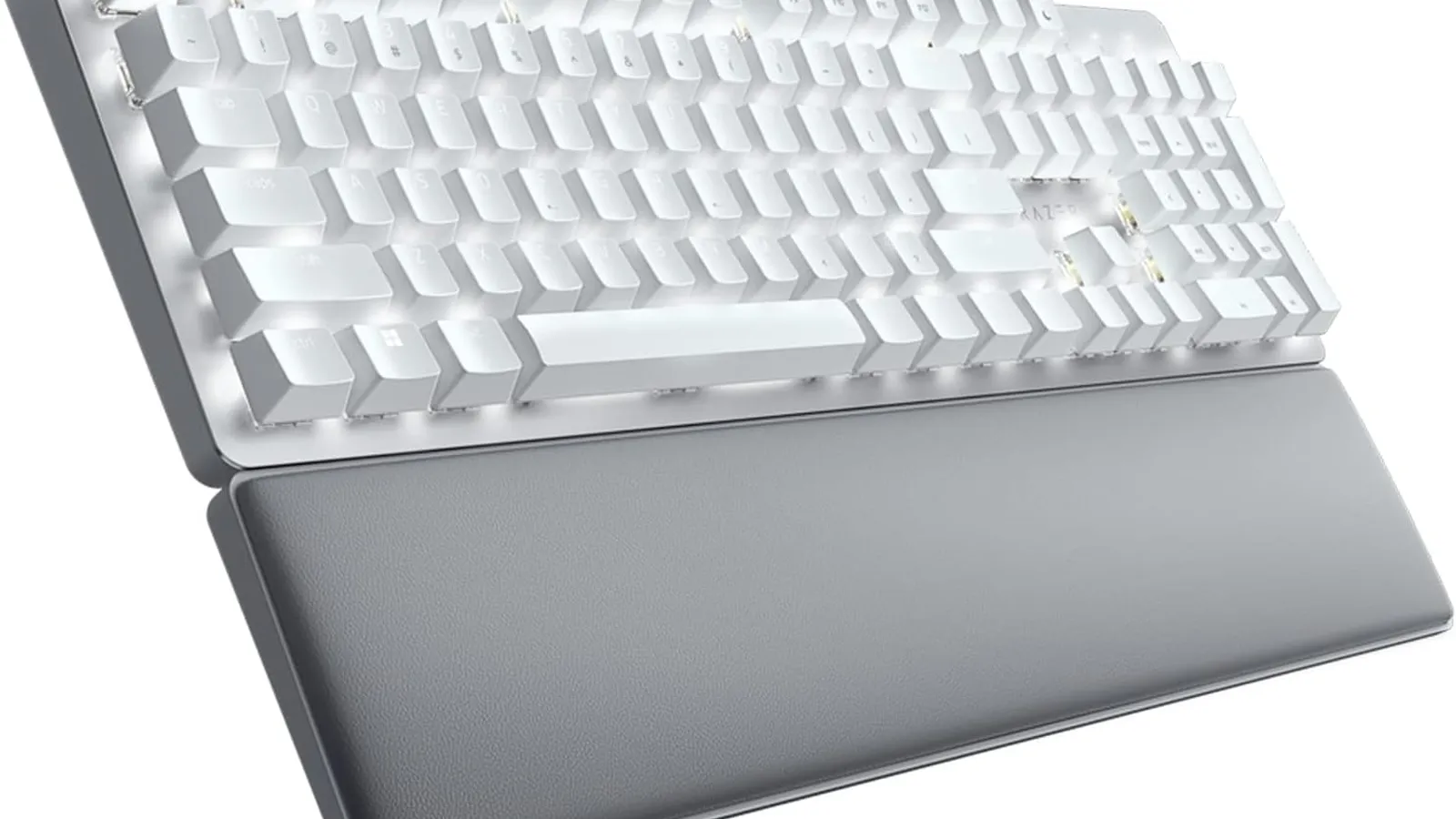
Razer Pro Type Ultra
Best office-friendly upper mid-range keyboard
- Best for
- Best office-friendly upper mid-range keyboard
- Why it is here
- Wireless reliability story, subdued presentation, bundled wrist rest, quieter linear tendencies than gaming-first boards often ship.
- Watch-out
- Smaller aftermarket than enthusiast frames; ABS legends can wear sooner than nicer PBT.
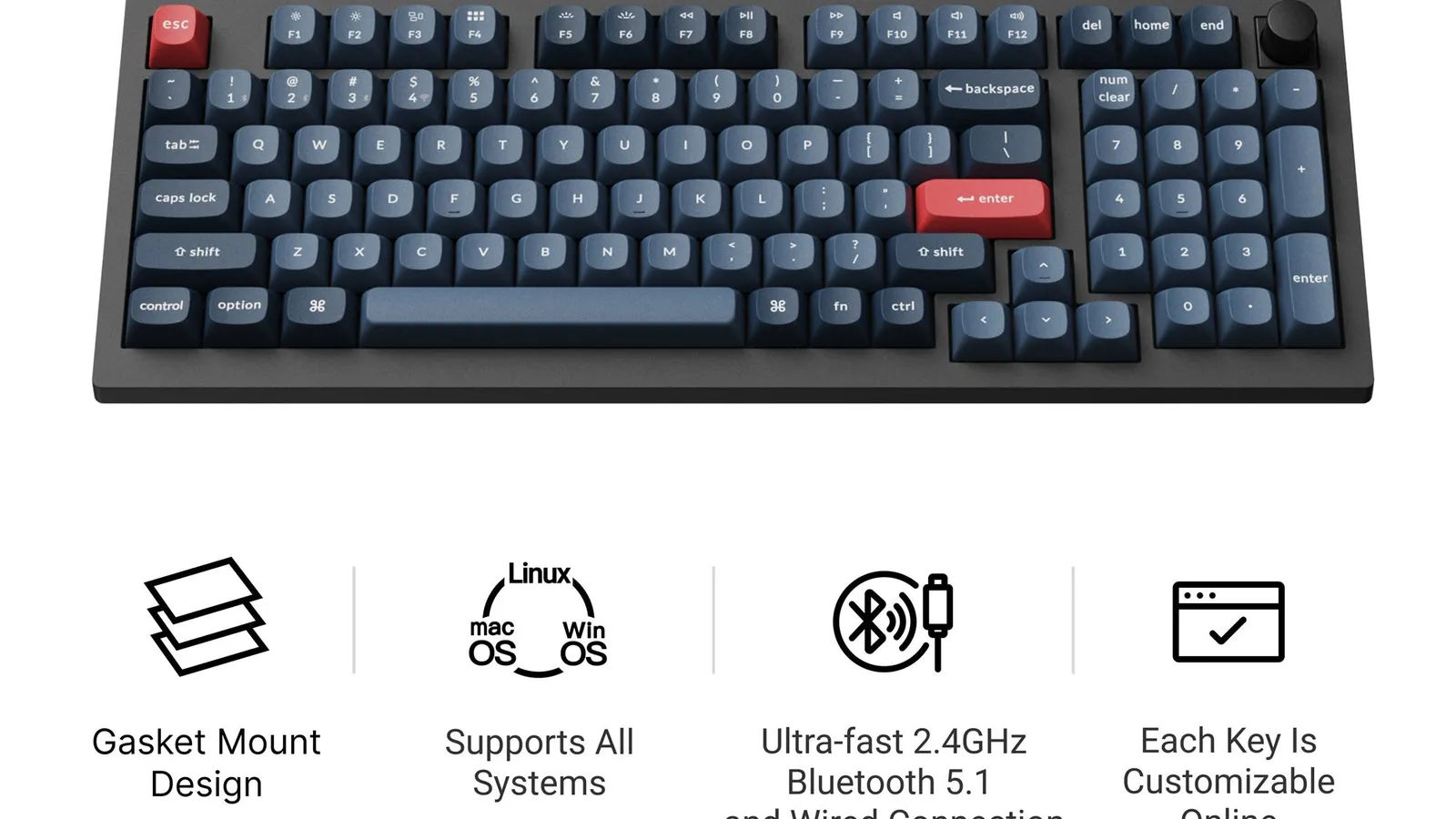
Keychron V5 Max / V Max Series
Best mid-range mechanical keyboard
- Best for
- Best mid-range mechanical keyboard
- Why it is here
- Plastic chassis still gasket isolated, Wireless-friendly, PBT keycaps on many trims, approachable hot-swap.
- Watch-out
- Plastic chassis—not premium aluminum; stabilizer QC can still vary between units.
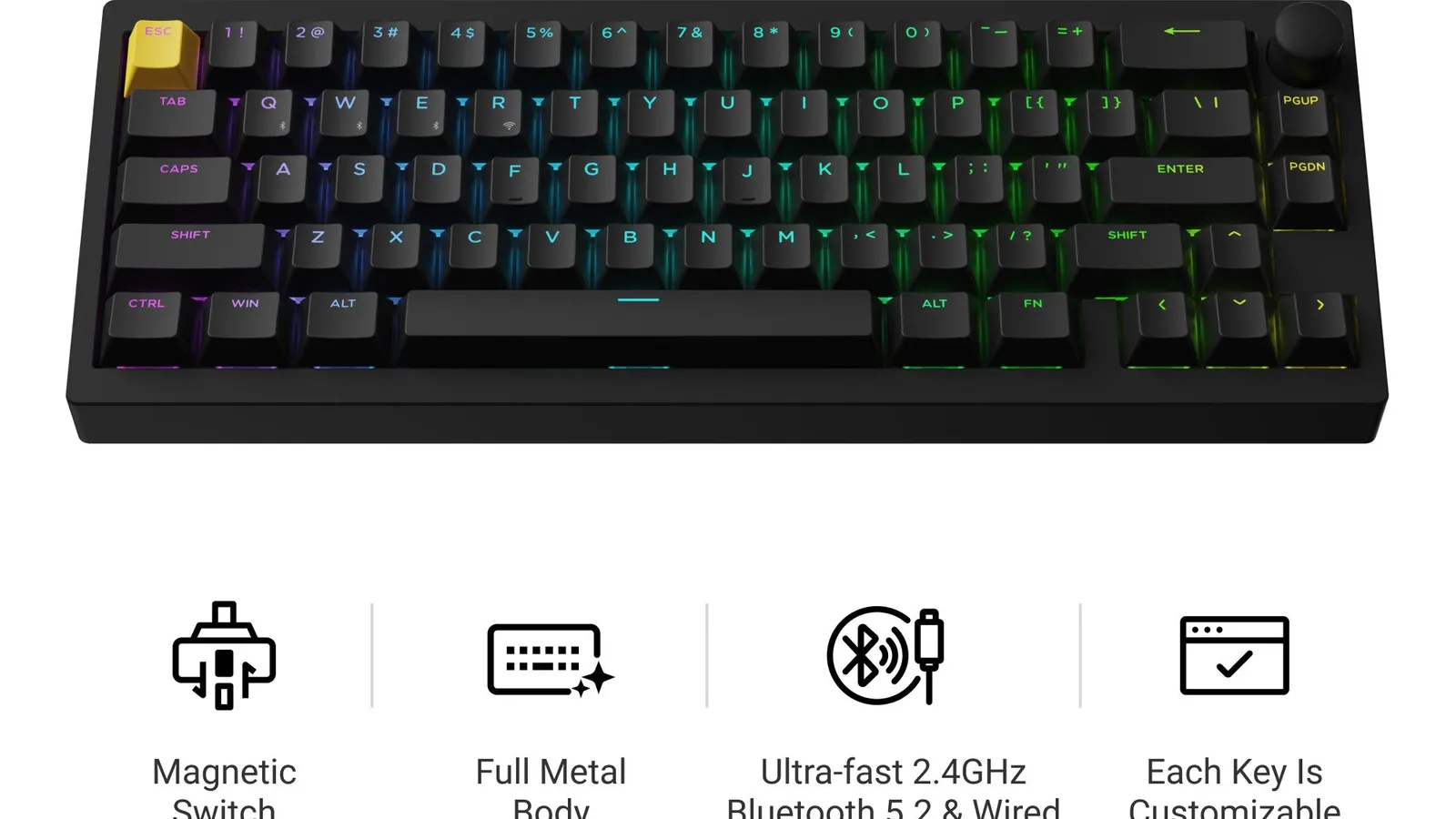
Lemokey P1 HE
Best gaming mechanical keyboard
- Best for
- Best gaming mechanical keyboard
- Why it is here
- Hall-effect actuation tinkering lane for gamers wanting rapid trigger-style adjustments when firmware delivers.
- Watch-out
- Specialized ergonomics—not the default subdued office keyboard.
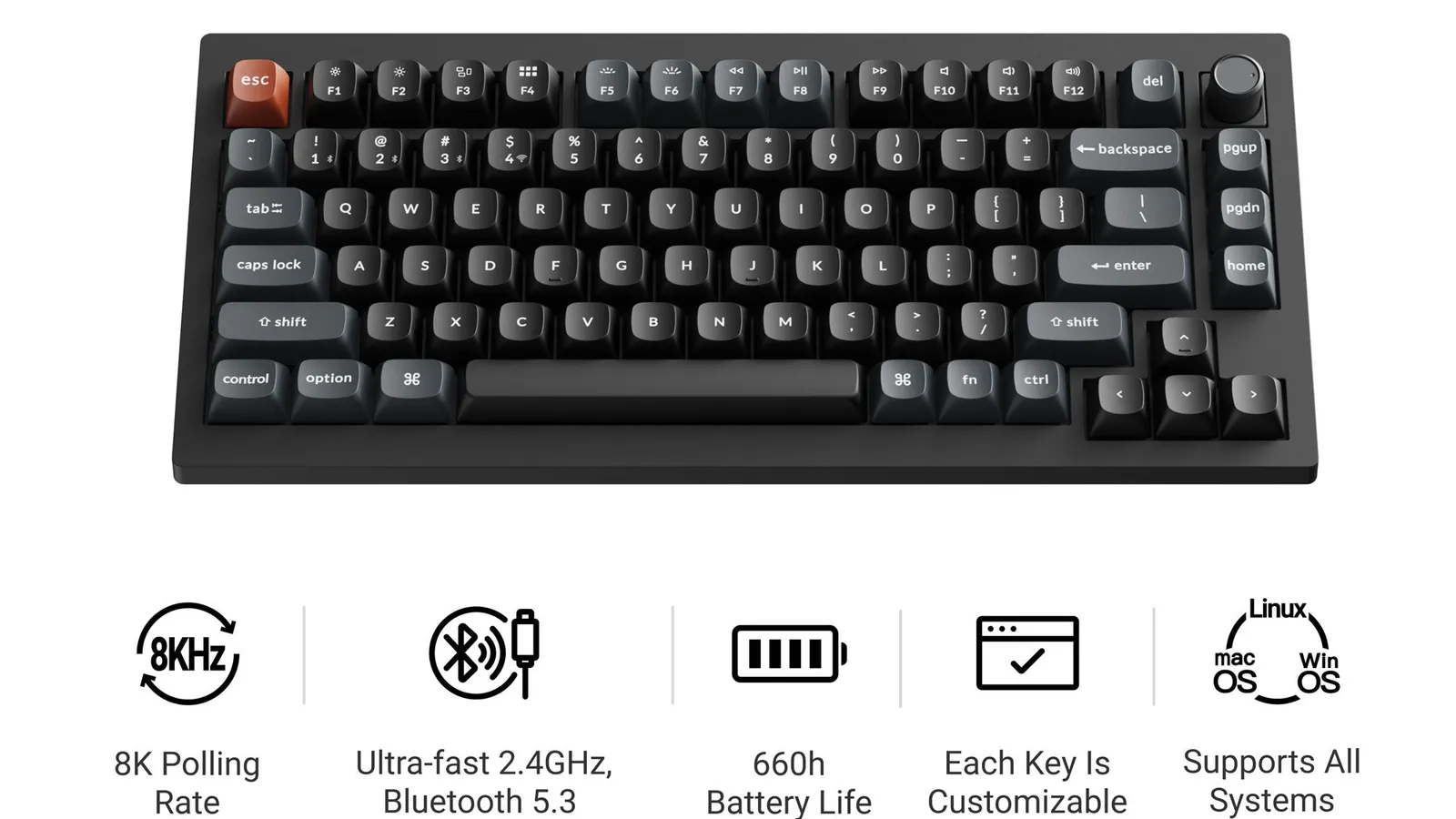
Keychron V1 Ultra 8K
Budget mechanical polling emphasis
- Best for
- Budget mechanical polling emphasis
- Why it is here
- Wired or wireless experimentation with marketed high-return-rate polling chops for competitive curious buyers on budget frames.
- Watch-out
- Still confirm comfort, stabilizers, and firmware maturity before relying on it as a long-term default.
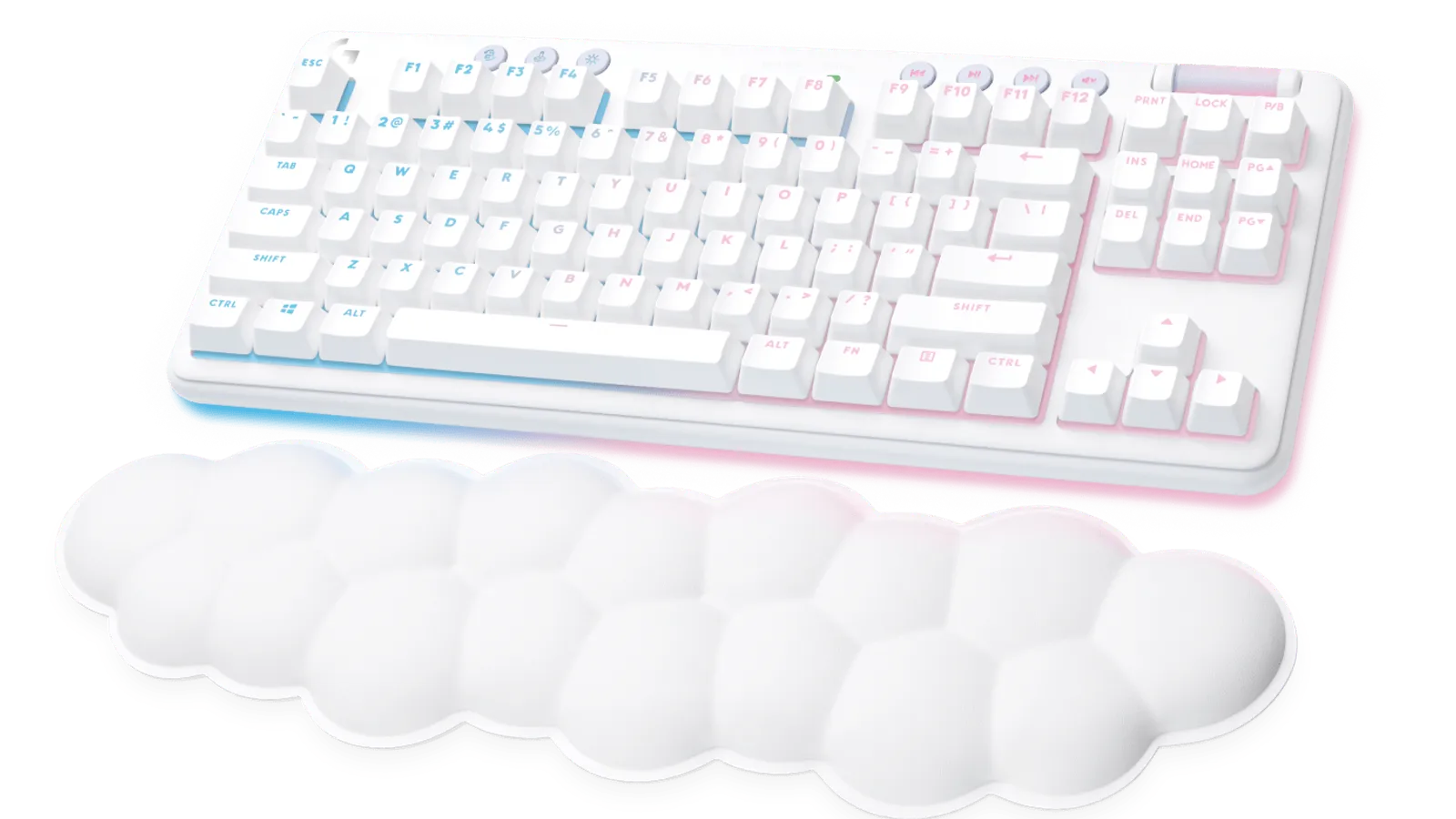
Logitech G715
Aesthetic-forward wireless lounge board
- Best for
- Aesthetic-forward wireless lounge board
- Why it is here
- Comfortable Logitech LIGHTSYNC styling with diverse GX switch choices for buyers mixing gaming sessions and daytime typing workloads.
- Watch-out
- Customization trails bare enthusiast kits; compare total cost thoughtfully against aluminum alternatives.
Related Keyboards best lists
Use these keyboards lists to narrow the shortlist by use case, setup, and buyer constraints.
More guides coming
Keyboards currently has one live buying guide here. More routes appear when editorial and CMS contracts are ready.
Quick Verdict
Mechanical keyboards make sense when you care about keystroke consistency, longevity, modular repairs, or changing switch feel later. They feel different from laptops and most membrane desktops—and they are not silent by default.
Who often benefits
- Writers and programmers who spend long sessions typing and notice finger fatigue from soft membrane keyboards.
- Gamers who want predictable bottom-out and repeatable travel for WASD-heavy play.
- Tinker-friendly buyers willing to tune stabilizers, lube sparingly where appropriate, swap keycaps, or replace switches.
Who may want to pause
- Open-plan neighbors and shared bedrooms where audible bottom-out—even on “silent” branded switches—is still intrusive.
- Travel-first buyers prioritizing slab thinness above all (low-profile membranes or scissors may serve better unless you ship a heavier board willingly).
- Budget buyers who dislike maintenance: stabilizer rattle, loose plate screws, firmware quirks, and wireless pairing issues still happen on premium boards occasionally.
Gaming versus typing versus office framing
- Gaming-heavy: Prioritize dongle-backed 2.4 GHz latency habits, repeatable switch response, NKRO/competition reassurance from vendor docs, comfortable angle for long FPS sessions, optional hall-effect experimentation if you crave adjustable actuation.
- Typing-heavy: Prioritize tactile or gentle linear damping, gasket or cushioned mounts, consistent stabilizers under long bars, quieter profile options, programmable layers for punctuation without reaching for a cramped 60%.
- Office / hybrid: Aim for subdued switches, detachable wrist rests, wireless reliability for hot-desking Mac/Windows pairings, and cleaner industrial design that survives video calls visually.
Use the comparison table plus the scenario notes below once you anchor layout width and acoustic tolerance—not every pick fits every roommate.
Start from the keyboards guides hub if you still need aisle context before narrowing to one mechanical shortlist.
Buying Advice By Scenario
FPS or MOBA at a desk-first setup: Prefer stable 2.4 GHz habits (or detachable cord discipline), roomy arrow cluster or layered arrows you can memorize, and a mouse pairing plan—see wireless gaming mice once your keyboard layout is settled. Displays matter too; gaming monitors complements this path when upgrading the whole tray.
Long-form writing: Choose tactile reassurance or lubed-ish linear softness, gasket comfort, quieter caps, programmable layers for punctuation, and heavier chassis damping so keystrokes stop resonating across the desktop.
Open offices or nighttime roommates: Favor quieter linear or silent-branded tactile lines plus desk mats plus careful stabilizer tuning; omit clicky-class switches entirely unless isolation is solved.
Tight desktops or backpacks: Prefer TKL or 75% boards with sane navigation clusters—or accept programmable layers if you dare go smaller.
Kitchen-table multi-device juggling: Prefer dual-mode Bluetooth radios with sane switching ergonomics documented in manuals, rechargeable batteries vs coin cells you dislike maintaining, firmware notes for pairing limits.
Switch experimentation without soldering: Prefer hot-swappable sockets, standard MX-style footprints, open firmware friendliness noted by the vendor ecosystem.
First mechanical upgrade on constrained spend: Aim for gasket plastic builds that still isolate sound, bundled keycap quality disclosures, credible warranty wording, firmware stability before stepping up to heavier metal chassis.
Return to methodology and verification policy when details feel ahead of sourcing evidence—we keep shopping embeds gated until reviewer-backed listing readiness.
Comparison Table
| Pick | Best for | Why it earns a spot | Watch-out |
|---|---|---|---|
| Keychron Q5 Max / Q Max Series | Best mechanical keyboard overall | Aluminum heft, gasket mount, wireless workflows, MX-style hot-swap, layouts you can tailor before checkout. | Mass and cost climb fast; portability suffers versus plastic mid-rangers. |
| Razer Pro Type Ultra | Best office-friendly upper mid-range keyboard | Wireless reliability story, subdued presentation, bundled wrist rest, quieter linear tendencies than gaming-first boards often ship. | Smaller aftermarket than enthusiast frames; ABS legends can wear sooner than nicer PBT. |
| Keychron V5 Max / V Max Series | Best mid-range mechanical keyboard | Plastic chassis still gasket isolated, Wireless-friendly, PBT keycaps on many trims, approachable hot-swap. | Plastic chassis—not premium aluminum; stabilizer QC can still vary between units. |
| Lemokey P1 HE | Best gaming mechanical keyboard | Hall-effect actuation tinkering lane for gamers wanting rapid trigger-style adjustments when firmware delivers. | Specialized ergonomics—not the default subdued office keyboard. |
| Keychron V1 Ultra 8K | Budget mechanical polling emphasis | Wired or wireless experimentation with marketed high-return-rate polling chops for competitive curious buyers on budget frames. | Still confirm comfort, stabilizers, and firmware maturity before relying on it as a long-term default. |
| Logitech G715 | Aesthetic-forward wireless lounge board | Comfortable Logitech LIGHTSYNC styling with diverse GX switch choices for buyers mixing gaming sessions and daytime typing workloads. | Customization trails bare enthusiast kits; compare total cost thoughtfully against aluminum alternatives. |
How to choose a mechanical keyboard
Switch type at a glance
Colored shorthand (Cherry-descended marketing like red/brown/blue) varies by OEM—read vendor sheets for factory force curves, travel, acoustics—not color marketing alone.
- Linear: Smooth keystrokes bottom-to-bottom—common gaming default, still workable for calm typists who dislike bumps.
- Tactile: A bump warns actuation occurs—favorite for touch typists validating letter registration without slamming bottoms.
- Clicky: Audible click plus bump—fine for isolated offices but harsh for coworkers and late-night desks.
Layout size realities
Full-size anchors numpad workflows yet eats horizontal mouse space—finance and spreadsheets lean here. Tenkeyless trims numpad for wider sweeping mouse arcs. Seventy-five percent merges arrows with compressed function rows—watch for cramped delete keys programmers rely on. Sixty-percent demands layered habits for arrows and punctuation—fine for minimalist adopters, but a weaker fit when you dislike memorizing combos.
Hot-swap when it matters
Hot-swap PCBs tolerate switch swaps without soldering—ideal exploration or replacing single dead switches. Solder-only boards tolerate fewer experiments until you gain tools and patience.
Stabilizers under long keys
Shift, Enter, Space wobble dominates perceived quality—budget buyers should screenshot stabilizer tuning guidance from communities if factory lube skips occur.
Keycaps affect sound and ergonomics
PBT survives shine longer versus ABS legends on heavy typists profiles (OEM versus Cherry versus SA) reshapes perceived height—pair profile choice with wrist angles you already tolerate.
Software expectations
Manufacturer utilities vary from benign lighting-only suites to remap-heavy overlays—macOS parity sometimes lags; check documentation before relying on obscure macros licensing.
Wireless latency habits
Treat Bluetooth typing on the move separately from dongle-backed competitive play sessions. Buyers sensitive to jitter should default to detachable USB or 2.4 GHz dongles, then confirm vendor pairing caps before assuming three Bluetooth hosts behave simultaneously.
Chassis stiffness and gasket isolation
Plastic decks can flex under aggressive typists while gasket trays dampen pings differently than hard trays. Aluminum spreads mass, yet fasteners still loosen—keep a screwdriver handy; gentle tightening often stops mystery pings.
Noise control without unrealistic claims
Desk mats, films, or O-rings chip away at case ping, yet roommate-friendly outcomes still hinge on considerate switch picks and disciplined typing—not “silent mechanical” slogans. Shallow laptop-style decks stay quieter whenever thinness truly dominates.
Mac versus Windows coexistence
Keychron-class boards often ship Mac-ready legends—still inspect Option versus Command engraving, Bluetooth sleep quirks, and workplace MDM quirks before declaring a fleet-wide standard across macOS Ventura+ and locked-down PCs.
Cross-check gaming monitors or budget gaming monitors while planning a cohesive desk—you may outgrow stock stands before blaming switches. College laptop ergonomics guidance helps when cramped dorms mix clamshell docks with external keyboards.
How We Chose
Signals stay editorial—no synthesized lab leaderboard from Better Buy Lab for these boards yet:
Rankings reorganize whenever your desk constraints change—overall winners still mis-fit narrow apartments or noise-sensitive coworkers.
- Build quality realism (deck flex, gasket vs tray resonance)
- Switch variety and aftermarket fit
- Hot-swap or solder ecosystem implications
- Wireless reliability inferred from firmware history and recurring user discussions
- Stabilizer behavior on long bars
- Software honesty on macOS parity
- Size class fit for FPS mouse clearance vs workstation numpad needs
1. Keychron Q5 Max / Q Max Series: Best mechanical keyboard overall
Choose if: You want aluminum stiffness, gasket comfort, adaptable wireless setups, enthusiast-friendly hot-swap sockets.
Skip or pause if: You need an ultralight travel board or cannot spare desk depth for a heavier aluminum chassis.
Trade-off: Premium typing feel traded for noticeably more weight than typical plastic mids.
2. Razer Pro Type Ultra: Best office-friendly upper mid-range keyboard
Choose if: Wireless office polish, wrist rests included, subdued linear defaults, respectable Synapse ergonomics familiarity.
Skip or pause if: DIY keycap rotations or gasket hobby depth matter more than corporate neatness.
Trade-off: Prebuilt convenience versus broader aftermarket caps many enthusiast boards support.
3. Keychron V5 Max / V Max Series: Best mid-range mechanical keyboard
Choose if: Gasket softness on plastic wallets, respectable factory PBT, wireless flexibility bridging Mac/PC multipoint scenarios.
Skip or pause if: Premium machined aluminum is a hard requirement after trying Q-series boards.
Trade-off: Value framing versus machined-aluminum feel from premium lines.
4. Lemokey P1 HE: Best gaming mechanical keyboard
Choose if: Hall-effect actuation tuning helps when firmware matches how you compete or type.
Skip or pause if: Shared workspaces need quiet setups without ongoing firmware experiments.
Trade-off: Gaming-specialized tuning versus subdued office neutrality.
5. Keychron V1 Ultra 8K: Budget mechanical polling emphasis
Choose if: You want to try marketed high polling modes before investing in premium aluminum keyboards.
Skip or pause if: You are not willing to accept early firmware quirks or uneven stabilizers out of the box.
Trade-off: Strong feature density for what it costs versus the polish premium picks often refine.
6. Logitech G715: Aesthetic-forward wireless alternative
Choose if: LIGHTSYNC styling, matching Logitech peripherals, and interchangeable GX switches across gaming and everyday typing matter.
Skip or pause if: Hot-swap tinkering outweighs plug-and-play convenience.
Trade-off: Ecosystem cohesion versus enthusiast bare-board freedom.
Notable alternatives outside this shortlist
- Quiet membrane desktops or laptop docks remain valid when whisper silence beats customization—many corporate fleets never adopt mechanical acoustics purposely.
- Low-profile mechanical bridges travel thinness craving some mechanical cues—inspect whether key travel still satisfies picky typists spoiled by taller MX switches.
- Stick with laptop keyboards alone still makes sense for ultra-mobile buyers who refuse extra hardware weight—moving to mechanical swaps does not change how small the laptop folds.
- Desk upgrades that stay cohesive: Once wrist angles stabilize, wireless gaming mice are a natural pairing when pointers share the upgrade roadmap, and gaming monitors keep refresh alignment honest alongside keyboard purchases.
What To Avoid
- Buying only by switch color without checking force curves or stabilizer quality—you may still dislike the keyboard.
- Expecting clicky switches to be quiet in shared apartments—marketing names do not reduce noise at night.
- Ignoring wrist angles while prioritizing RGB lighting alone—ergonomics still determine fatigue even with premium sliders.
- Skipping pairing documentation on multi-host Bluetooth—you discover hidden simultaneous limits after returns windows close.
- Blaming keyboards for OS-level quirks—inspect macOS Ventura+ permissions or workplace MDM clamps before accusing hardware radios.
FAQ
Are mechanical keyboards worth it?
Usually when typing comfort, longevity, repairability, or personalization justify carrying slightly heavier boards—or accepting modest maintenance. They disappoint when buyers ignore acoustic realities or refuse the learning curve that compact layouts require.
What about red versus brown versus blue switches?
Treat colors as vendor shorthand: red-style linears stay smooth, browns add tactile bumps, blues add clicks that travel through walls. Still read force, travel, and factory lube notes—Cherry, Gateron, Kailh, and rebadged OEM lines all diverge.
What size keyboard fits most desks while keeping mouse space?
Tenkeyless and 75% layouts fit many hybrid buyers who need arrows without sacrificing FPS mouse arcs. Full-size survives accounting homework. 60% layouts reward layer memory—not ideal if you live in arrow keys.
What does hot-swappable mean?
The PCB uses sockets so you can pull and press switches without soldering—great for experiments or replacing a single bad switch.
Wired versus wireless keyboards for gaming?
Latency-sensitive play favors detachable USB or the vendor’s 2.4 GHz dongle. Bluetooth is fine for casual typing on the couch unless the vendor documents gaming-grade jitter budgets you have personally confirmed.
Why do mechanical keyboards seem loud?
Bottom-out clack, stabilizer rattle, and desk resonance stack together. Mats and switch choice help, but “quiet mechanical” still requires thoughtful picks—not marketing adjectives alone.
Can mechanical keyboards work in offices?
Yes, with quiet linears or non-clicky tactiles, desk mats, and considerate typing. Check house rules and neighbor tolerance before bringing clicky switches into shared spaces. See editorial policy for how we handle independence questions.
Editorial transparency
Better Buy Lab keeps storefront buying shortcuts off emitted guides while reviewer-backed listing confirmations finish. Read verification policy alongside affiliate disclosure to see how disclosure lanes stay walled off from rankings. Editorial photos ship only from cleared local manifests—never storefront hotlinks in this sprint.
Update log
- 2026-05-15 — Clarified verdict, Buying Advice scenarios, wireless guidance wording, FAQ, Editorial transparency/update log alignment, comparison table nuances, numbered pick rationales, builder depth modules aligned with shopper-facing tone guidance.