Guide summary
Best wireless gaming mice for your grip and games
Wireless mice hinge on grip shape, weight class, sensor class for FPS or MMO, and whether you trust a dongle over Bluetooth on the road.
7 of 7 shortlist picks have editorial photos on this page.
- Category
- Mice
- Shortlist
- 7 tracked picks
- Lead pick
- Logitech G PRO X2 SUPERSTRIKE
- Use case
- Best wireless gaming mouse overall
Key buying checks
How to choose a mouse that fits your hand and desk
Grip shape, tracking on your pad or desk surface, weight, and wired versus wireless reliability matter more than maximum DPI. Use these checks while you read the shortlist—they separate good fits from common buyer mistakes.
Shape and size for your grip
Palm, claw, and fingertip grips need different height and width. Discomfort appears after sustained use.
Anyone replacing an uncomfortable bundled mouse.
Very light mice can feel unstable for some grip and sensitivity combinations.
Hand size guidance, grip style, left-hand availability.
Tracking on your desk or pad
Reflective or transparent surfaces cause tracking issues even on high-end sensors without a proper pad.
Users who know their DPI range and game or work sensitivity.
Dust on the lens causes erratic movement.
Pad surface and color, cleaning habit, lift-off distance preference.
Weight and charging schedule
Heavier mice can feel steadier; lighter mice reduce fatigue. Lighting drains small internal batteries faster.
Long sessions without wanting mid-week charging.
Charging docks must fit desk layout or they become inconvenient.
Weight, battery life with lighting on and off, cable for wired use, dock footprint.
Wired versus wireless for your desk
Cable drag bothers some users; wireless depends on receiver placement and USB port quality.
Competitive play where consistent tracking matters.
Poor USB hubs can cause brief connection issues.
Cable flexibility, dongle extension, Bluetooth limits, backup cable.
Confirm the exact model before you buy
Model names, regions, and bundles change what is in the box. Check the manufacturer page for your country, the seller listing, warranty text, and which accessories are included.
Buyers who shop online and need the shipment to match the configuration they selected.
Small naming differences can mean different ports, stands, or power adapters between regions.
SKU, country variant, return window, warranty, and that photos match the product you add to the cart.
When headline specifications miss real-world limits
A strong specification can still disappoint if glare, noise, edge cleaning, or return terms do not fit how you use the product.
Buyers who want to compare trade-offs before deciding.
Marketing often assumes ideal conditions; your room, hearing, or layout may differ.
Return policy, upkeep (filters, bags, mop pads), physical fit in the space, and whether the downsides are acceptable.
Wireless mouse routing
Route grip sizing, workloads, radios, stamina, plus desk cohesion before narrowing specific mice
This map summarizes Better Buy Lab mice and adjacent desk peripherals already live in this repo—RTINGS pages stay external references, not scraped prose. Ledger-approved Amazon Associates buttons may appear beside specific shortlist picks; we still omit live prices, stock claims, and retailer star ratings on this guide.
Lightweight FPS setups with stable pads
- Use this path when
- Small aim corrections hinge on grams, symmetrical waists match your grip, and dongles sit on unobstructed USB paths.
- Avoid this shortcut if
- CPI headlines alone outweigh pad weave and seated posture—you still tune both deliberately.
- Next step
- Pair Quick Verdict with numbered picks, then open gaming monitors if motion—not only mice—feels off.
Ergonomic productivity plus relaxed gaming nights
- Use this path when
- Hybrid buyers want sculpted rests, free-scroll wheels, or macro-heavy buttons even if mass rises above minimalist shells.
- Avoid this shortcut if
- Ultralight flick habits rarely pair with chunky thumb rests without accepting extra grams.
- Next step
- Compare Buying Advice ergonomic rows with FAQ sizing notes before budgeting.
MMO workloads with programmable side buttons
- Use this path when
- Classes stack dozens of binds and tactile grids plus swappable plates beat rebinding spreadsheets nightly.
- Avoid this shortcut if
- FPS-only buyers still mis-press clustered rim buttons under pressure.
- Next step
- Use Comparison Table macro roles plus Pick logic caution lines before gifting.
Travel plus laptop commuter mice
- Use this path when
- Dongle docks stow cleanly, hardened shells tolerate bags, AA designs reduce charger logistics.
- Avoid this shortcut if
- Ultralight shells deform when crushed—inspect bag padding before blaming sensors.
- Next step
- Match mechanical keyboards ergonomics whenever bags carry keyboards too.
Battery planning and docks
- Use this path when
- Integrated cells, docks, Qi pads, or alkaline workflows determine peace-of-mind as much as sensitivity ceilings.
- Avoid this shortcut if
- RGB plus maximum polling shorten runtime silently—budget charge habits honestly.
- Next step
- Read FAQ battery plus polling interplay before diagnosing ghosting jitter alone.
Pointer stutter traced to networking
- Use this path when
- Lag tracks crowded gateways, saturated USB hops, microwave interference—not only firmware anecdotes.
- Avoid this shortcut if
- Avoid ordering another mouse until dongle spacing plus mesh placements are audited.
- Next step
- Reference /networking/best-mesh-wifi/ when jitter hits whole rooms, not solitary pads.
Budget wireless with realistic expectations
- Use this path when
- Reliable sensors matter more than lighting effects until savings grow responsibly.
- Avoid this shortcut if
- Ultra-cheap vendors still publish uneven firmware reputations—investigate before buying blindly.
- Next step
- Trace Pick logic budget cards comparing AA staples versus ultralight newcomers.
Desk-wide posture before SKU hunting
- Use this path when
- Keyboard widths, acoustics budgets, wrist angles interplay with mice simultaneously.
- Avoid this shortcut if
- Pointer upgrades rarely fix cramped typing angles dictated by keyboards alone.
- Next step
- Open /keyboards/best-mechanical-keyboards/ when typing ergonomics overshadow pointer tweaks.
Need mice hub framing first
- Use this path when
- Grip language, latency comfort, budgeting lanes blur before SKU searches accelerate.
- Avoid this shortcut if
- Brand chatter rarely replaces ruler-based hand sketches.
- Next step
- Skim /mice/, then revisit this wireless shortlist once priorities firm up.
Wireless mouse depth
What this wireless gaming mouse guide rehearses on purpose
These bullets align expectations with grip physics, genre demands, wireless behavior, stamina decisions, and hardware upkeep—not recycled hype threads or copied RTINGS sentences.
When the wireless shortlist keeps splitting between lightweight tournament shapes, symmetrical FPS picks, and multi-genre button layouts, use Logitech G PRO X SUPERLIGHT 2 product note, Razer Viper V3 Pro product note, Logitech G502 X PLUS product note, MCHOSE L7 Pro product note, Logitech G305 LIGHTSPEED product note, Razer Naga V2 Pro product note, and Logitech G PRO X2 SUPERSTRIKE product note for grip, dongle, and charging checkpoints—we keep those pages informational only.
Grip and sensor questions usually sit beside Best mechanical keyboards, Keyboard guides hub, Best gaming monitors, and Mouse guides hub—match keyboard height and panel motion before you blame the mouse alone.
Grip sizing before CPI marketing
Palm, claw, fingertip cues plus measured hands anchor selections ahead of CPI marketing alone.
FPS lightness versus dense macro grids
Low-weight glide trades against stacked side buttons—the guide states where each layout wins realistically.
2.4 GHz versus Bluetooth plainly
Vendor dongles suited for shooters stay separated from Bluetooth carry expectations—with USB extension placement spelled out plainly.
Polling plus stamina trade-offs
High polling trims battery faster—docks, Qi habits, lithiated cells, disciplined lighting lower anxiety honestly.
Skates, cables, docks maintenance
Replacement PTFE feet, cabling choices, docks, remap utilities behave like upkeep chores—not optional footnotes.
Commerce and measurement gates respected
Dollar banners, synthetic numeric ladders beyond navigation rails, click-latency benchmarks we never ran here as scores, affiliate embeds, JSON-LD resembling storefront commerce or shopper star ratings, vendor drag assertions Better Buy Lab has not recreated stay withheld until reviewer-backed listing confirmations exist.
Wireless mouse pick logic
How to read this wireless gaming mouse shortlist
These cards summarize editorial judgments—we do not publish in-house drag or latency scores, storefront prices on this guide, sponsorship-driven ranks, or firm inventory promises.
Logitech G PRO X2 SUPERSTRIKE
- Shortlist role
- Best wireless gaming mouse overall
- Why it’s listed here
- Elite sensor performance, popular Superlight-style shape, adjustable click actuation, and cutting-edge gaming tech.
- Watch out
- Skip it if higher-commitment and the new click tech may not matter for most players.
Razer Viper V3 Pro
- Shortlist role
- Best upper mid-range FPS mouse
- Why it’s listed here
- Very light, safe symmetrical shape, excellent sensor, and 8000Hz wireless support.
- Watch out
- Skip it if still higher-commitment and not as comfortable for every grip.
Logitech G PRO X SUPERLIGHT 2
- Shortlist role
- Best proven esports fallback
- Why it’s listed here
- Safe shape with USB-C, HERO-class sensor lineage, vendor marketing around high-frequency wireless stability, optical switches—common where tournaments standardize familiar shapes.
- Watch out
- Skip it if not as light or fresh as some newer rivals.
Logitech G502 X PLUS
- Shortlist role
- Best multi-genre wireless gaming mouse
- Why it’s listed here
- Many programmable buttons, comfortable right-handed shape, free-scroll wheel, and versatile gaming/work use.
- Watch out
- Skip it if heavy for competitive FPS.
MCHOSE L7 Pro
- Shortlist role
- Best lower mid-range lightweight pick
- Why it’s listed here
- Strong weight-to-price for FPS budgets when you weigh firmware history and spare parts realistically.
- Watch out
- Skip when uncertain firmware cadence or spare-parts ambiguity outweigh upfront savings.
Logitech G305 LIGHTSPEED
- Shortlist role
- Best budget wireless gaming mouse
- Why it’s listed here
- Reliable LIGHTSPEED pedigree in a AA-powered shell with a familiar symmetrical footprint for tighter budgets.
- Watch out
- Skip if a heavier AA shell feels outdated after comparing current lightweight models.
Razer Naga V2 Pro
- Shortlist role
- Best MMO wireless mouse
- Why it’s listed here
- Swappable side panels and many buttons for MMO/MOBA macros.
- Watch out
- Skip it if too heavy and button-heavy for FPS players.
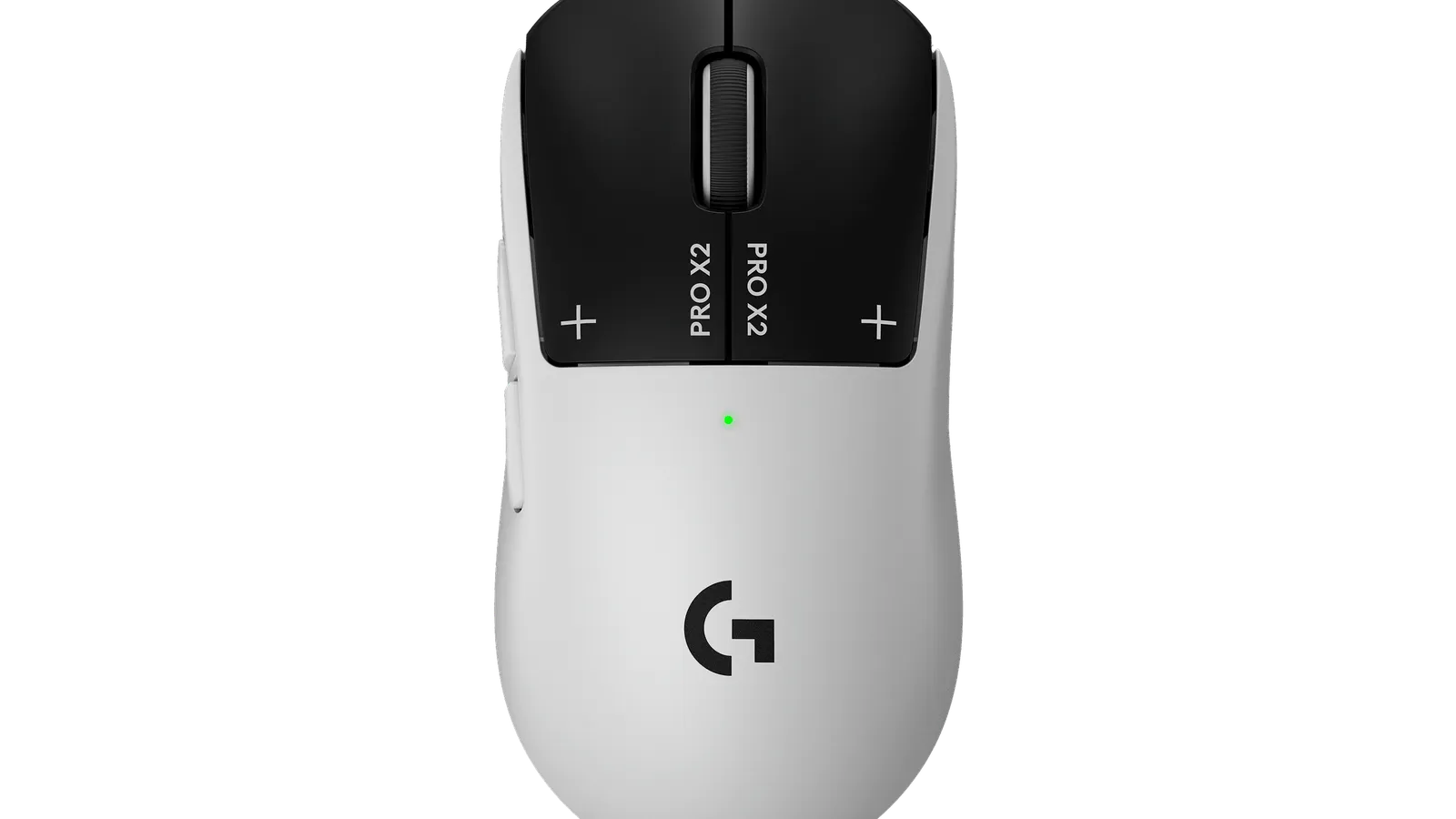
#1 ranked pick
Logitech G PRO X2 SUPERSTRIKE
Best wireless gaming mouse overall
Shortlist at a glance
Use these cards for buyer-fit context and research notes first. Optional Amazon listing buttons appear only on approved picks—always confirm model, bundle, and seller on the listing you open.
Logitech G PRO X2 SUPERSTRIKE
Best wireless gaming mouse overall
- Best for
- Best wireless gaming mouse overall
- Why it is here
- Adjustable click concept with a flagship sensor and proven Superlight-style shape for serious play
- Watch-out
- Novel click tuning helps some hands more than others—try ergonomics locally before committing to top-tier positioning

Razer Viper V3 Pro
Best upper mid-range FPS mouse
- Best for
- Best upper mid-range FPS mouse
- Why it is here
- Very light symmetrical frame with high wireless polling for latency-sensitive setups
- Watch-out
- Narrow waist can pinch some palm grips—confirm shape before budgeting for competition use

Logitech G PRO X SUPERLIGHT 2
Best proven esports fallback
- Best for
- Best proven esports fallback
- Why it is here
- Familiar silhouette with USB-C and optical switches retained from a widely arena-used line
- Watch-out
- Narrower than sculpted ergo shapes—avoid if palm overhang bothers you
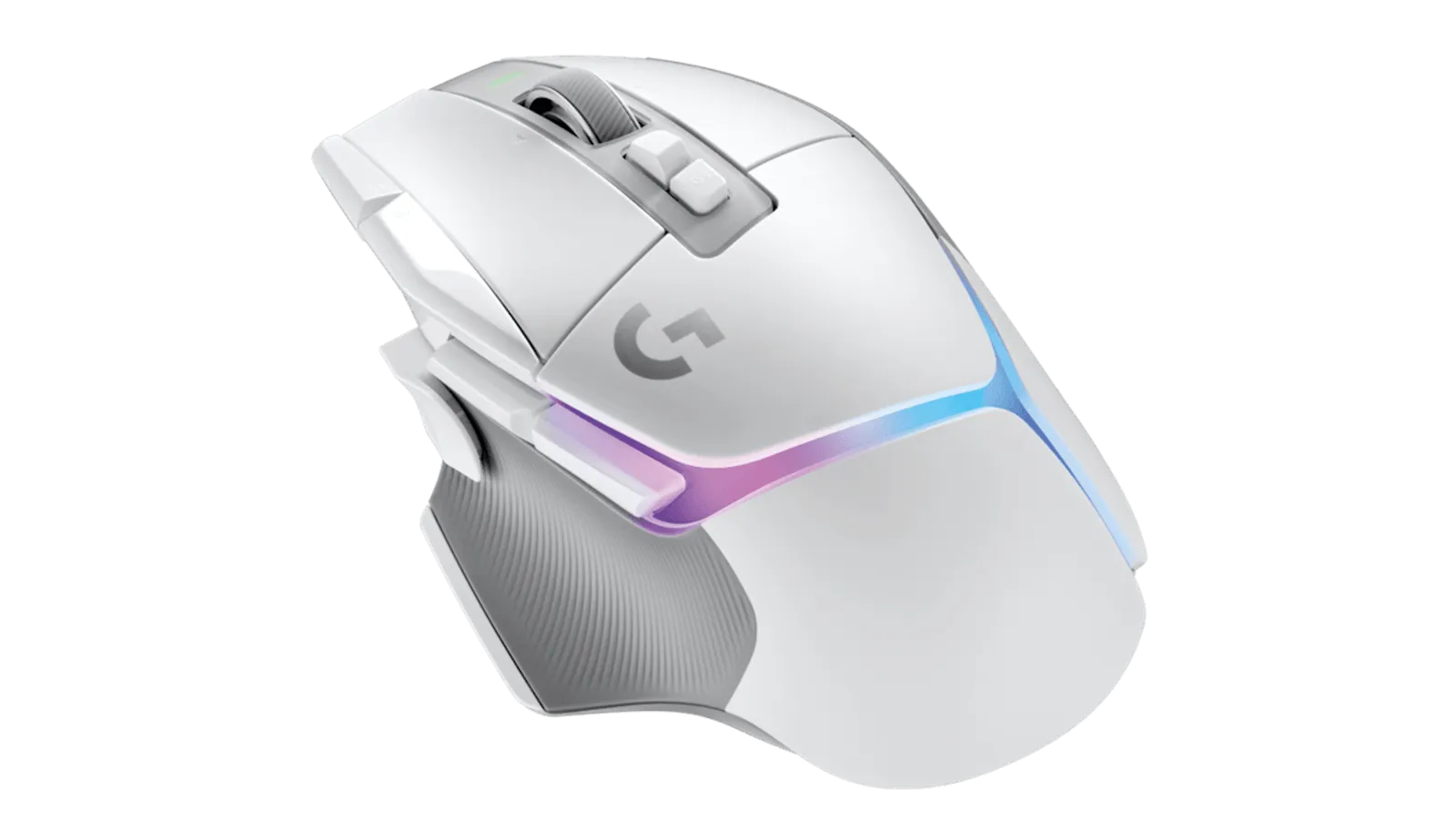
Logitech G502 X PLUS
Best multi-genre wireless gaming mouse
- Best for
- Best multi-genre wireless gaming mouse
- Why it is here
- Free-scroll wheel plus many inputs and sculpted rest for hybrids who mix spreadsheets with games
- Watch-out
- Heavy for strict low-weight FPS training—prefer lighter shells if glide speed is the priority
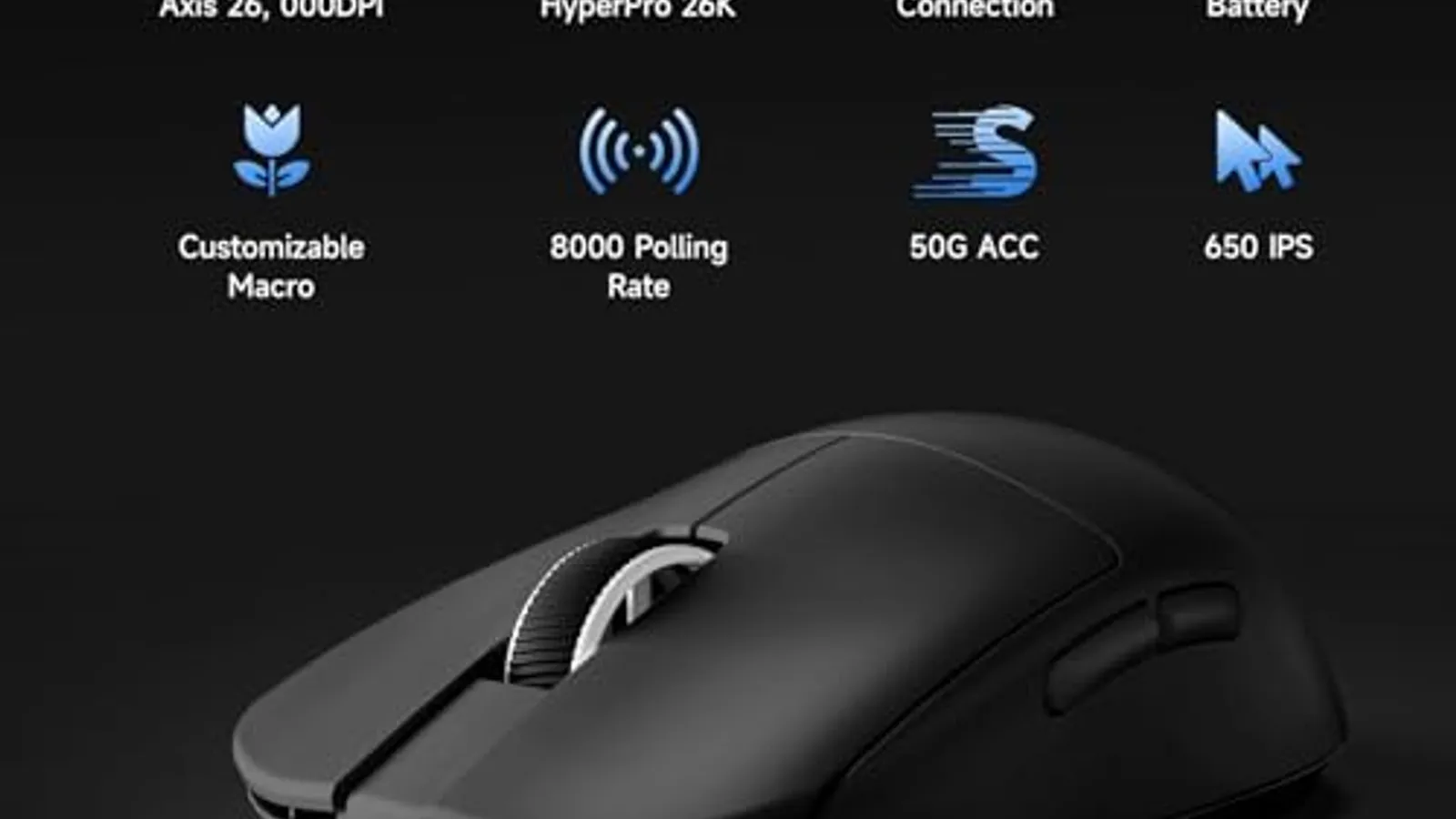
MCHOSE L7 Pro
Best lower mid-range lightweight pick
- Best for
- Best lower mid-range lightweight pick
- Why it is here
- Low weight relative to spend for buyers who watch firmware notes from smaller vendors
- Watch-out
- Warranty and firmware cadence varies—read recent owner feedback before gifting
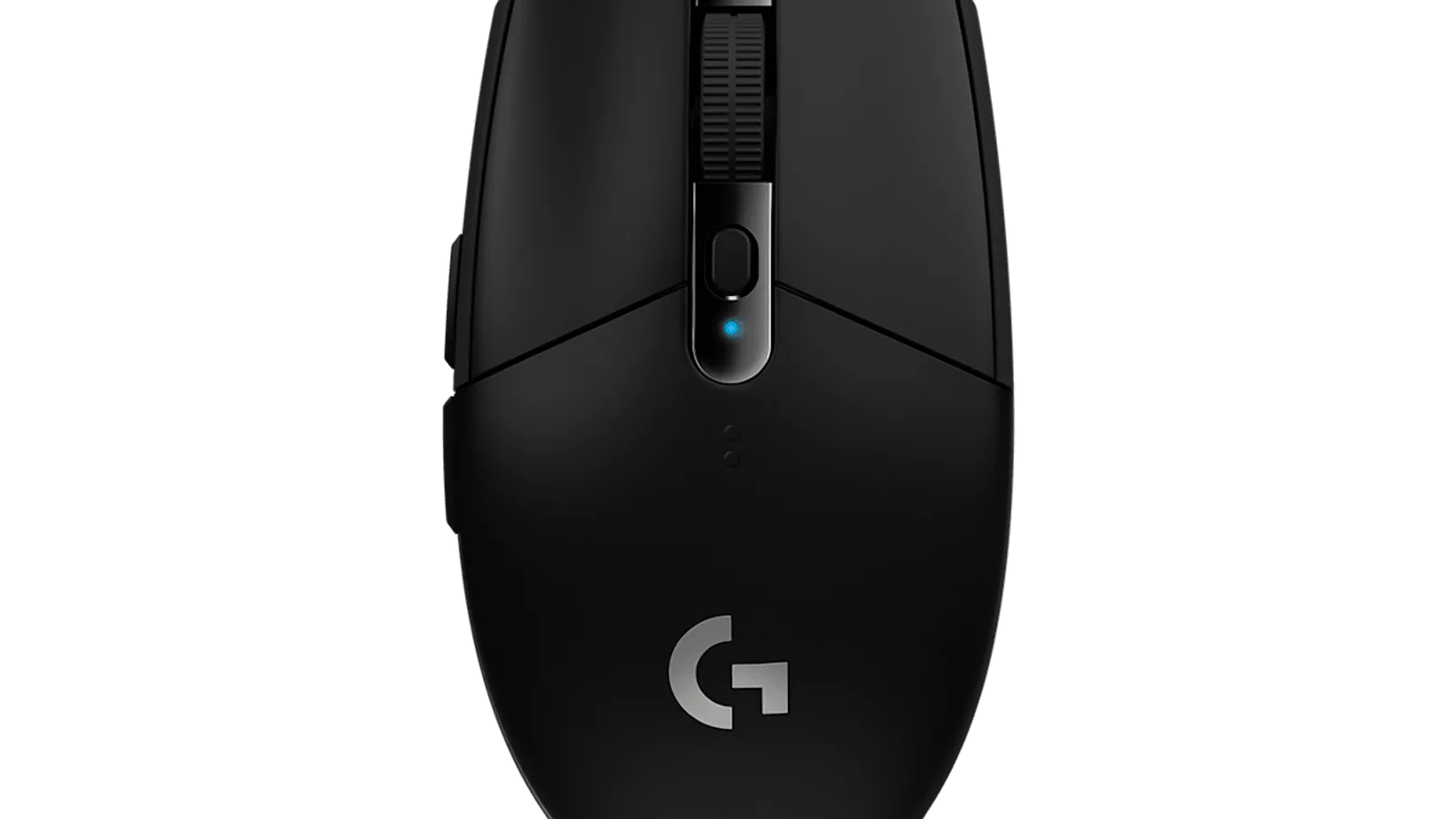
Logitech G305 LIGHTSPEED
Best budget wireless gaming mouse
- Best for
- Best budget wireless gaming mouse
- Why it is here
- Reliable AA-powered design with approachable price for first wireless setups
- Watch-out
- Older shell is heavier than modern ultralight models—lighter lithium AAs partly offset mass
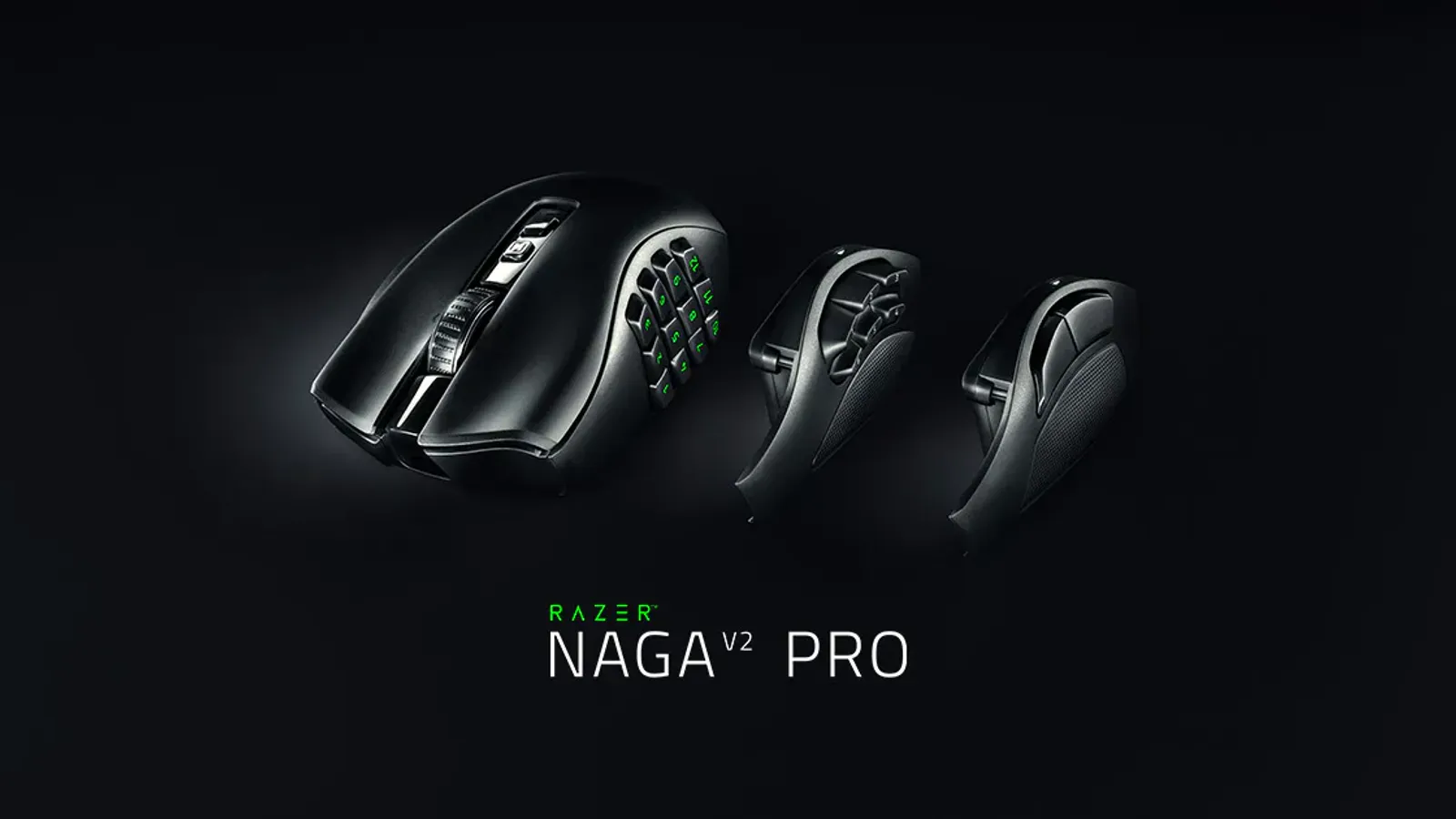
Razer Naga V2 Pro
Best MMO wireless mouse
- Best for
- Best MMO wireless mouse
- Why it is here
- Modular side plates with dense macro grids for raids and tooling shortcuts
- Watch-out
- Bulk and protrusions work against twitch FPS setups—FPS-only shoppers should skip this role
Related Mice best lists
Use these mice lists to narrow the shortlist by use case, setup, and buyer constraints.
More guides coming
Mice currently has one live buying guide here. More routes appear when editorial and CMS contracts are ready.
Quick Verdict
Wireless gaming mice work best when you want fewer cables on the desk, you move gear between setups, or you travel with a laptop and want a simpler bag. Wired mice remain a straightforward choice when cost matters most, you always play at one fixed tower with ports nearby, tournament rules prefer a cable, or you simply do not want to manage batteries and charging.
Who often chooses wireless
- Competitive and ranked players who use the bundled 2.4 GHz dongle on a short USB extension—not Bluetooth—for low-latency play.
- People who alternate between creative apps and shooters on one PC and prefer less cable drag over a wide pad.
- Shared spaces where routing many visible cables across a table is awkward.
Who may stay wired deliberately
- Very tight budgets where skipping radio hardware and docks keeps things simple.
- Players who already use a bungee or fixed cable route and prefer not to manage charge cycles.
- Locked-down work PCs where Bluetooth or personal dongles are not allowed.
FPS versus MMO versus general play
- FPS / battle royale: Lighter shells, symmetrical or low-profile shapes, and side buttons placed for repeatability—not soft rims that slip when you reposition quickly.
- MMO / MOBA / macro-heavy titles: Enough side buttons arranged so you recognize them by feel, or a lighter mouse paired with disciplined software binds if you do not want a full grid physically.
- General / casual play: Comfort, quieter clicks, and occasional Bluetooth use for browsing often matter more than the lowest gram count.
Measure hand length (fingertip to wrist crease) and palm width, compare reviewer grip descriptions, and use simple paper templates before you rely on shelf photos alone—we have not fitted every listed model in a lab setting here.
If category vocabulary is unfamiliar, skim the mice hub first.
Buying Advice By Scenario
Low-weight FPS on large cloth pads: Symmetrical or hybrid shapes under roughly 65 g suit small aim adjustments; refresh feet/skates periodically before assuming the sensor failed.
Ergonomic comfort before headline CPI or polling claims: Heavier sculpted shapes and thumb rests help long mixed sessions across work and RPG-style games; twitch-focused buyers may prefer lighter tools.
MMO raids with many binds: Twelve or more buttons only help when keys are memorized; swappable side plates avoid buying a second mouse for office versus raid nights.
Travel or laptop setups: Prefer internal dongle storage, tougher shells on the road, and Bluetooth only for lighter tasks while keeping 2.4 GHz dongles attached for shooters.
Long unplugged use: Batteries, docks, Qi pads, or AA-powered designs matter alongside sensitivity settings; treat marketing run times as directional, not guarantees.
Stutter during play: Elevate receivers, simplify crowded USB hubs, and read mesh Wi‑Fi fundamentals when problems appear with the tunnel off—not only with peripherals.
Budget wireless: Prioritize dependable tracking and credible firmware reputations ahead of decorative lighting until you verify return policies yourself.
Questions about independence and listings belong with our verification policy and editorial policy.
Comparison Table
| Pick | Best for | Why it earns a spot | Watch-out |
|---|---|---|---|
| Logitech G PRO X2 SUPERSTRIKE | Best wireless gaming mouse overall | Adjustable click concept with a flagship sensor and proven Superlight-style shape for serious play | Novel click tuning helps some hands more than others—try ergonomics locally before committing to top-tier positioning |
| Razer Viper V3 Pro | Best upper mid-range FPS mouse | Very light symmetrical frame with high wireless polling for latency-sensitive setups | Narrow waist can pinch some palm grips—confirm shape before budgeting for competition use |
| Logitech G PRO X SUPERLIGHT 2 | Best proven esports fallback | Familiar silhouette with USB-C and optical switches retained from a widely arena-used line | Narrower than sculpted ergo shapes—avoid if palm overhang bothers you |
| Logitech G502 X PLUS | Best multi-genre wireless gaming mouse | Free-scroll wheel plus many inputs and sculpted rest for hybrids who mix spreadsheets with games | Heavy for strict low-weight FPS training—prefer lighter shells if glide speed is the priority |
| MCHOSE L7 Pro | Best lower mid-range lightweight pick | Low weight relative to spend for buyers who watch firmware notes from smaller vendors | Warranty and firmware cadence varies—read recent owner feedback before gifting |
| Logitech G305 LIGHTSPEED | Best budget wireless gaming mouse | Reliable AA-powered design with approachable price for first wireless setups | Older shell is heavier than modern ultralight models—lighter lithium AAs partly offset mass |
| Razer Naga V2 Pro | Best MMO wireless mouse | Modular side plates with dense macro grids for raids and tooling shortcuts | Bulk and protrusions work against twitch FPS setups—FPS-only shoppers should skip this role |
How to choose a wireless gaming mouse
Weight and inertia
Lighter mice make small corrections easy; heavier bodies add deliberate stability. Balance weight with pad speed versus control weave.
Sensor storytelling versus feel
Focus on steady tracking on your pad, preferred lift-off distance, and tilt behavior from reviews—not DPI numbers alone.
Shape language
Symmetric versus ergonomic curves, taper, and flare at the palm or pinky settle comfort before logos or lighting.
Grip reality
Palms need rear height; claws need knuckle clearance; fingertip grips need shorter front ends and reachable side buttons—compare templates against your outlines.
Hand sizing fudge factors
Near 17–18 cm fingertip-to-wrist often pairs with medium-class mice yet palm breadth still decides thumb reach; treat brand charts as a starting range.
Battery cadence versus docks
Integrated batteries need charge habits; docks or pads help forgetful users; disposable AAs simplify travel but add mass.
Polling rate claims
Higher polling can help selective pros and costs CPU/USB budget; validate whether you perceive benefit on your titles before leaning on nominal specifications alone.
2.4 GHz dongles versus Bluetooth juggling
Use Bluetooth for portability and browsers; rely on bundled 2.4 GHz links—or a short dongle cable—for ranked play close to clean USB ports.
Software obligations
Utilities enable macros or lighting yet may conflict with workplace policies—confirm macOS support if that platform matters.
Side-button ergonomics
Spacing and edge definition matter more than raw counts when sweaty sessions cause mis-presses.
Charging docks versus cables versus magnetic tails
Docked charging changes desk layout; coiled USB-C may beat proprietary docks you might lose during travel.
Feet and skates
Replacement PTFE is inhigher-commitment compared with replacing the whole mouse when glide degrades—plan swaps when edges wear visibly.
Desk setup also overlaps with mechanical keyboards ergonomics and gaming monitors motion clarity whenever you revise the tray together.
How We Chose
Signals lean on ergonomics cues from vendor specifications and long-running community impressions—not unpublished drag labs authored here yet.
- Versatile versus niche shapes
- Honest mass including battery penalties
- Wireless stacks (polling claims, dongle behavior)
- Button layouts suited to FPS, hybrid, or MMO workloads
- Software maturity across Windows/macOS hybrids
- Power stories (integrated cell, docks, alkaline or lithium AAs)
If your main game shifts, reorder priorities—an overall pick can mis-serve macro-heavy buyers who shop thin FPS shapes without verifying grip fit.
1. Logitech G PRO X2 SUPERSTRIKE: Best wireless gaming mouse overall
Choose if: You want flagship Logitech hardware with adjustable click experimentation on a broadly trusted shell.
Skip or pause if: The new click tuning feels fussy versus conventional optical switches or flagship pricing outweighs incremental benefit.
Trade-off: New actuator ideas versus incremental polish on mature siblings whose behavior is predictable.
2. Razer Viper V3 Pro: Best upper mid-range FPS mouse
Choose if: You prioritize very low weight plus symmetrical outlines for twitch aiming.
Skip or pause if: Palm-heavy grips need taller humps slim symmetrical shells cannot provide.
Trade-off: Light glide versus sculpted rests aimed at comfort workloads.
3. Logitech G PRO X SUPERLIGHT 2: Best proven esports fallback
Choose if: You want arena-familiar ergonomics refreshed with USB-C without betting on bleeding-edge actuator stories.
Skip or pause if: Your thumb flare already prefers chunkier sculpted bodies outside Logitech’s family.
Trade-off: Proven feel versus quieter annual upgrades sibling models highlight.
4. Logitech G502 X PLUS: Best multi-genre wireless gaming mouse
Choose if: Free-spin wheels, tactile macro grids, and sculpted rests anchor hybrid raids plus spreadsheets.
Skip or pause if: Competitive FPS drills demand shells near or under sixty grams exclusively.
Trade-off: Depth of programmable inputs versus the appeal of minimalist lightweight shells elsewhere.
5. MCHOSE L7 Pro: Best lower mid-range lightweight pick
Choose if: You want standout weight-to-price on paper yet accept staying on top of smaller-brand firmware updates.
Skip or pause if: Support uncertainty outweighs upfront savings versus established vendors.
Trade-off: Cost savings versus the predictability bigger brands amortize elsewhere.
6. Logitech G305 LIGHTSPEED: Best budget wireless gaming mouse
Choose if: Familiar symmetrical AA-powered hardware fits starter rigs without docks.
Skip or pause if: Heavier shells frustrate you after borrowing lighter household mice.
Trade-off: Accessible AA ecosystem versus pricier ultralight flagship models when budget matters more than grams saved.
7. Razer Naga V2 Pro: Best MMO wireless mouse
Choose if: Swappable macro skirts fit WoW or creative shortcuts without juggling two peripherals.
Skip or pause if: Competitive FPS dominates your leisure time—the mass fights rapid drag habits.
Trade-off: Depth of programmable side inputs versus disciplined low-weight glide elsewhere.
Notable alternatives outside this shortlist
- Corded tournament mice or bungeed cables remove radio variables wherever budgets disallow batteries or arenas require detachable cables only.
- Ergonomic productivity mice prioritize vertical grips or thumb shelves when wrist comfort—not shooters—anchors the upgrade.
- Mechanical keyboards affect posture arcs together with mice—follow the mechanical keyboards guide alongside gaming monitors when you refresh the tray.
What To Avoid
- Buying via CPI headlines without handling units or validating pad pairing first.
- Forcing symmetrical ultralights atop wide palm grips, then blaming the mouse before verifying shape fit.
- Treating Bluetooth as equivalent to bundled 2.4 GHz dongles during ranked sessions.
- Neglecting spare feet, firmware prompts, or cleaning until glide fails mid-season.
- Blaming mice first when jitter traces to overcrowded hubs or noisy Wi‑Fi—see mesh Wi‑Fi notes.
FAQ
Wireless versus wired gaming mouse—which should I choose?
Wireless wins cleanliness and portability when dongle setups satisfy you; wired avoids charging chores and aligns with arenas that emphasize tethered equipment.
Does latency genuinely matter?
It matters when jitter budgets stay tight across polling modes, receivers, chipset contention, and pad weave; Bluetooth suffices for browsing while ranked play favors bundled radios.
What helps small-handed buyers?
Shorter fronts, tighter waists, and lighter shells improve thumb reach and reduce palm strain—prioritize sizing threads over marketing photography alone.
What helps large-handed buyers?
Higher humps plus longer primary shells keep fingers anchored—verify lateral button reach physically.
Lightweight versus ergonomic sculpts?
Ultralight shells trade stability for responsiveness; sculpted ergo molds favor marathon sessions yet feel slower during aggressive twitch drags expecting minimal mass.
Bluetooth versus 2.4 GHz gaming?
Bluetooth balances couch productivity; shooters stay on dongles—or accept intermittent wake quirks some Bluetooth stacks impose.
What battery-life trade-offs appear?
Higher polling modes and saturated lighting shorten runtime beyond marketing disclaimers—docks plus dimmed lighting reduce anxiety when outlets disappear.
Polling-rate messaging—worth decoding?
Higher nominal rates sample motion faster yet depend on CPU and USB throughput; many buyers will not perceive a meaningful difference unless you measure responsiveness yourself.
Are wireless mice worth LAN travel?
Yes when dongle storage and casing survive transit; fragile shells or cramped bags may steer you toward detachable wired rigs with bungees instead.
Review the affiliate disclosure for how storefront modules might layer atop guidance—we still withhold purchase shortcuts until approvals exist.
Editorial transparency
Better Buy Lab withholds storefront purchase shortcuts until reviewer-backed listings finish. Combine verification policy with affiliate disclosure for editorial boundaries. Imagery publishes only after local manifest clearance—never hotlinked retailer thumbnails in this sprint.
Update log
- 2026-05-15 — Structural depth sprint: verdict arcs, Buying Advice framing, refreshed comparison rationale, numbered pick cues, FAQ, transparency.
- 2026-05-15 — Added structured decision-map, coverage checklist, and pick-logic modules in the site builder after QA.
- 2026-05-15 — Editorial voice normalization: removed figurative phrases while keeping headings, modules, safety gates, and internal links intact.