Guide summary
Best mesh Wi-Fi when coverage is the problem
Mesh solves coverage shape: dead zones, multi-floor paths, and how many satellites you can place—not raw AC/AX marketing alone.
6 of 6 shortlist picks have editorial photos on this page.
- Category
- Networking
- Shortlist
- 6 tracked picks
- Lead pick
- TP-Link Deco BE63
- Use case
- Best router system for large homes
Key buying checks
How to choose home Wi-Fi that covers where you actually sit
Node placement, Ethernet wiring where possible, your ISP tier, and wall layout determine coverage more than the Wi-Fi generation label. Use these checks while you read the shortlist—they separate good fits from common buyer mistakes.
Coverage from layout, not marketing square footage
Too few access points leaves dead zones; poor placement wastes hardware. Wall and floor materials attenuate signal.
Multi-story homes and long narrow layouts.
Enclosed shelves and cabinets shield antennas and reduce performance.
Sketch of floors, wall types, Ethernet paths, current weak spots.
Ethernet backhaul when stability matters
Wireless mesh hops share radio capacity with your devices; wired links between nodes reduce that contention.
Homes with heavy video calls and multiple 4K streams.
All-wireless backhaul struggles when many devices compete at peak hours.
Cable routes, switch location, which satellite can be wired first.
Match router tier to ISP and client devices
A new router cannot fix a slow ISP tier or old laptops that never use the new radio bands.
Households with recent phones and laptops on fast fiber or cable tiers.
Multi-gig marketing ignores typical device mix and interference.
ISP speed, modem limits, age of client devices, need for multi-gig LAN ports.
Single router versus multiple nodes
Many apartments improve with better central placement before adding mesh hardware.
Smaller footprints with a logical central location for the router.
Mesh kits are sometimes sold where a relocated router would suffice.
Whether dead zones persist after central placement trials, major obstructions, interference sources.
Confirm the exact model before you buy
Model names, regions, and bundles change what is in the box. Check the manufacturer page for your country, the seller listing, warranty text, and which accessories are included.
Buyers who shop online and need the shipment to match the configuration they selected.
Small naming differences can mean different ports, stands, or power adapters between regions.
SKU, country variant, return window, warranty, and that photos match the product you add to the cart.
When headline specifications miss real-world limits
A strong specification can still disappoint if glare, noise, edge cleaning, or return terms do not fit how you use the product.
Buyers who want to compare trade-offs before deciding.
Marketing often assumes ideal conditions; your room, hearing, or layout may differ.
Return policy, upkeep (filters, bags, mop pads), physical fit in the space, and whether the downsides are acceptable.
Mesh routing
Pick mesh when coverage, placement, and ports match the house—not when the box says “whole home”
This map summarizes networking trade-offs from existing routes only. It does not add benchmarked throughput, ISP-specific guarantees, or live shopping tools.
Dead zones and multi-floor homes
- Use this path when
- Wi-Fi dies at the far bedroom, basement, or backyard office—mesh adds nodes instead of one router shouting through walls.
- Avoid this shortcut if
- Do not add nodes randomly; poor placement wastes money and can make roaming worse.
- Next step
- Sketch node placement with wired backhaul in mind, then match Wi-Fi generation to your internet plan headroom.
Multi-gig internet and Wi-Fi 7
- Use this path when
- Your ISP plan or internal NAS traffic needs more than gigabit Ethernet on satellite hops—port speed and band design matter as much as mesh branding.
- Avoid this shortcut if
- Do not pay for Wi-Fi 7 hardware if every node uplink is still gigabit-limited unless you have a clear upgrade path.
- Next step
- Verify port speeds on every unit you expect to wire; check subscription paywalls on security features before you standardize.
Simple setup and low fiddling
- Use this path when
- Household tech tolerance is low—app-first onboarding, stable roaming, and predictable support beat tweakable-but-fragile setups.
- Avoid this shortcut if
- Do not recommend power-user stacks to buyers who will never run Ethernet or read release notes.
- Next step
- Favor systems with straightforward apps when “it just works” is the primary success metric.
Power users and VLAN nerds
- Use this path when
- You want AiMesh-style expansion, fewer subscription gates, or LAN partitioning—ecosystem flexibility beats minimal vendor polish.
- Avoid this shortcut if
- Do not assume every mesh SKU exposes the same advanced toggles; model tiers vary inside one brand.
- Next step
- Cross-check the exact SKU’s feature matrix before treating “ASUS” or “TP-Link” as one experience.
Router-first large home
- Use this path when
- A single powerful router plus wired APs might beat mesh on latency—some layouts need [large-home routers](/networking/best-routers-large-home/) before more nodes.
- Avoid this shortcut if
- Do not stack mesh on top of an unknown wiring problem without checking Ethernet paths first.
- Next step
- If you have solid wall Ethernet, compare router + AP patterns against wireless-backhaul mesh.
Networking guides hub
- Use this path when
- You still need to choose between mesh, single router, budget ceiling, and ISP gear replacement strategy.
- Avoid this shortcut if
- Do not buy new mesh packs before ruling out ISP modem placement and basic cabling faults.
- Next step
- Use the networking hub when the buying job is still undefined.
Mesh buyer depth
Inside this mesh Wi-Fi guide
These cards highlight architecture choices that determine whether mesh feels like an upgrade. Measured performance claims and shopping tools ship only after additional editorial review.
When one strong router and wired access points fit better than node sprawl, compare Best routers for large homes and Networking hub before you standardize on mesh; Node placement, wired backhaul, and realistic device counts matter more than mesh marketing on the box; encrypted tunnels on VPN guides hub do not widen weak wireless backhaul—fix coverage first when VPN is off and Wi‑Fi still fails.
When mesh shortlist models stay live but node count, backhaul, and subscription framing still need homework, cross-read TP-Link Deco BE63 product note, eero Max 7 product note, TP-Link Deco XE5300/XE75 product note, eero 6 product note, ASUS ZenWiFi ET9 product note, and ASUS ZenWiFi BQ16 Pro product note—commerce-free checklist pages beside this guide, not storefronts.
Placement and backhaul first
Wireless vs wired backhaul, node count discipline, and ISP bottle-necking are called out before speeds get oversold.
Subscription and paywall honesty
Security suites and cloud features that hide behind subscriptions are labeled so buyers know what is recurring.
Ports match the plan
Multi-gig buyers see why gigabit-only satellites break real-world throughput promises.
Mesh vs router fork
Large-home router guidance stays visible so mesh is not treated as the only valid architecture.
Commerce and claim gates
Measured throughput charts we have not produced, live pricing, affiliate CTAs, and synthetic lab scores stay off this guide until evidence exists.
Mesh pick logic
How to read the mesh shortlist
These notes explain shortlist roles for this guide. They are not throughput certifications, SLA promises, prices, or affiliate rankings.
TP-Link Deco BE63
- Shortlist role
- Best mesh Wi-Fi system overall
- Why it’s listed here
- Large-home pick when mesh plus multi-gig ports per node beats one distant standalone router.
- Watch out
- Skip it if some advanced features sit behind HomeShield subscription.
ASUS ZenWiFi ET9
- Shortlist role
- Best upper mid-range mesh system
- Why it’s listed here
- Large-home lane when Wi-Fi 6E is enough and lighter subscription framing matters.
- Watch out
- Skip it if not Wi-Fi 7.
TP-Link Deco XE5300/XE75
- Shortlist role
- Best mid-range mesh value
- Why it’s listed here
- Value mesh lane for large footprints when wired backhaul upgrades are staged later.
- Watch out
- Skip it if gigabit Ethernet limits faster internet plans.
eero 6
- Shortlist role
- Best budget mesh Wi-Fi system
- Why it’s listed here
- Budget mesh lane for lighter layouts when premium range and controls are optional.
- Watch out
- Skip it if less advanced configuration and weaker long-range performance.
eero Max 7
- Shortlist role
- Best premium mesh alternative
- Why it’s listed here
- Premium mesh lane when budget allows maximum headroom versus mid-tier Wi-Fi 7 mesh.
- Watch out
- Skip it if too higher-commitment for most homes.
ASUS ZenWiFi BQ16 Pro
- Shortlist role
- Best power-user alternative to verify
- Why it’s listed here
- High-end Wi-Fi 7 capability and advanced ASUS ecosystem appeal.
- Watch out
- Skip it if price, availability, and setup complexity must be checked before recommending.
Shortlist at a glance
Use these cards for buyer-fit context and research notes first. Optional Amazon listing buttons appear only on approved picks—always confirm model, bundle, and seller on the listing you open.
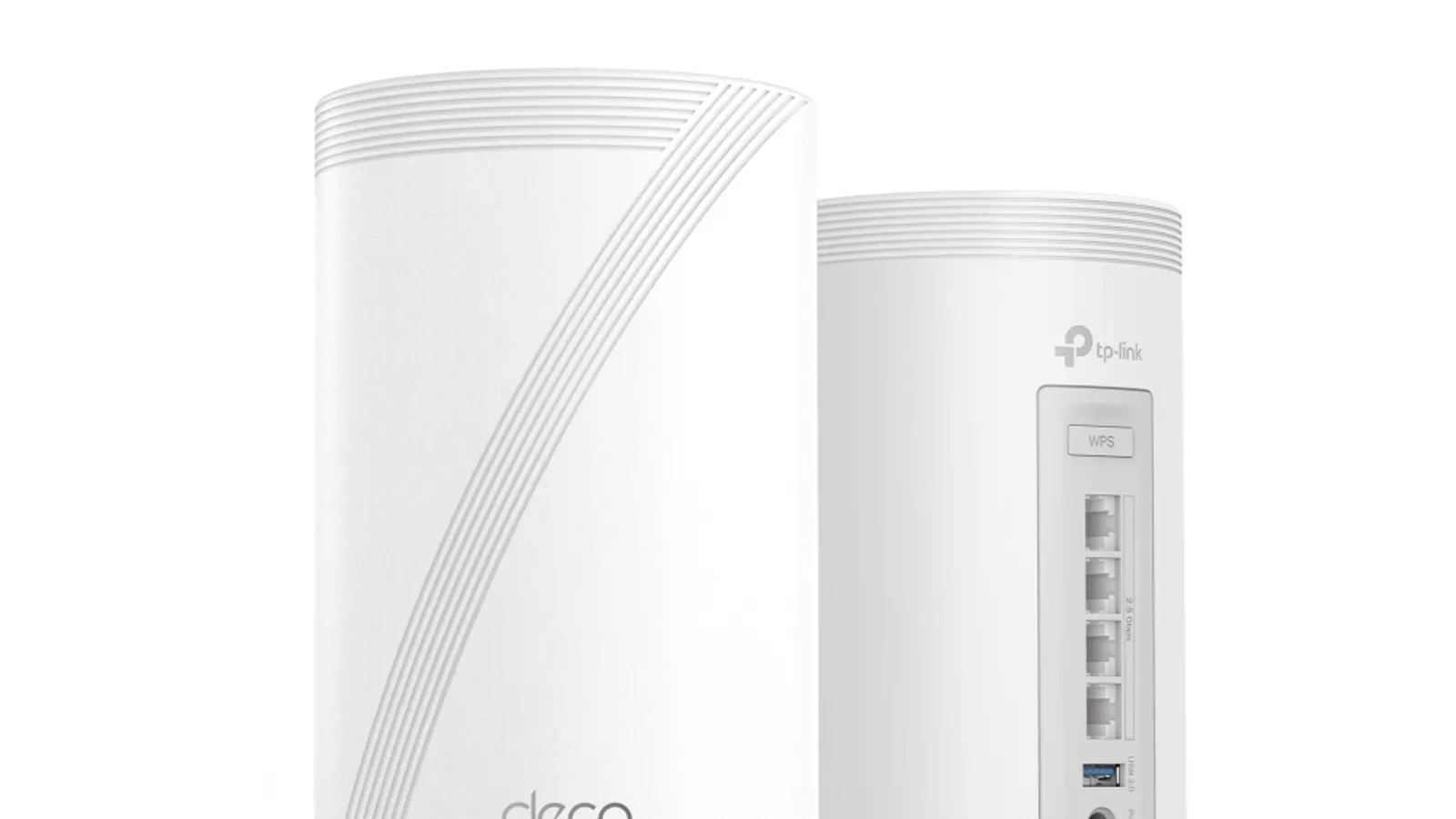
TP-Link Deco BE63
Best mesh Wi-Fi system overall
- Best for
- Best mesh Wi-Fi system overall
- Why it is here
- Tri-band Wi-Fi 7, strong range, four 2.5Gbps ports per unit, and easy expansion.
- Watch-out
- Some advanced features sit behind HomeShield subscription.
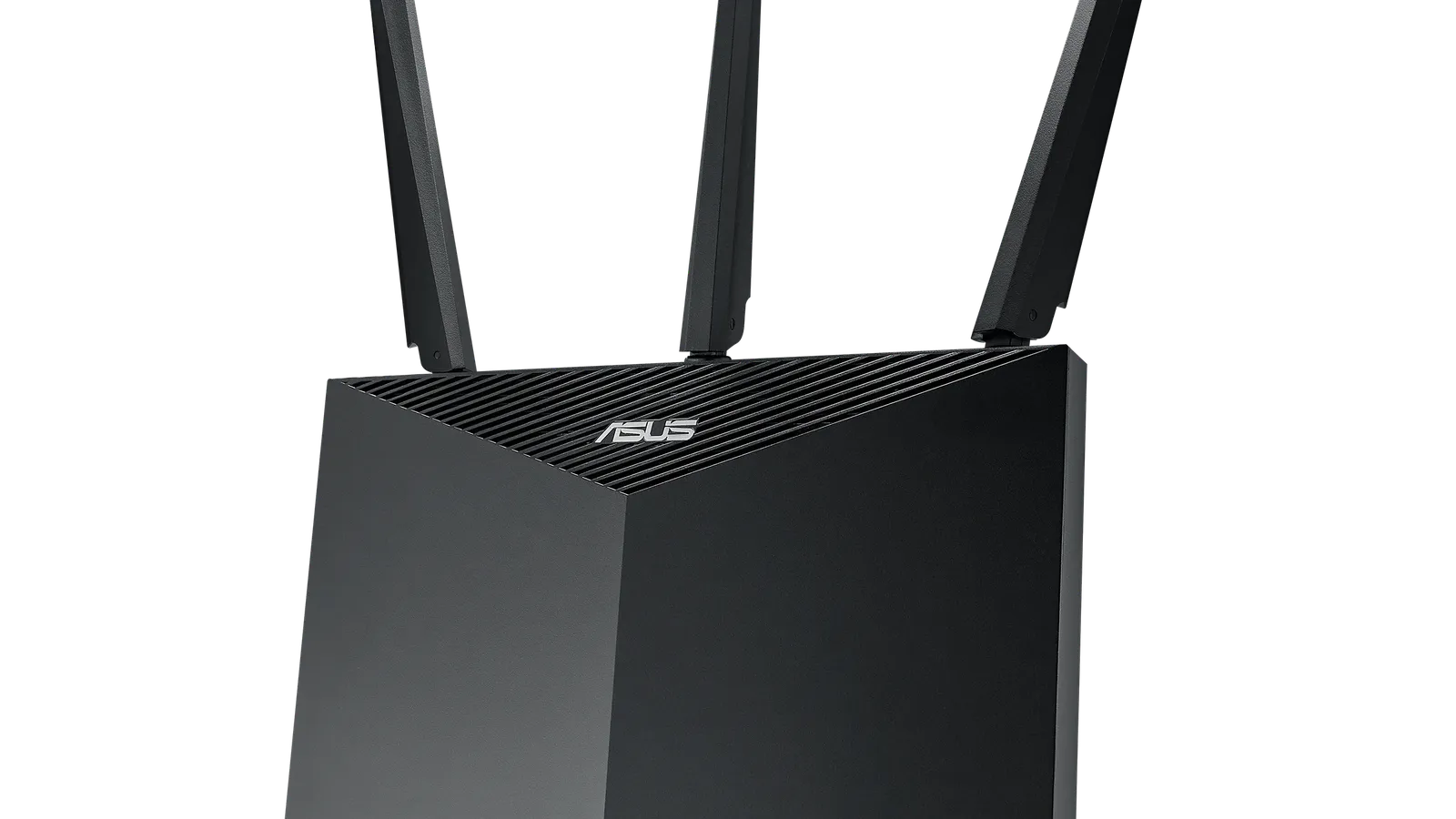
ASUS ZenWiFi ET9
Best upper mid-range mesh system
- Best for
- Best upper mid-range mesh system
- Why it is here
- Strong range, low subscription pressure, Wi-Fi 6E, and AiMesh expandability.
- Watch-out
- Not Wi-Fi 7.
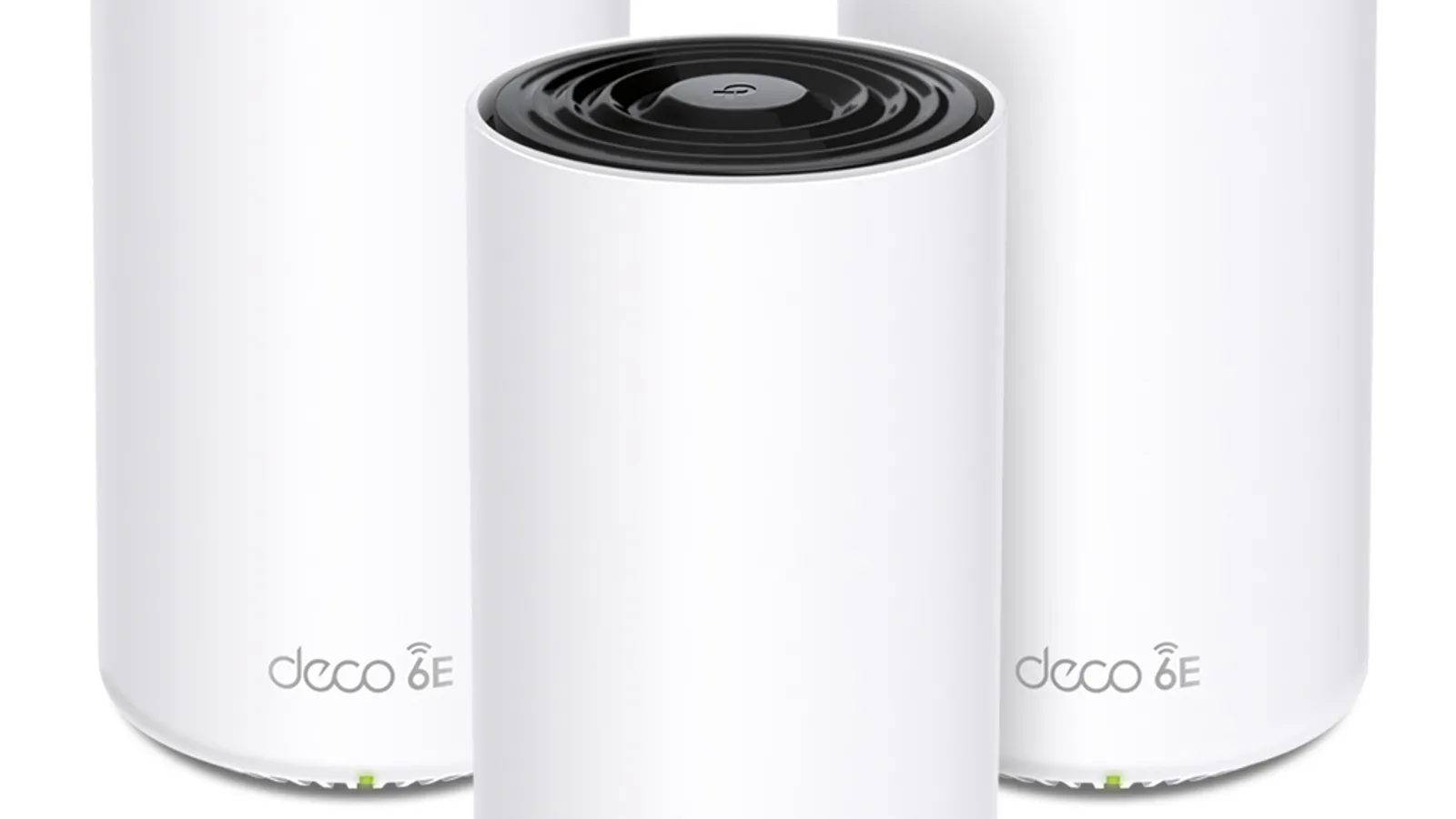
TP-Link Deco XE5300/XE75
Best mid-range mesh value
- Best for
- Best mid-range mesh value
- Why it is here
- Three-node coverage value, Wi-Fi 6E, slim nodes, and easy app setup.
- Watch-out
- Gigabit Ethernet limits multi-gig internet plans when satellites are wired that way.
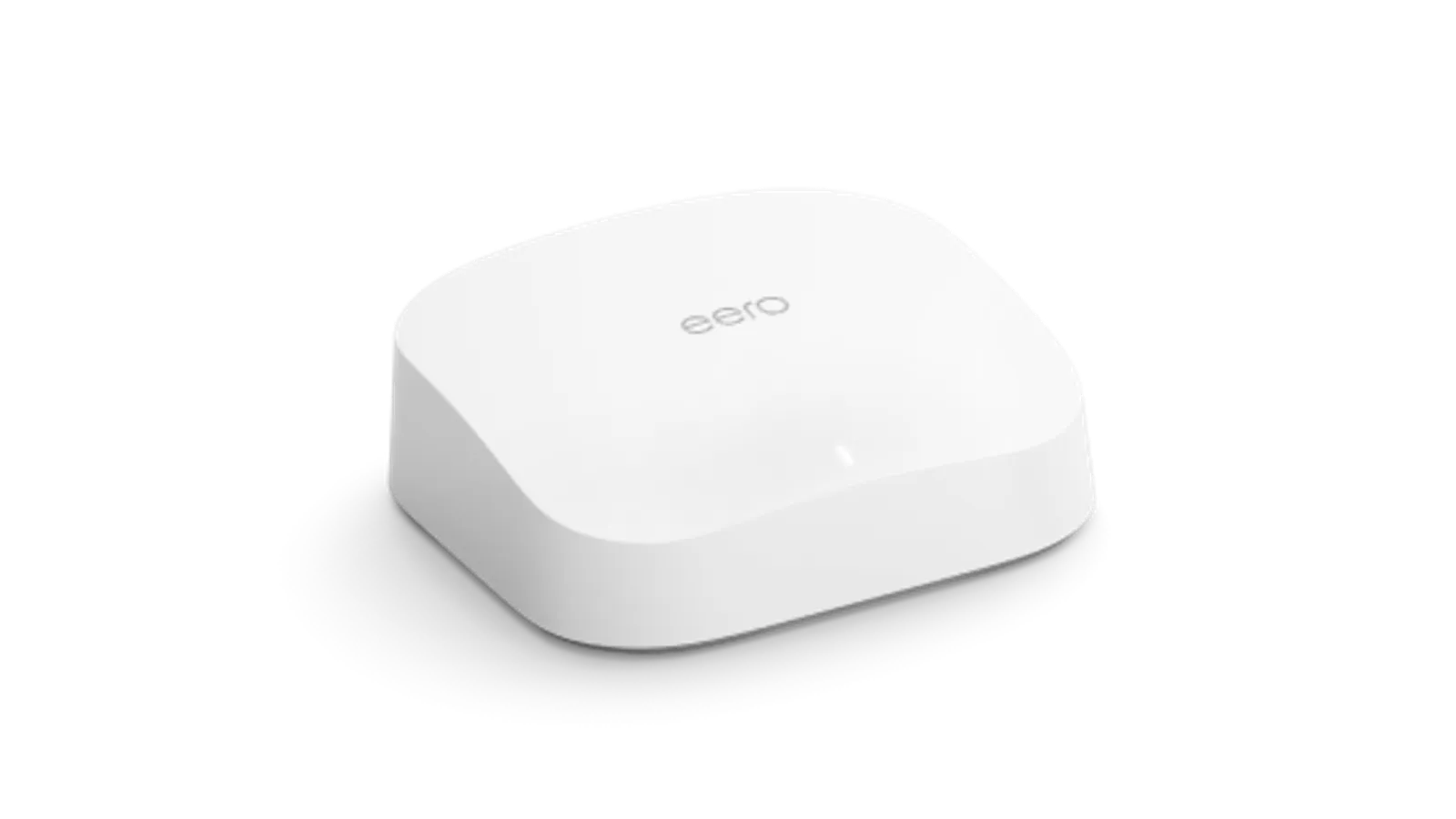
eero 6
Best budget mesh Wi-Fi system
- Best for
- Best budget mesh Wi-Fi system
- Why it is here
- Simple setup, compact design, smart-home integration, and enough speed for many apartments and small homes.
- Watch-out
- Less advanced configuration and weaker long-range performance than premium packs.
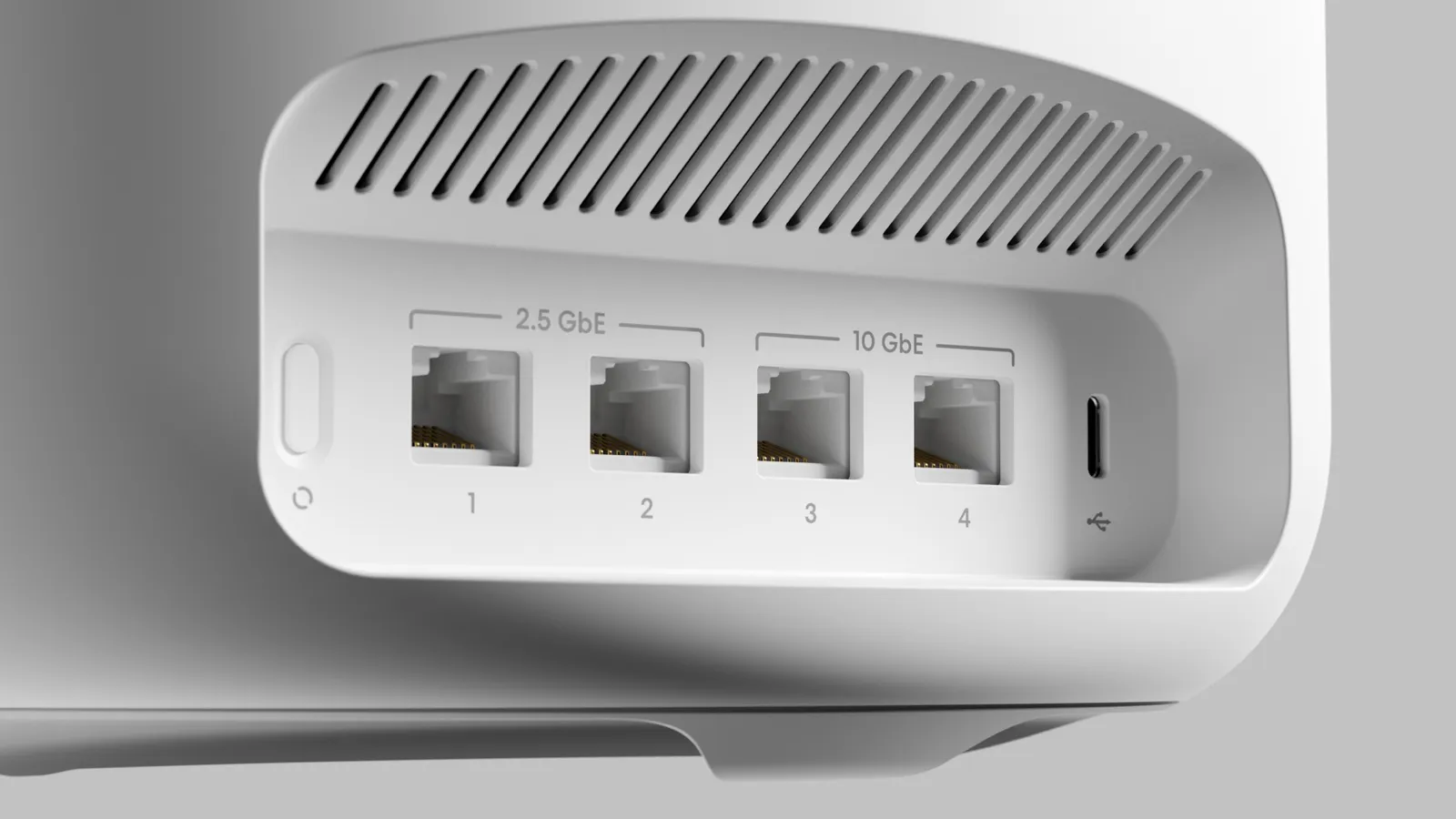
eero Max 7
Best premium mesh alternative
- Best for
- Best premium mesh alternative
- Why it is here
- Strong Wi‑Fi 7 story and range for buyers prioritizing top-tier mesh experience.
- Watch-out
- Easy to overspend relative to real household needs.
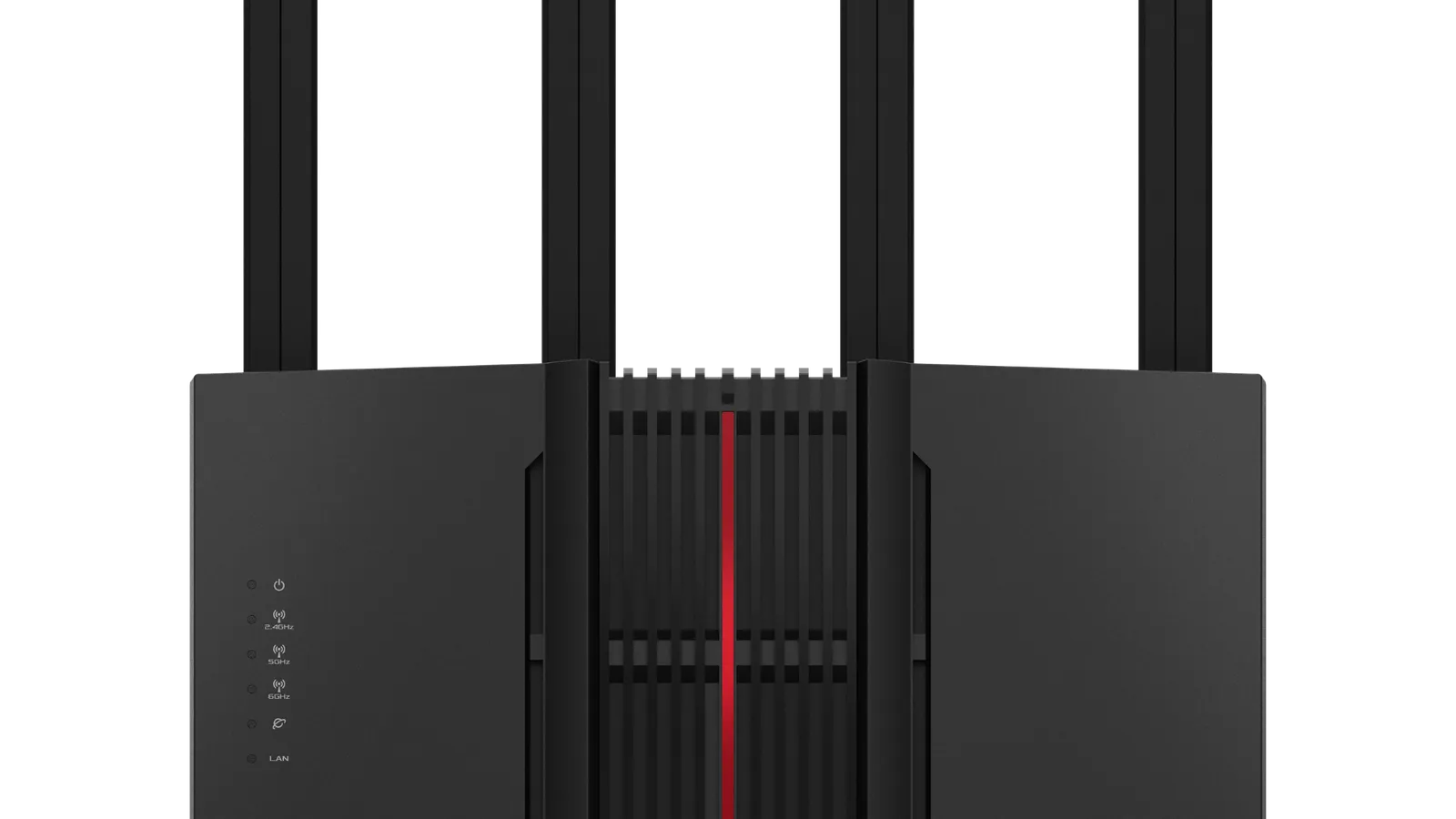
ASUS ZenWiFi BQ16 Pro
Best power-user alternative to verify
- Best for
- Best power-user alternative to verify
- Why it is here
- High-end Wi‑Fi 7 capability and deep ASUS ecosystem appeal.
- Watch-out
- Price, model availability, and setup complexity need confirmation before treating as default.
Related Networking best lists
Use these networking lists to narrow the shortlist by use case, setup, and buyer constraints.
Best Routers for Large Homes
Large-home router and mesh guide: placement, mesh vs standalone, Wi‑Fi generations, wired backhaul, Ethernet planning, ISP double-NAT issues, firmware hygiene—no storefront links.
Quick Verdict
Mesh Wi‑Fi is a coverage architecture: nodes talk to each other so phones roam without you thinking about it. The upgrade fails when people skip placement planning, misunderstand backhaul limits, or buy the wrong port speeds for their internet plan.
This guide builds a comparison table, then choose / skip / trade-off notes per pick, plus links to related networking guides. Better Buy Lab does not publish measured Mbps scorecards in this draft—structure is informed by category research (including RTINGS-style networking benchmarks). No live prices, stock, or affiliate modules.
The decision map above helps route mesh vs large-home router thinking before you chase SKU lists.
Comparison Table
| Pick | Best for | Why it earns a spot | Watch-out |
|---|---|---|---|
| TP-Link Deco BE63 | Best mesh Wi-Fi system overall | Tri-band Wi-Fi 7, strong range, four 2.5Gbps ports per unit, and easy expansion. | Some advanced features sit behind HomeShield subscription. |
| ASUS ZenWiFi ET9 | Best upper mid-range mesh system | Strong range, low subscription pressure, Wi-Fi 6E, and AiMesh expandability. | Not Wi-Fi 7. |
| TP-Link Deco XE5300/XE75 | Best mid-range mesh value | Three-node coverage value, Wi-Fi 6E, slim nodes, and easy app setup. | Gigabit Ethernet limits multi-gig internet plans when satellites are wired that way. |
| eero 6 | Best budget mesh Wi-Fi system | Simple setup, compact design, smart-home integration, and enough speed for many apartments and small homes. | Less advanced configuration and weaker long-range performance than premium packs. |
| eero Max 7 | Best premium mesh alternative | Strong Wi‑Fi 7 story and range for buyers prioritizing top-tier mesh experience. | Easy to overspend relative to real household needs. |
| ASUS ZenWiFi BQ16 Pro | Best power-user alternative to verify | High-end Wi‑Fi 7 capability and deep ASUS ecosystem appeal. | Price, model availability, and setup complexity need confirmation before treating as default. |
How to choose for your situation
Big house, weak drywall paths: Mesh shines when one router cannot punch through—still map node placement.
Multi-gig ISP plans: Match Ethernet port speeds on each unit you rely on; gigabit-limited hops cap real throughput.
Non-technical household: App-first systems reduce support burden; power users may want fewer paywalled features.
How we narrow the field
We treat Wi‑Fi generation, backhaul reality, port speeds, subscription friction, and ecosystem lock-in as purchase-shaping—not marketing checkboxes.
When mesh is the wrong first move
If you already have great Ethernet to remote rooms, access points or a strong router hub might beat wireless backhaul mesh—see best routers for large homes.
Use-case snapshot
- Balanced Wi‑Fi 7 + multi-gig: Deco BE63 class—watch subscription extras.
- Anti-subscription tilt with Wi‑Fi 6E: ZenWiFi ET9 lane—accept not being on Wi‑Fi 7.
- Value three-pack coverage: Deco XE5300/XE75—mind gigabit port ceilings.
- Simplicity first: eero 6—trade absolute range for calm setup.
- Flagship mesh flex: eero Max 7—justify the spend vs household load.
- ASUS depth: BQ16 Pro—verify SKU features before assuming pro controls exist.
1. TP-Link Deco BE63: Best mesh Wi-Fi system overall
Choose this if: You want Wi‑Fi 7 headroom, multi-gig ports for wired nodes, and an expandable Deco stack.
Skip this if: Subscription-gated security is a dealbreaker and you refuse to verify what ships free vs paid.
Trade-offs: Strong hardware story vs software upsell patterns you must accept or bypass.
2. ASUS ZenWiFi ET9: Best upper mid-range mesh system
Choose this if: You want AiMesh flexibility, Wi‑Fi 6E performance, and relatively less nanny-subscription pressure.
Skip this if: You specifically need Wi‑Fi 7 branding today for future device portfolios.
Trade-offs: Excellent practical mesh; generation label may trail bleeding-edge marketing elsewhere.
3. TP-Link Deco XE5300/XE75: Best mid-range mesh value
Choose this if: Three-node sprawl at moderate price beats one fancy router in your floor plan.
Skip this if: Your plan needs wired multi-gig to satellites and these nodes would bottleneck.
Trade-offs: Coverage value vs port-speed ceiling on some SKUs.
4. eero 6: Best budget mesh Wi-Fi system
Choose this if: You want calm setup, smaller hardware, and modest square footage.
Skip this if: You need deep VLAN control or expect to push heavy LAN throughput through wireless hops.
Trade-offs: Simplicity vs tweaker features.
5. eero Max 7: Best premium mesh alternative
Choose this if: Top-tier mesh experience matches budget and device mix (many Wi‑Fi 7 clients soon).
Skip this if: Mid-tier hardware already saturates what your ISP and devices can use.
Trade-offs: Performance headroom vs price discipline.
6. ASUS ZenWiFi BQ16 Pro: Best power-user alternative to verify
Choose this if: You want ASUS ecosystem depth and Wi‑Fi 7 positioning with willingness to study manuals.
Skip this if: You need a weekend plug-in with zero configuration anxiety.
Trade-offs: Capability vs complexity and availability homework.
If none of these fit
Use the networking hub to compare mesh packs with router-first strategies before you standardize on one vendor.
Common mistakes
- Adding nodes without addressing modem placement and basic wiring.
- Expecting wireless backhaul to match wired backhaul speeds.
- Ignoring recurring security subscriptions when comparing “free” apps.
FAQ
Is mesh always better than one router?
No—open layouts and strong central placement sometimes favor one great router plus wired APs instead of more wireless hops.
Does mesh reduce speed?
Wireless backhaul can; Ethernet backhaul between nodes usually helps stability and throughput.
Wi-Fi 7 now or wait?
Buy when your clients and bandwidth plan justify the premium; otherwise strong Wi‑Fi 6E mesh may be the calmer spend.
Where do large-home routers fit in?
When you want fewer devices and have rack or closet placement solved—see routers for large homes.