Guide summary
Best college laptops for campus realities
Campus laptops need the right software lane, battery for long days, repair access, and budget headroom—not just the flashiest chip name.
7 of 7 shortlist picks have editorial photos on this page.
- Category
- Laptops
- Shortlist
- 7 tracked picks
- Lead pick
- Apple MacBook Air 13 (M4, 2025)
- Use case
- Best overall college laptop
Key buying checks
How to choose a laptop that survives your real workload
Sustained performance under the programs you run, display comfort, realistic battery life, and port layout matter for daily use. Use these checks while you read the shortlist—they separate good fits from common buyer mistakes.
Cooling and noise under your typical load
Thin designs may throttle under long renders or exports. Match CPU and GPU class to software you run simultaneously.
Developers, creators, and heavy multitaskers.
Sustained heat rises in warm rooms or when vents are blocked on a soft surface.
CPU and GPU tier, fan noise tolerance, RAM maximum, storage upgrades.
Brightness, coating, and hinge quality
Dim panels are hard outdoors; glossy screens pick up reflections. A loose hinge hurts lap use.
Long daily use for work or study.
Some users are sensitive to PWM dimming; verify if you have eye strain history.
Brightness rating, matte versus glossy, scaling comfort, webcam quality, hinge stiffness.
Battery for real brightness and workloads
Manufacturer video-run benchmarks rarely match multitasking at higher brightness.
Commuters between outlets or campus use.
Small power bricks mean slow recharge if you forget to plug in overnight.
Battery watt-hours, adapter wattage, fast charge claims, sleep drain reports.
Ports before you rely on a single connector
One USB-C port must cover display, charging, and peripherals unless you plan a dock.
Dual monitors, SD cards, Ethernet, or external drives.
Missing bandwidth or charging passthrough limits dock setups.
Port speeds, display output limits, charging while docked, peripheral count.
Confirm the exact model before you buy
Model names, regions, and bundles change what is in the box. Check the manufacturer page for your country, the seller listing, warranty text, and which accessories are included.
Buyers who shop online and need the shipment to match the configuration they selected.
Small naming differences can mean different ports, stands, or power adapters between regions.
SKU, country variant, return window, warranty, and that photos match the product you add to the cart.
When headline specifications miss real-world limits
A strong specification can still disappoint if glare, noise, edge cleaning, or return terms do not fit how you use the product.
Buyers who want to compare trade-offs before deciding.
Marketing often assumes ideal conditions; your room, hearing, or layout may differ.
Return policy, upkeep (filters, bags, mop pads), physical fit in the space, and whether the downsides are acceptable.
College laptop decision map
Choose the laptop by major, platform, and daily carry first
These paths cover typical college laptop trade-offs using Better Buy Lab editorial research only. Final product facts, prices, images, stock, ratings, and lab-style measurement claims stay off this page until verified separately.
Default campus laptop
- Use this path when
- Start here when the student needs one reliable laptop for writing, research, video calls, notes, media, and long days away from a charger.
- Avoid this shortcut if
- Do not buy by brand alone if the major has software requirements, exam-lockdown tools, or lab apps that only run well on a specific platform.
- Next step
- Check the department software list first, then narrow by portability, battery comfort, keyboard quality, and screen size.
Windows-required major
- Use this path when
- Use this path for engineering, accounting, CAD, statistics, business labs, testing software, or any course list that names Windows apps explicitly.
- Avoid this shortcut if
- Do not assume a Mac, Chromebook, or ARM Windows laptop is safe until compatibility is confirmed with the school or department.
- Next step
- Verify required software, plug-ins, drivers, and virtual-machine policy before choosing a platform.
MacBook-friendly major
- Use this path when
- Use this path for writing-heavy, media, general coursework, and ecosystem-first students whose classes do not require Windows-only tools.
- Avoid this shortcut if
- Do not choose a MacBook just because it is the default campus pick if the program depends on unsupported Windows software.
- Next step
- Confirm the major's software list, then decide whether the smaller screen or larger dorm-friendly screen is the better fit.
Chromebook or web-first student
- Use this path when
- Use this route when coursework is browser-based, the student mostly needs notes, documents, media, and simple assignments, and the budget is tight.
- Avoid this shortcut if
- Do not use a Chromebook as the only computer for majors that need desktop apps, coding environments, CAD, pro creative tools, or specialized testing software.
- Next step
- Treat ChromeOS as a workload decision, not just a cheaper laptop category.
Engineering, creative, or gaming load
- Use this path when
- Use this route when GPU capability, sustained performance, coding tools, creative apps, or after-class gaming matter more than minimum weight.
- Avoid this shortcut if
- Do not choose a power laptop if commute weight, fan noise, heat, charger size, and battery life will make it worse for daily classes.
- Next step
- Decide whether one powerful laptop is worth the portability trade-off or whether a lighter laptop plus a desktop setup is cleaner.
Dorm desk and larger-screen setup
- Use this path when
- Use this path when the laptop will often sit at a dorm desk, external monitor, keyboard, USB-C hub, or shared study setup.
- Avoid this shortcut if
- Do not oversize the laptop only to solve desk comfort if an external display path would be more ergonomic.
- Next step
- Plan screen size, charger location, ports, cable routing, and backpack weight together.
Laptop category hub
- Use this path when
- Use the laptop hub when the choice is still between college, budget, gaming, work, Chromebook, Mac, Windows, and long-term ownership paths.
- Avoid this shortcut if
- Do not lock into the college shortlist before the real use case is clear.
- Next step
- Return to the hub when the platform, workload, or budget lane is still unsettled.
College laptop buyer depth
Inside this college laptop guide
The public page can help students and parents avoid the biggest platform and workload mistakes. Ledger-approved Amazon Associates buttons may appear beside eligible MacBook Air shortlist picks with reader-visible disclosure; live prices, stock claims, and forbidden schema remain off this guide.
When tuition already strains the budget, Best budget laptops may be the calmer fork before you stretch to premium MacBook lanes; dorm or desk gaming setups often need Best gaming monitors beside the laptop shortlist; Best wireless earbuds covers commute and library focus when over-ear ANC feels like overkill.
When shortlist models stay live but major, platform, and carry questions remain, cross-read Apple MacBook Air 13 (M4, 2025) product note, Lenovo Chromebook Duet 5 product note, Microsoft Surface Laptop 7 15-inch product note, Acer Swift Go 14 (2024) product note, Apple MacBook Air 15 (M4, 2025) product note, ASUS ROG Zephyrus G14 product note, and ASUS Zenbook A14 UX3407 product note—commerce-free checklist pages beside this guide, not storefronts.
Major and software compatibility first
The page now pushes the buyer to check department software, exam tools, drivers, plug-ins, virtual-machine policy, and platform restrictions before choosing a brand.
Mac, Windows, Chromebook, and ARM are separated
Readers get practical routing for MacBook-friendly majors, Windows-required majors, web-first Chromebook use, and ARM compatibility risk instead of one generic student-laptop answer.
Portability, battery, and screen size are trade-offs
The guidance separates lecture-hall portability from dorm-room comfort, larger screens, charger burden, keyboard comfort, webcam needs, and long ownership expectations.
Dorm, commute, and repair risk stay visible
Backpack weight, desk setup, USB-C charging, port access, return windows, campus support, and warranty comfort are common buyer risks to sanity-check before you order.
Power-workload caveats are explicit
Engineering, creative, coding, and gaming workloads are routed separately because GPU power, fans, heat, battery life, and charger size can make a powerful laptop worse for normal class days.
Commercial and claim gates stay closed
Exact product facts, current commercial output, stock, affiliate paths, media, advanced schema, and final recommendation claims remain blocked until evidence clears.
College laptop pick logic
How to read the college laptop shortlist
These notes explain campus-use roles for this guide. They are not final verdicts, owned measurement results, prices, retailer claims, stock claims, or review ratings.
Apple MacBook Air 13 (M4, 2025)
- College role
- Best overall college laptop
- Why it’s listed here
- Silent fanless design, excellent build, strong battery life, sharp display, great webcam, ideal for writing, research, media, and most student workloads.
- Watch out
- Skip it if the program requires Windows-only engineering, accounting, CAD, or lab software.
Apple MacBook Air 15 (M4, 2025)
- College role
- Best big-screen MacBook for students
- Why it’s listed here
- Same student-friendly MacBook Air platform with a larger display that can replace a dorm-room monitor for many majors.
- Watch out
- Skip it if backpack weight and lecture-hall portability matter more than screen size.
Microsoft Surface Laptop 7 15-inch
- College role
- Best Windows college laptop
- Why it’s listed here
- Premium Windows experience with a bright 120Hz touchscreen, comfortable keyboard, and broader port selection than a MacBook Air.
- Watch out
- Skip it if Check ARM compatibility with school software before buying.
Acer Swift Go 14 (2024)
- College role
- Best mid-range Windows pick
- Why it’s listed here
- Compact 14-inch design, USB-C charging, strong value configurations, and a good mix of ports for students who want Windows without premium positioning.
- Watch out
- Skip it if The keyboard feel is not as polished as a premium MacBook or Surface.
ASUS Zenbook A14 UX3407
- College role
- Best premium-feeling budget deal
- Why it’s listed here
- When a typical deal lines up, it offers a much nicer OLED display, excellent battery life, and a lighter chassis than most budget laptops.
- Watch out
- Skip it if ARM-based compatibility must be checked before purchase.
Lenovo Chromebook Duet 5
- College role
- Best budget 2-in-1 Chromebook
- Why it’s listed here
- Great for couch, class, and travel use if most work is browser-based.
- Watch out
- Skip it if The detachable keyboard is not ideal for long writing sessions.
ASUS ROG Zephyrus G14
- College role
- Best for engineering/gaming crossover
- Why it’s listed here
- Much stronger GPU performance for students who need creative, CAD, or gaming capability in one machine.
- Watch out
- Skip it if Battery life, heat, fan noise, and ownership trade-offs are worse than ultraportables.
Shortlist at a glance
Use these cards for buyer-fit context and research notes first. Optional Amazon listing buttons appear only on approved picks—always confirm model, bundle, and seller on the listing you open.
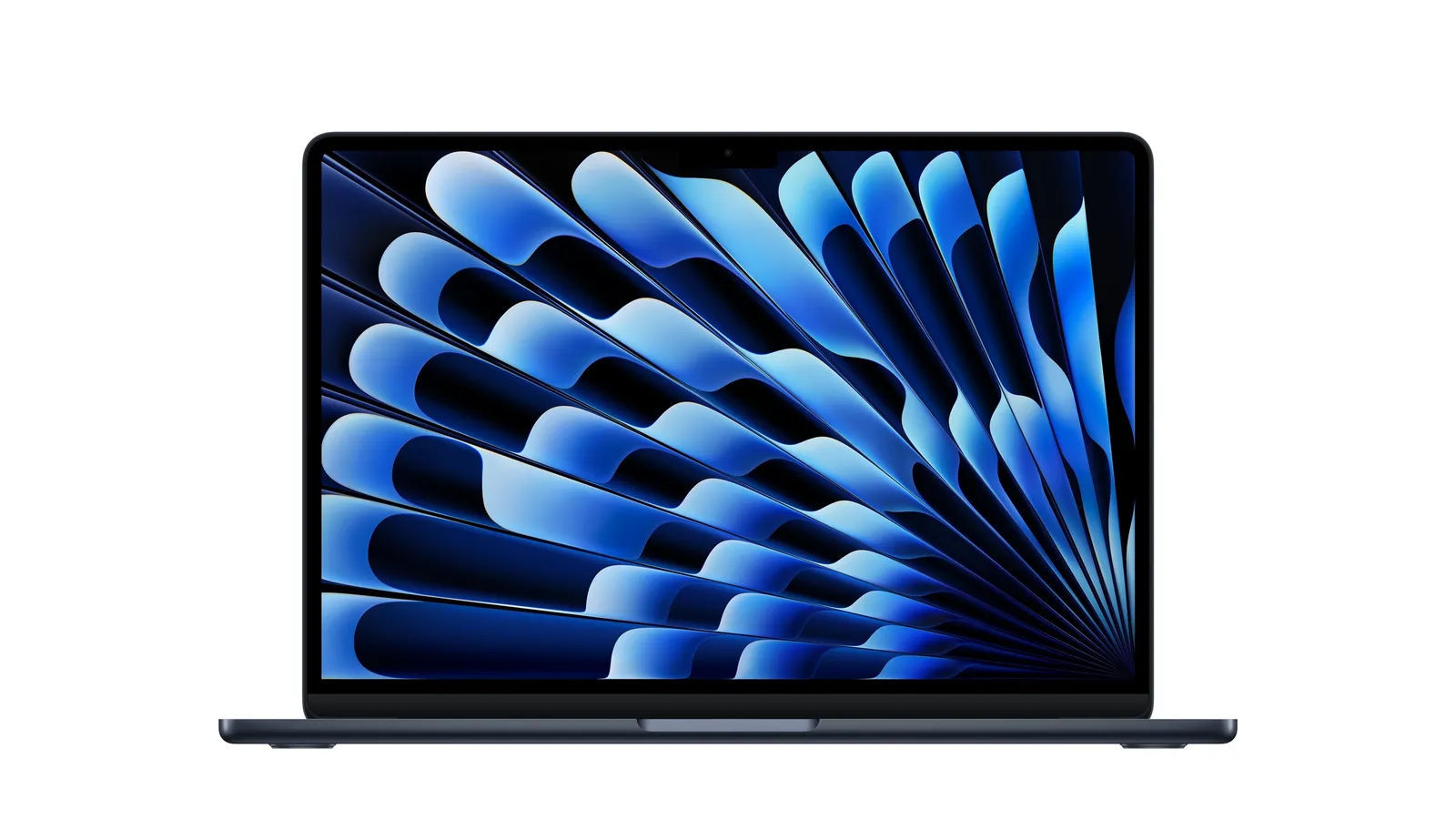
Apple MacBook Air 13 (M4, 2025)
Best overall college laptop
- Best for
- Best overall college laptop
- Why it is here
- Silent fanless design, excellent build, strong battery life, sharp display, great webcam, ideal for writing, research, media, and most student workloads.
- Watch-out
- Skip it if the program requires Windows-only engineering, accounting, CAD, or lab software.
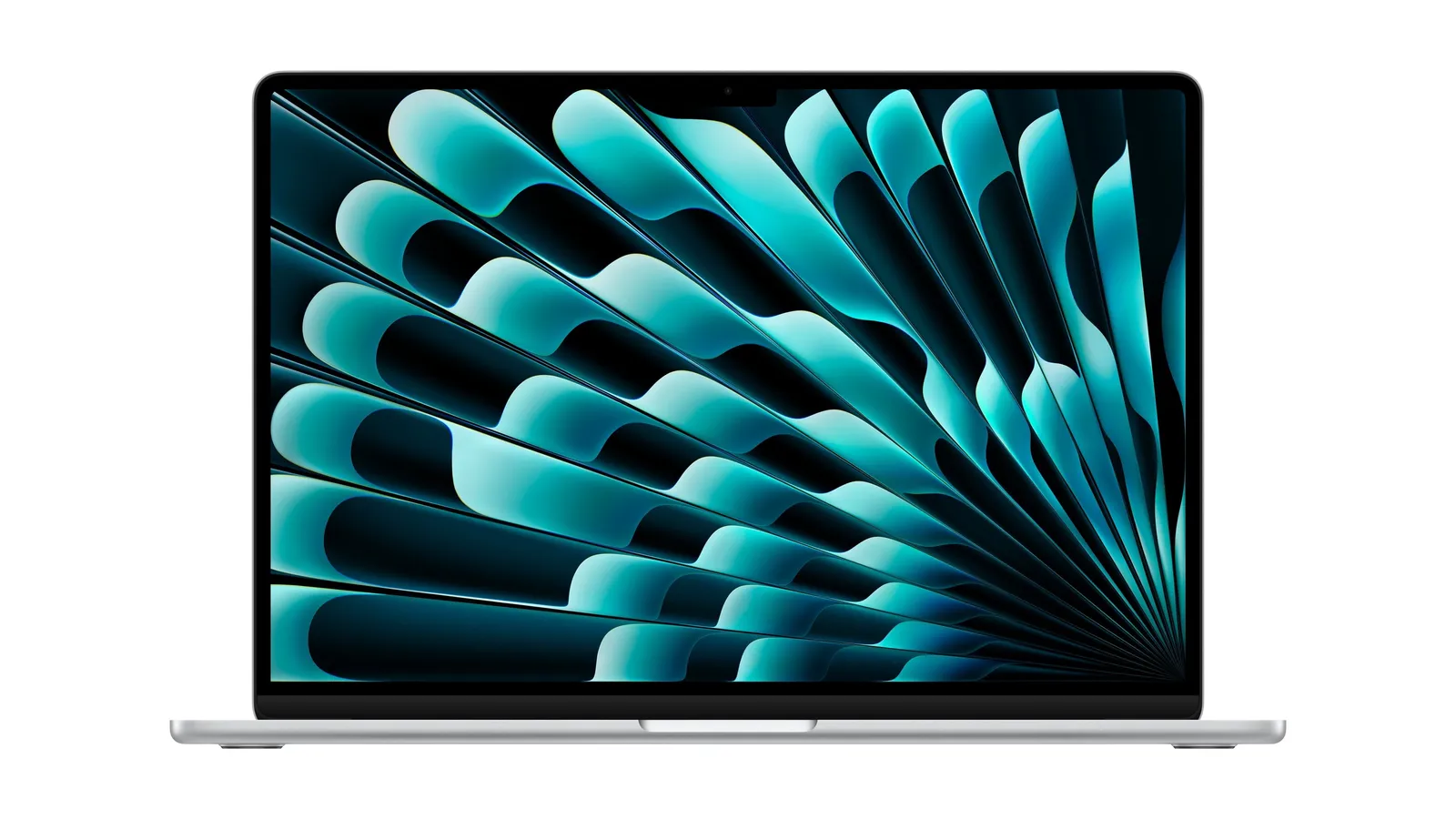
Apple MacBook Air 15 (M4, 2025)
Best big-screen MacBook for students
- Best for
- Best big-screen MacBook for students
- Why it is here
- Same student-friendly MacBook Air platform with a larger display that can replace a dorm-room monitor for many majors.
- Watch-out
- Skip it if backpack weight and lecture-hall portability matter more than screen size.
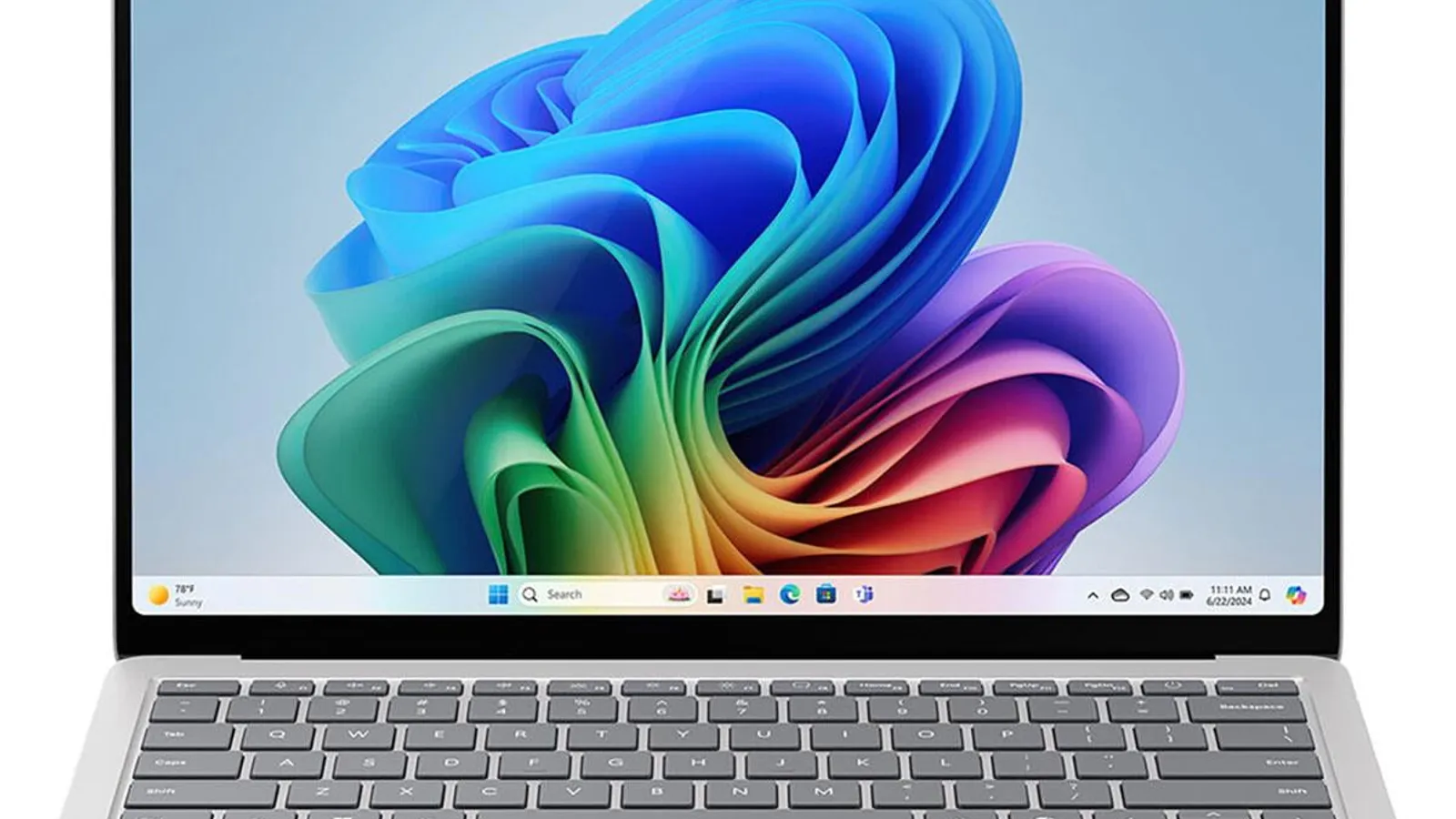
Microsoft Surface Laptop 7 15-inch
Best Windows college laptop
- Best for
- Best Windows college laptop
- Why it is here
- Premium Windows experience with a bright 120Hz touchscreen, comfortable keyboard, and broader port selection than a MacBook Air.
- Watch-out
- Check ARM compatibility with school software before buying.
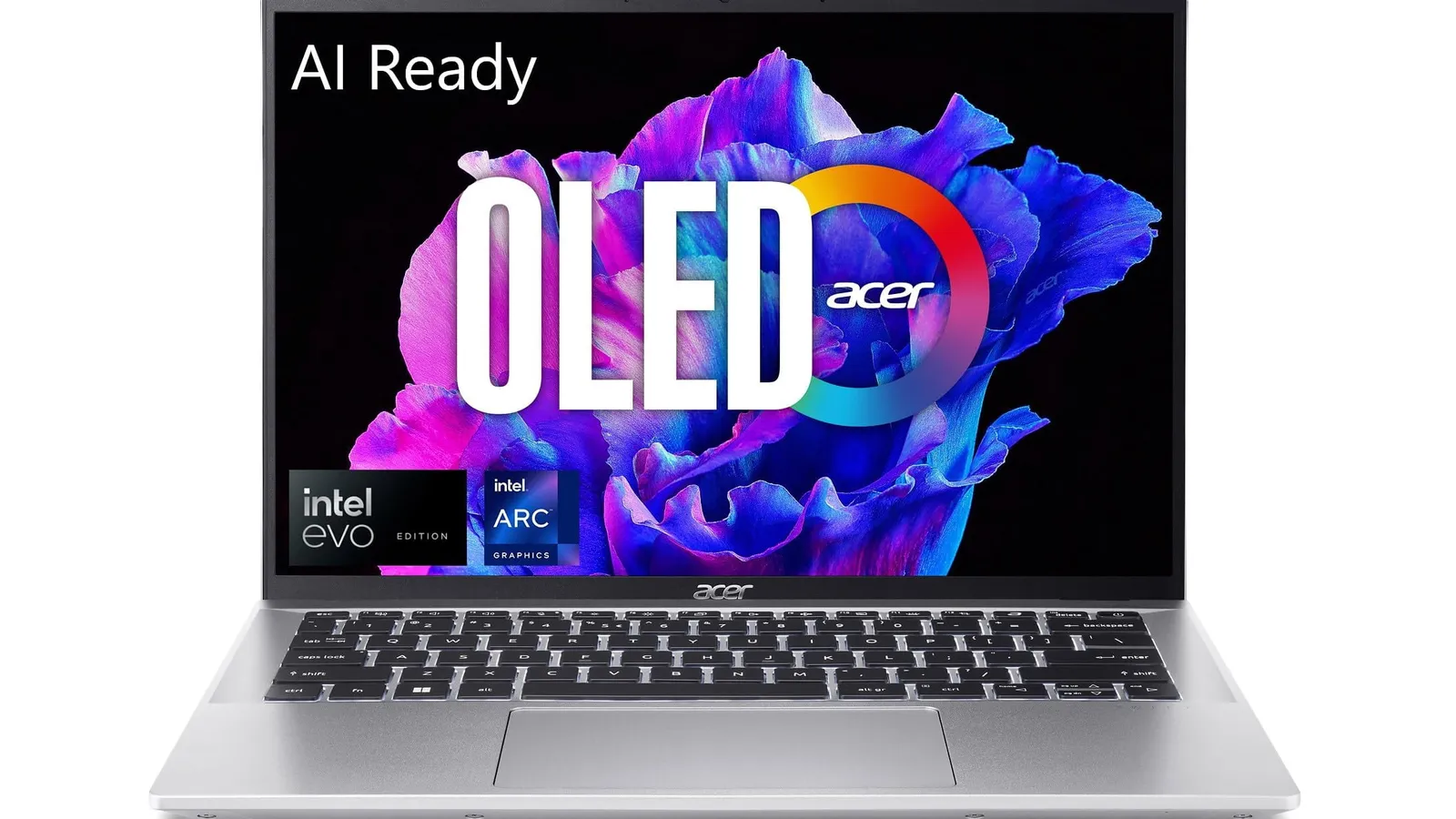
Acer Swift Go 14 (2024)
Best mid-range Windows pick
- Best for
- Best mid-range Windows pick
- Why it is here
- Compact 14-inch design, USB-C charging, strong value configurations, and a good mix of ports for students who want Windows without premium positioning.
- Watch-out
- The keyboard feel is not as polished as a premium MacBook or Surface.
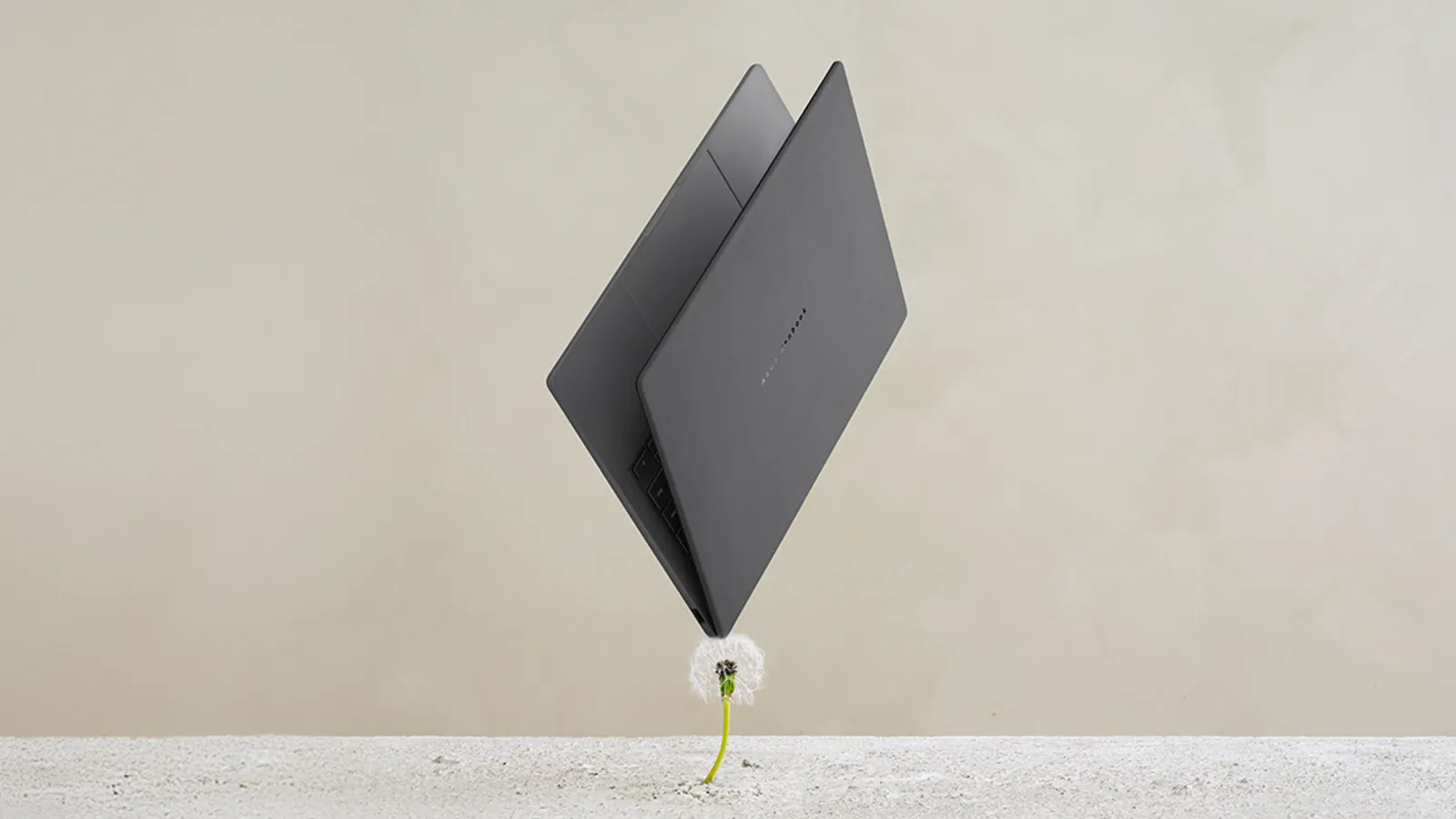
ASUS Zenbook A14 UX3407
Best battery-life value when the offer lines up
- Best for
- Best battery-life value when the offer lines up
- Why it is here
- Lightweight design, OLED display, long battery life, and strong deal-dependent value when listed.
- Watch-out
- ARM compatibility can be a blocker for niche software.
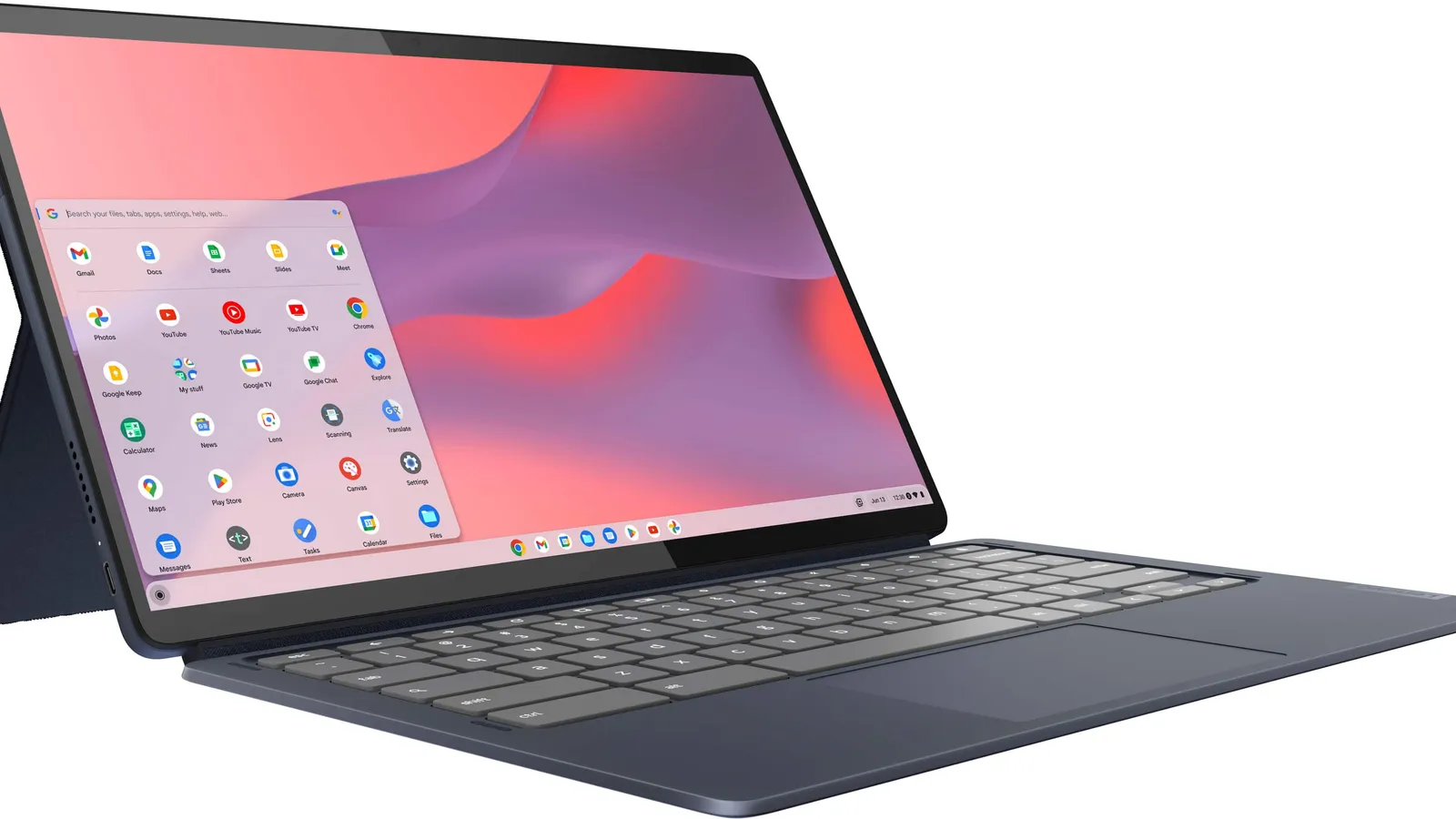
Lenovo Chromebook Duet 5
Best Chromebook/tablet for light coursework
- Best for
- Best Chromebook/tablet for light coursework
- Why it is here
- Value-oriented, portable, detachable form factor for web apps, notes, media, and simple assignments.
- Watch-out
- Do not buy it for majors that need desktop software.

ASUS ROG Zephyrus G14
Best for engineering/gaming crossover
- Best for
- Best for engineering/gaming crossover
- Why it is here
- Much stronger GPU performance for students who need creative, CAD, or gaming capability in one machine.
- Watch-out
- Battery life, heat, fan noise, and ownership trade-offs are worse than ultraportables.
Related Laptops best lists
Use these laptops lists to narrow the shortlist by use case, setup, and buyer constraints.
Best Budget Laptops
A buyer-first guide to the best budget laptops for school, work, web browsing, basic gaming, and tight budget tier shopping.
Quick Verdict
A college laptop is not just a specs purchase. It has to survive lecture halls, library tables, dorm rooms, bad Wi-Fi, long days away from outlets, and four years of changing coursework. The right pick depends on the student's major before it depends on the logo on the lid.
Use the table first, then read the scenario notes. This page is built for a buyer who wants a confident shortlist, not a lecture. The right recommendation should answer three questions fast: Does it fit my situation, is the compromise acceptable, and is the current value good enough to consider?
Comparison Table
| Pick | Best for | Why it earns a spot | Watch-out |
|---|---|---|---|
| Apple MacBook Air 13 (M4, 2025) | Best overall college laptop | Silent fanless design, excellent build, strong battery life, sharp display, great webcam, ideal for writing, research, media, and most student workloads. | Skip it if the program requires Windows-only engineering, accounting, CAD, or lab software. |
| Apple MacBook Air 15 (M4, 2025) | Best big-screen MacBook for students | Same student-friendly MacBook Air platform with a larger display that can replace a dorm-room monitor for many majors. | Skip it if backpack weight and lecture-hall portability matter more than screen size. |
| Microsoft Surface Laptop 7 15-inch | Best Windows college laptop | Premium Windows experience with a bright 120Hz touchscreen, comfortable keyboard, and broader port selection than a MacBook Air. | Check ARM compatibility with school software before buying. |
| Acer Swift Go 14 (2024) | Best mid-range Windows pick | Compact 14-inch design, USB-C charging, strong value configurations, and a good mix of ports for students who want Windows without premium positioning. | The keyboard feel is not as polished as a premium MacBook or Surface. |
| ASUS Zenbook A14 UX3407 | Best battery-life value when the offer lines up | Lightweight design, OLED display, long battery life, and strong deal-dependent value when listed. | ARM compatibility can be a blocker for niche software. |
| Lenovo Chromebook Duet 5 | Best Chromebook/tablet for light coursework | Value-oriented, portable, detachable form factor for web apps, notes, media, and simple assignments. | Do not buy it for majors that need desktop software. |
| ASUS ROG Zephyrus G14 | Best for engineering/gaming crossover | Much stronger GPU performance for students who need creative, CAD, or gaming capability in one machine. | Battery life, heat, fan noise, and ownership trade-offs are worse than ultraportables. |
How to choose for your situation
Most students: Prioritize battery life, keyboard quality, and portability over raw performance.
Engineering or design students: Check department software requirements before buying ARM-based laptops or Chromebooks.
Dorm-first buyers: A larger 15- or 16-inch screen can replace a monitor, but it adds backpack weight.
Parents buying once: Spend more for 16GB RAM and at least 512GB storage if the laptop needs to last four years.
How We Chose
For this page, score every candidate against criteria that match the search intent behind best laptop for college:
- battery life through a class day
- keyboard and trackpad comfort
- weight in a backpack
- webcam and microphone quality
- major-specific software compatibility
- port selection
- repair/warranty options
- back-to-school value context
The ranking should change when the use case changes. A product can be the best overall and still be the wrong purchase for a budget buyer, a small room, a software-specific student, a pet owner, or someone who values quiet operation above performance.
1. Apple MacBook Air 13 (M4, 2025): Best overall college laptop
Expert take: This is the default recommendation because it solves the student-laptop problem cleanly: battery, build, keyboard, trackpad, webcam, portability, and silence. The only serious blocker is software compatibility.
Why it makes the list: Silent fanless design, excellent build, strong battery life, sharp display, great webcam, ideal for writing, research, media, and most student workloads.
Who should buy it: Buy this if the best overall college laptop label matches your real use case and the current offer still fits the budget you planned for. This page should not push the product just because it is famous; it should push it when the scenario fit is strong.
Who should skip it: Skip it if the program requires Windows-only engineering, accounting, CAD, or lab software.
2. Apple MacBook Air 15 (M4, 2025): Best big-screen MacBook for students
Expert take: This is for students who would rather carry a little more laptop than buy a second monitor. It is especially useful for writing, research, spreadsheets, and media-heavy dorm use.
Why it makes the list: Same student-friendly MacBook Air platform with a larger display that can replace a dorm-room monitor for many majors.
Who should buy it: Buy this if the best big-screen macbook for students label matches your real use case and the current offer still fits the budget you planned for. This page should not push the product just because it is famous; it should push it when the scenario fit is strong.
Who should skip it: Skip it if backpack weight and lecture-hall portability matter more than screen size.
3. Microsoft Surface Laptop 7 15-inch: Best Windows college laptop
Expert take: This is the Windows premium alternative, but the ARM architecture makes it a compatibility-first recommendation, not a blind pick.
Why it makes the list: Premium Windows experience with a bright 120Hz touchscreen, comfortable keyboard, and broader port selection than a MacBook Air.
Who should buy it: Buy this if the best windows college laptop label matches your real use case and the current offer still fits the budget you planned for. This page should not push the product just because it is famous; it should push it when the scenario fit is strong.
Who should skip it: Skip it if Check ARM compatibility with school software before buying.
4. Acer Swift Go 14 (2024): Best mid-range Windows pick
Expert take: This is the value Windows ultrabook: not glamorous, but the ports, OLED configurations, and USB-C charging make it practical for college.
Why it makes the list: Compact 14-inch design, USB-C charging, strong value configurations, and a good mix of ports for students who want Windows without premium positioning.
Who should buy it: Buy this if the best mid-range windows pick label matches your real use case and the current offer still fits the budget you planned for. This page should not push the product just because it is famous; it should push it when the scenario fit is strong.
Who should skip it: Skip it if The keyboard feel is not as polished as a premium MacBook or Surface.
5. ASUS Zenbook A14 UX3407: Best battery-life value when the offer lines up
Expert take: This is a commercial-context-dependent pick. When value-positioned appropriately, it can beat bulkier budget laptops, but app compatibility must be checked.
Why it makes the list: Lightweight design, OLED display, long battery life, and strong deal-dependent value when listed.
Who should buy it: Buy this if the best battery-life value when the offer lines up label matches your real use case and the current offer still fits the budget you planned for. This page should not push the product just because it is famous; it should push it when the scenario fit is strong.
Who should skip it: Skip it if ARM compatibility can be a blocker for niche software.
6. Lenovo Chromebook Duet 5: Best Chromebook/tablet for light coursework
Expert take: This is a web-first student machine. It is excellent for simple coursework and media, but weak as a one-laptop-for-every-major answer.
Why it makes the list: Value-oriented, portable, detachable form factor for web apps, notes, media, and simple assignments.
Who should buy it: Buy this if the best chromebook/tablet for light coursework label matches your real use case and the current offer still fits the budget you planned for. This page should not push the product just because it is famous; it should push it when the scenario fit is strong.
Who should skip it: Skip it if Do not buy it for majors that need desktop software.
7. ASUS ROG Zephyrus G14: Best for engineering/gaming crossover
Expert take: This is the major-specific power pick. It belongs in the article because engineering/design/gaming students are badly served by generic ultraportable advice.
Why it makes the list: Much stronger GPU performance for students who need creative, CAD, or gaming capability in one machine.
Who should buy it: Buy this if the best for engineering/gaming crossover label matches your real use case and the current offer still fits the budget you planned for. This page should not push the product just because it is famous; it should push it when the scenario fit is strong.
Who should skip it: Skip it if Battery life, heat, fan noise, and ownership trade-offs are worse than ultraportables.
What To Avoid
- Do not buy only because a store label makes something look urgent. Compare the offer against the product's usual value range.
- Do not ignore the main caveat for your situation. The wrong caveat is where buyer's remorse starts.
- Do not publish this page without checking current availability and model naming. Product generations and store SKUs change quickly.
- Do not make the top pick your only option. Compare the value pick, budget pick, and wait-for-a-better-fit path before deciding.
Buying Advice By Scenario
If you want the safest pick
Choose the first product if you want the fewest compromises and the current value is within a normal value range.
If you want the best value
Choose the value pick when it delivers the core benefit without charging for features your situation will not use.
If you are budget-limited
Use the budget or cheap pick, but verify return policy and replacement-part availability before buying.
If you are not buying today
If you are not buying today, keep the shortlist and re-check it when verified value paths are available.
FAQ
How much RAM does a college laptop need?
For most students, 16GB is the safest target in 2026. 8GB can still work for light Chromebook or basic writing use, but it leaves less headroom for multitasking and long-term ownership.
Is a MacBook Air good for college?
Yes, for most majors. The MacBook Air is quiet, light, durable, and has excellent battery life. The main exception is coursework that depends on Windows-only software.
Should college students buy a Chromebook?
A Chromebook is fine for web-based coursework, note-taking, and media, but it is risky for majors that require desktop apps, programming environments, CAD, or specialized testing software.
What should parents check before buying?
Check the student's major software list, campus repair options, warranty length, return window, RAM/storage configuration, and whether student purchase programs beat normal store programs.