Product snapshot
Product snapshot
This page summarizes where Razer Viper V3 Pro fits in our buying guides and what to double-check on the retailer listing you are considering.
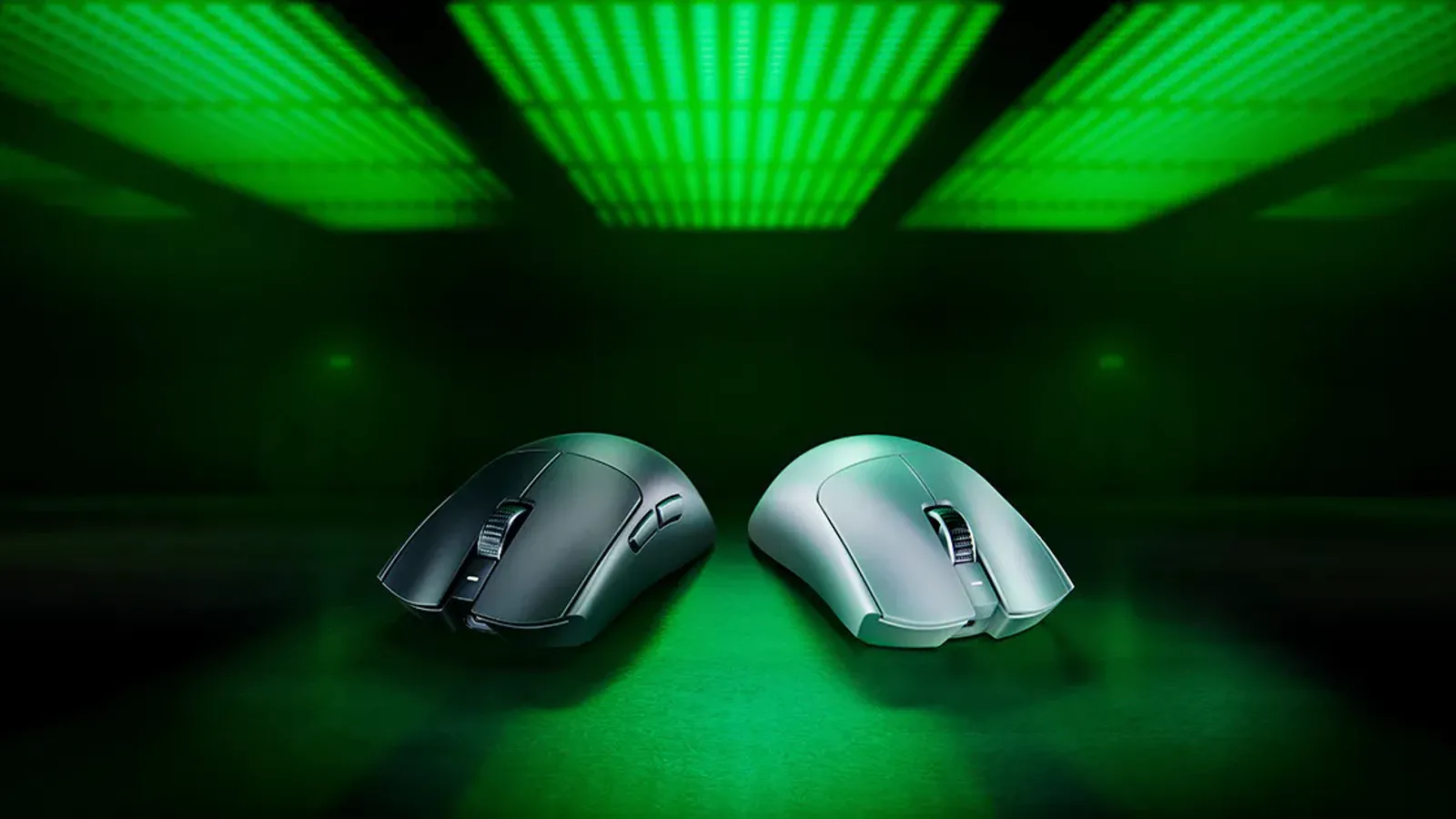
- Brand
- Razer
- Category
- Mice
- Where you’ll see it
- 1 buying guide
- Main use
- Best upper mid-range FPS mouse
Best upper mid-range FPS mouse
Very light, safe symmetrical shape, excellent sensor, and 8000Hz wireless support.
Skip it if still higher-commitment and not as comfortable for every grip.
Buying options
Buying options
This page does not show live prices. Use the retailer listing to verify the exact model, size, color, bundle, and return policy before buying.
Quick read
Quick verdict
- Buyer type: Competitive FPS player who wants a very light symmetrical shell, high polling-class wireless marketing, and a step above budget mice without jumping to the heaviest feature-rich shapes.
- Gaming role: Upper mid-range FPS pick on our wireless gaming mouse guide when claw or fingertip grips fit and you accept premium pointer pricing.
- Pause: You need many side buttons, maximum ergonomic thumb shelves, the lowest possible spend, or a multi-genre MMO layout—the G502 X PLUS note may fit better.
- How we phrase performance: We describe fit using guide notes and listing checklists—we do not claim independent sensor or latency measurements performed by Better Buy Lab.
At a glance
Product snapshot
- Category: Wireless gaming mouse — lightweight symmetrical FPS lane on our mice shortlist.
- Guide placement: Best upper mid-range FPS mouse on Best wireless gaming mouse when that route is live.
- Likely use case: Ranked shooters and fast-tempo titles on a measured desk with pad space for low-DPI arcs.
- Listed on Better Buy Lab:
- Best Wireless Gaming Mice — Best upper mid-range FPS mouse
Key buying checks
How to choose a mouse that fits your hand and desk
Grip shape, tracking on your pad or desk surface, weight, and wired versus wireless reliability matter more than maximum DPI. Below is how we think about Razer Viper V3 Pro for real rooms and daily use.
Shape and size for your grip
Palm, claw, and fingertip grips need different height and width. Discomfort appears after sustained use.
Anyone replacing an uncomfortable bundled mouse.
Very light mice can feel unstable for some grip and sensitivity combinations.
Hand size guidance, grip style, left-hand availability.
Tracking on your desk or pad
Reflective or transparent surfaces cause tracking issues even on high-end sensors without a proper pad.
Users who know their DPI range and game or work sensitivity.
Dust on the lens causes erratic movement.
Pad surface and color, cleaning habit, lift-off distance preference.
Weight and charging schedule
Heavier mice can feel steadier; lighter mice reduce fatigue. Lighting drains small internal batteries faster.
Long sessions without wanting mid-week charging.
Charging docks must fit desk layout or they become inconvenient.
Weight, battery life with lighting on and off, cable for wired use, dock footprint.
Wired versus wireless for your desk
Cable drag bothers some users; wireless depends on receiver placement and USB port quality.
Competitive play where consistent tracking matters.
Poor USB hubs can cause brief connection issues.
Cable flexibility, dongle extension, Bluetooth limits, backup cable.
Confirm the exact model before you buy
Model names, regions, and bundles change what is in the box. Check the manufacturer page for your country, the seller listing, warranty text, and which accessories are included.
Buyers who shop online and need the shipment to match the configuration they selected.
Small naming differences can mean different ports, stands, or power adapters between regions.
SKU, country variant, return window, warranty, and that photos match the product you add to the cart.
When headline specifications miss real-world limits
A strong specification can still disappoint if glare, noise, edge cleaning, or return terms do not fit how you use the product.
Buyers who want to compare trade-offs before deciding.
Marketing often assumes ideal conditions; your room, hearing, or layout may differ.
Return policy, upkeep (filters, bags, mop pads), physical fit in the space, and whether the downsides are acceptable.
Buyer scenarios
Common reasons readers open this note
- Competitive FPS focus: You prioritize flick consistency and low carried weight over macro grids.
- Symmetrical grip preference: Ambidextrous sides matter more than deep thumb grooves.
- Wireless desk cleanup: You are reducing cable drag without adopting an unfamiliar ergonomic mold.
- Desk cluster refresh: Monitor and keyboard choices are set; the pointer still feels like the variable.
These lanes describe intent—we are not certifying frame pacing on your specific USB layout.
After grip measurements, open Best Wireless Gaming Mice for sibling weights on the shortlist.
Where it fits
Shopper lanes tied to our wireless gaming mouse guide—not a scored review verdict.
- Competitive gaming: Ranked shooters when symmetrical low-weight shells fit your grip.
- FPS / fast-tempo play: Titles that reward quick re-centering more than macro density.
- Desk setup: Measured pad space, monitor height, and keyboard rake already planned.
- Console or PC: Confirm which hosts you will attach and whether one dongle plan covers them.
Highlights to confirm
Carry these highlights to the storefront listing—treat them as reminders, not benchmark printouts.
- Very light, safe symmetrical shape, excellent sensor, and 8000Hz wireless support.
Trade-offs to double-check
- Skip it if still higher-commitment and not as comfortable for every grip.
What to check before choosing
Pair this list with grip checks when you can—not specification PDFs alone.
- Grip style: claw, fingertip, or relaxed palm against the narrow symmetrical walls.
- Hand size: finger reach to side buttons and scroll wheel without shrugged shoulders.
- Weight: compare grams against fatigue during long aim sessions.
- Wireless dongle: port clearance, extension habits, and RF clutter from nearby hubs.
- Battery habits: runtime claims, charging cable routing, standby drain overnight.
- Competitive use: confirm polling-class marketing against the games and sensitivities you maintain.
- Side buttons: count and accidental press risk when lifting the shell.
- Software: Razer Synapse expectations, onboard profiles, and OS support on your hosts.
- Mousepad pairing: hardness and size for low-DPI sweeps without hitting keyboard edges.
Fit filter
Choose if / Skip if
Choose if
- You want a light symmetrical FPS mouse cited as upper mid-range on our wireless gaming guide.
- You accept premium pricing relative to budget shelves because shape consistency matters.
- You can maintain dongle discipline and charging habits without frustration.
Skip if
- You need a heavy multi-button shell for MMO or productivity macros—the G502 X PLUS note is the next read.
- You want the lowest spend—budget mice on the same guide may fit better.
- You require deep ergonomic thumb rests—office-centric shapes may suit you better.
- You refuse software layers for profiles or lighting—even minimal setup feels like friction.
Desk cluster guidance
Alternatives & related guides
- Mice hub — every mice guide on Better Buy Lab.
- Best wireless gaming mouse — primary shortlist for this pick.
- Best mechanical keyboards — align typing rake with pointer glide.
- Best gaming monitors — motion and desk cabling context.
- Logitech G PRO X SUPERLIGHT 2 product note — proven lightweight wireless esports silhouette.
- Logitech G502 X PLUS product note — multi-genre programmable-button lane.
- Keychron Q5 Max product note — premium mechanical keyboard desk anchor.
- Keychron V1 Ultra 8K product note — budget mechanical polling emphasis lane.
- MCHOSE L7 Pro product note — lower mid-range lightweight mouse lane.
- Logitech G305 LIGHTSPEED product note — budget wireless gaming mouse lane.
- Logitech G PRO X2 SUPERSTRIKE product note — overall wireless pick with adjustable click actuation.
FAQ
FAQ
Is this mouse good for gaming?
Our guide positions Viper V3 Pro for FPS-oriented buyers who want very light symmetrical handling. Confirm grip fit, wireless behavior, and regional SKU bundles on the listing you trust.
Is OLED worth it for gaming monitors?
OLED can deliver exceptional contrast and motion when you accept burn-in habits and often pay more than IPS or Mini LED alternatives. If your display choice is still open, read our gaming monitor guides and product notes after you settle pointer fit—we do not assert measured panel data here.
What refresh rate should I look for?
Refresh rate applies to monitors, not mice. For pointers, prioritize shape, weight, glide pairing, and wireless stability instead—then read our gaming monitor guide for display Hz.
Is wireless good enough for gaming?
Modern stacks often market stable high-rate wireless for competitive play, yet receiver placement, USB hub noise, and charging discipline still matter on real desks. Read storefront fine print and return windows before you commit.
Should I choose 1440p or 4K?
That decision belongs to your monitor and GPU. Pair this mouse note with our gaming monitor guides when resolution and pixel density still feel unresolved.
Does Better Buy Lab show live prices on this page?
When this model is eligible, the Buying options section includes a disclosed retailer link. We still do not show live prices or star-style ratings on this page.
Editorial transparency
Better Buy Lab uses this page as a product context note linked from our mice buying guides—especially Best wireless gaming mouse. It supports shortlist reading; it is not a scored review or a storefront.
We describe fit using guide-level notes and shopper checklists. We do not claim independent lab measurements performed by Better Buy Lab. This page does not show live prices or star-style ratings. Disclosed retailer links appear in the Buying options section above when this model is eligible.
In our guides
Buying guides referencing this SKU today.
Best Wireless Gaming Mice
Best upper mid-range FPS mouse