Guide summary
Best routers for large homes
Large homes need the Wi-Fi problem named first—single router limits, mesh spread, wired backhaul, or ISP gear—before shopping by Wi-Fi generation.
6 of 6 shortlist picks have editorial photos on this page.
- Category
- Networking
- Shortlist
- 6 tracked picks
- Lead pick
- TP-Link Deco BE63
- Use case
- Best router system for large homes
Key buying checks
How to choose home Wi-Fi that covers where you actually sit
Node placement, Ethernet wiring where possible, your ISP tier, and wall layout determine coverage more than the Wi-Fi generation label. Use these checks while you read the shortlist—they separate good fits from common buyer mistakes.
Coverage from layout, not marketing square footage
Too few access points leaves dead zones; poor placement wastes hardware. Wall and floor materials attenuate signal.
Multi-story homes and long narrow layouts.
Enclosed shelves and cabinets shield antennas and reduce performance.
Sketch of floors, wall types, Ethernet paths, current weak spots.
Ethernet backhaul when stability matters
Wireless mesh hops share radio capacity with your devices; wired links between nodes reduce that contention.
Homes with heavy video calls and multiple 4K streams.
All-wireless backhaul struggles when many devices compete at peak hours.
Cable routes, switch location, which satellite can be wired first.
Match router tier to ISP and client devices
A new router cannot fix a slow ISP tier or old laptops that never use the new radio bands.
Households with recent phones and laptops on fast fiber or cable tiers.
Multi-gig marketing ignores typical device mix and interference.
ISP speed, modem limits, age of client devices, need for multi-gig LAN ports.
Single router versus multiple nodes
Many apartments improve with better central placement before adding mesh hardware.
Smaller footprints with a logical central location for the router.
Mesh kits are sometimes sold where a relocated router would suffice.
Whether dead zones persist after central placement trials, major obstructions, interference sources.
Confirm the exact model before you buy
Model names, regions, and bundles change what is in the box. Check the manufacturer page for your country, the seller listing, warranty text, and which accessories are included.
Buyers who shop online and need the shipment to match the configuration they selected.
Small naming differences can mean different ports, stands, or power adapters between regions.
SKU, country variant, return window, warranty, and that photos match the product you add to the cart.
When headline specifications miss real-world limits
A strong specification can still disappoint if glare, noise, edge cleaning, or return terms do not fit how you use the product.
Buyers who want to compare trade-offs before deciding.
Marketing often assumes ideal conditions; your room, hearing, or layout may differ.
Return policy, upkeep (filters, bags, mop pads), physical fit in the space, and whether the downsides are acceptable.
Who this is for: Households with weak Wi-Fi, large footprints, dead zones, buffering streams, gaming lag, or dozens of devices—and confusion about routers, mesh, extenders, and VPNs.
What this guide is not: A claim that the most expensive router fixes every home. Dead zones may need mesh Wi-Fi or wired backhaul; streaming may be ISP, placement, or device issues; VPN streaming does not replace fixing coverage when Wi-Fi is already weak with VPN off.
How to use it: Start with the problem cards, then the router-versus-mesh filter, then the shortlist. Better Buy Lab does not publish measured throughput scores, live prices, stock claims, or affiliate buy buttons on this page today.
Why fit beats one ranking: Comfort for your layout, device count, wired paths, and modem health matter as much as Wi-Fi generation marketing on the box.
Start with the problem
Start with the problem, not the router spec
Match the symptom first—then open the guide that fits. We do not assume one router SKU is right for every floor plan.
Dead zones in far rooms
Likely cause: Distance and walls weaken signal—one router in a corner often cannot reach distant bedrooms or a garage office.
What to check: Walk the weak rooms with a phone on Wi-Fi, note which walls sit between you and the router, and count how many floors are involved.
Open mesh Wi-Fi guideOne router covers most of the house but struggles under load
Likely cause: Many laptops, TVs, and cameras share one radio—CPU scheduling and airtime matter more than a bigger antenna sticker.
What to check: List peak-hour devices, check whether Ethernet can free the busiest screens, and compare a stronger central router versus adding nodes.
Stay on this large-home guideStreaming buffers on TVs or projectors
Likely cause: The problem may be Wi-Fi to the TV, ISP congestion, VPN overhead, or a weak link between modem and living room—not always the router model alone.
What to check: Test wired Ethernet to the TV if possible, verify modem health, and separate VPN tests from plain Wi-Fi tests.
Open TV streaming context guideGaming lag or unstable ping
Likely cause: Each wireless hop adds jitter—gaming rigs deserve copper when possible, and crowded 2.4 GHz bands punish latency-sensitive play.
What to check: Cable the gaming PC or console first, then fix channel congestion before buying more mesh nodes.
Stay on this large-home guideMany smart-home devices
Likely cause: Cameras, sensors, and hubs create always-on traffic—routers need stable firmware and enough client capacity, not only peak laptop speed.
What to check: Group IoT gear by band, wire stationary hubs where you can, and plan node placement near camera clusters.
Stay on this large-home guideThick walls or multi-floor layout
Likely cause: Masonry, foil-backed insulation, and vertical stacks attenuate signal—one distant flagship rarely punches through multiple floors cleanly.
What to check: Sketch floors and wall types, then compare mesh with wired backhaul versus wired access points on each level.
Open mesh Wi-Fi guideVPN streaming confusion
Likely cause: A VPN can add overhead, but buffering with VPN off usually means Wi-Fi, ISP, or device placement—not missing router marketing features.
What to check: Test streaming with VPN disabled, then compare VPN app versus router-level VPN only if you understand the trade-offs.
Open VPN streaming guideRenting or avoiding cable runs
Likely cause: Without Ethernet between floors, wireless mesh backhaul shares airtime—extend repeaters often halve throughput and add roaming quirks.
What to check: Prefer wireless mesh with tri-band backhaul, place nodes in line-of-sight paths, and avoid cheap repeaters as a permanent fix.
Open mesh Wi-Fi guideRouter vs mesh
Choose a strong router, mesh, or something else
Use this filter after the problem cards—before you treat any shortlist row as the default answer.
Choose a strong standalone or centerpiece router if
- Your floor plan is fairly open, the router can sit near the center, and distant rooms are mild dead zones—not whole missing floors.
- You can wire TVs, desktops, and consoles with Ethernet and let Wi-Fi handle only phones and tablets.
- You want fewer boxes to manage and accept that far masonry pockets may still need a wired access point later.
Choose mesh Wi-Fi if
- Dead zones follow you across floors or behind masonry cores—radios closer to people usually beat one distant flagship.
- You need seamless roaming for phones and laptops moving room to room.
- You can place nodes in line-of-sight paths, ideally with Ethernet backhaul between key rooms.
Avoid extenders as a permanent fix if
- You need stable throughput—most repeaters halve speed and create awkward handoffs compared with planned mesh or wired APs.
Add Ethernet or wired backhaul if
- You have coax, existing wall jacks, or can run one cable between floors—wired links preserve speed mesh wireless hops cannot match.
Check ISP and modem first if
- Wired speed to the modem is already poor, you are double-NATing rental gateways, or outages are ISP-side—a new router cannot fix upstream flakiness.
- Your plan speed exceeds what your LAN ports can carry—match modem, router WAN, and switch speeds before chasing Wi-Fi 7 labels.
Wait or compare more if
- You have not mapped dead zones room by room or tested with VPN disabled during streaming complaints.
- You expect lab throughput charts on this page—we keep measured claims off until verified separately.
Before you buy
Practical setup checklist
Walk this list before you treat a shortlist pick as the fix—many “router” problems are placement, modem, or wiring issues.
- Router placement: central to where people actually sit, elevated, away from metal cabinets and microwaves—not buried in a closet.
- ISP plan and modem: test wired speed at the modem; resolve double-NAT or rental gateway issues before buying new Wi-Fi hardware.
- Wi-Fi 6 / 6E / 7 fit: match radio generation to devices you own; newer badges do not help old phones.
- House size and floors: count masonry barriers; one box rarely covers three floors of concrete cleanly.
- Device count: cameras, hubs, and laptops all compete for airtime—CPU and band planning matter.
- Backhaul: prefer Ethernet between nodes when wall jacks exist; wireless backhaul needs tri-band mesh discipline.
- App controls and parental tools: check whether features require subscriptions or cloud accounts you will keep.
- Security updates: favor vendors with clear firmware cadence; routers guard IoT choke points.
- Return policy: keep receipt until distant rooms pass your real-world tests.
Large-home buyer depth
What this guide covers before you add nodes
These checks keep expectations tied to real homes, not spec peaks. Performance marketing claims and shopping tools ship only after additional editorial review.
When dead zones follow you floor to floor, Best mesh Wi‑Fi systems and Networking hub may fit better than one centerpiece router blasting through masonry; Modem headroom, antenna placement, and optional wired APs decide whether a large-home router stays sufficient; streaming hiccups on every device with VPN off are rarely solved by VPN for streaming alone.
When a large-home router shortlist still leaves standalone-versus-mesh and port-speed questions open, cross-read TP-Link Archer BE550 product note, TP-Link Deco BE63 product note, eero Max 7 product note, TP-Link Deco XE5300/XE75 product note, eero 6 product note, and ASUS ZenWiFi ET9 product note for commerce-free placement and backhaul homework beside this guide.
Coverage claims vs floor plan reality
We emphasize layout, wall types, and node placement before trusting whole-home marketing maps on boxes.
Wi-Fi 6, 6E, and 7 without hype
Radio generation is framed around device support, spectrum availability, and whether your wiring can feed the speeds you expect.
Backhaul and Ethernet ports
Wireless vs wired backhaul trade-offs and multi-gig port counts stay visible so buyers do not overspend on radios their LAN cannot feed.
Security, updates, and subscription apps
Router software hygiene and optional paid security suites are called out so ongoing costs are not a surprise.
Commerce and synthetic benchmark gates
Measured throughput charts we have not run, live pricing, affiliate CTAs, and fake lab scores stay off this guide until evidence exists.
Router pick logic
How to read the large-home router shortlist
These notes explain buyer fit for each pick. They are not throughput certifications, SLA promises, prices, or affiliate rankings.
TP-Link Deco BE63
- Buyer type
- Spacious homes wanting Wi-Fi 7 mesh with multi-gig ports per node
- Why it’s listed here
- Listed when coordinated mesh plus four 2.5Gbps jacks per tower beats one distant standalone router for desktops and entertainment stacks.
- Watch out
- Some advanced parental or security features may sit behind optional subscriptions—check what stays free for your policy.
- Verify on listing
- Confirm Deco BE63 kit size (node count), regional SKU, and whether your devices actually use Wi-Fi 7 before paying for the badge alone.
ASUS ZenWiFi ET9
- Buyer type
- Buyers who want strong Wi-Fi 6E mesh without chasing Wi-Fi 7 hype
- Why it’s listed here
- Listed as the upper mid mesh lane when range, AiMesh expansion, and lighter subscription pressure matter more than the newest radio generation.
- Watch out
- Not Wi-Fi 7—fine until your laptops and phones already demand that generation end to end.
- Verify on listing
- Confirm ZenWiFi ET9 pack configuration and whether AiMesh nodes you already own will pair cleanly.
TP-Link Archer BE550
- Buyer type
- Central-placement homes ready to try one powerful standalone router first
- Why it’s listed here
- Listed when a tri-band Wi-Fi 7 centerpiece plus dense Ethernet for wired TVs and PCs beats buying mesh nodes before you prove placement.
- Watch out
- A single router still fades through masonry—dead bedrooms mean mesh or wired APs, not a taller antenna slogan.
- Verify on listing
- Confirm Archer BE550 (not a lesser Archer), WAN/LAN port speeds versus your ISP plan, and return policy if corners stay weak.
TP-Link Deco XE5300/XE75
- Buyer type
- Value-focused buyers who need a practical three-node Wi-Fi 6E envelope
- Why it’s listed here
- Listed for cost-aware whole-home coverage when gigabit-class LAN is enough and node spacing is planned deliberately.
- Watch out
- Gigabit Ethernet on nodes can bottleneck symmetrical multi-gig ISP plans before the radios feel old.
- Verify on listing
- Confirm XE75 versus XE5300 naming, pack count, and whether wired backhaul is possible between key rooms.
eero 6
- Buyer type
- Renters and light households who want simple mesh onboarding
- Why it’s listed here
- Listed when guided setup and compact nodes matter more than deep VLAN or band-steering controls.
- Watch out
- Range and advanced controls trail pricier mesh—heavy streaming homes may outgrow it sooner.
- Verify on listing
- Confirm eero 6 (not Max 7), subscription expectations, and how many nodes the footprint truly needs.
eero Max 7
- Buyer type
- Premium buyers who want Wi-Fi 7 mesh polish and maximum spec comfort
- Why it’s listed here
- Listed when budget allows flagship mesh headroom and you value packaging and support cadence over bare-minimum radios.
- Watch out
- Price-to-performance skeptics should cross-shop Deco-class Wi-Fi 7 mesh unless ecosystem loyalty is the point.
- Verify on listing
- Confirm Max 7 pack size, compare total node cost versus mid-premium kits, and verify ISP/modem headroom first.
FAQ
Common large-home Wi-Fi questions
Do I need a router or mesh Wi-Fi?
Choose a strong router when the home is fairly open and the router can sit centrally with mild edge weakness. Choose mesh when dead zones span floors or masonry and you need radios closer to where people sit—often with wired backhaul between nodes.
Are Wi-Fi extenders worth it?
Sometimes as a temporary bridge, but they often halve throughput and create awkward roaming. Planned mesh or wired access points usually serve large homes better than a chain of cheap repeaters.
Will a new router fix slow internet?
Only for problems inside your home wireless network. If wired speed at the modem is already poor, or the ISP is unstable, fix upstream first—a router upgrade stabilizes LAN Wi-Fi, it does not replace a bad install.
Is Wi-Fi 7 worth it for a large home?
It can help when your phones, laptops, WAN port, and wiring can actually use the extra headroom. It is not worth chasing if devices stay on older generations or gigabit ports bottleneck the plan.
Why does streaming buffer even with fast internet?
Buffering can be Wi-Fi to the TV, ISP congestion, VPN overhead, or a weak hop between modem and living room. Test wired Ethernet to the TV and VPN off before blaming the router model alone.
Should I use a VPN on my router?
Router-level VPN can simplify always-on tunnels but adds complexity and overhead. App VPNs on each device are simpler for many households. Fix basic coverage before expecting VPN to fix buffering.
Does Better Buy Lab show live prices on this page?
No. This guide stays informational until product details and retailer paths pass our verification checklist. We do not publish live prices, stock claims, or affiliate buy buttons here today.
Shortlist at a glance
Use these cards for buyer-fit context and research notes first. Optional Amazon listing buttons appear only on approved picks—always confirm model, bundle, and seller on the listing you open.
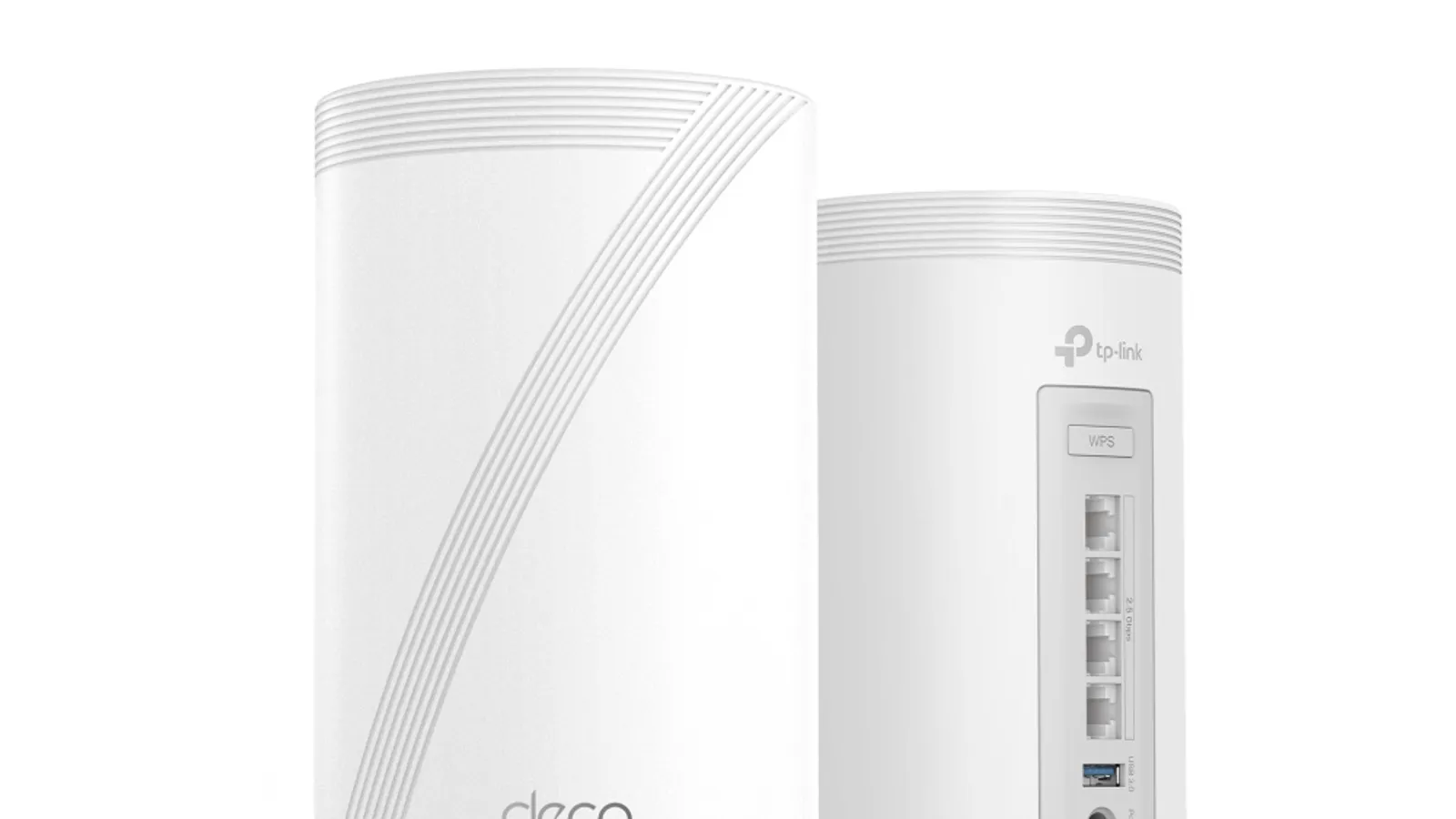
TP-Link Deco BE63
Router system anchor for sprawling homes
- Best for
- Router system anchor for sprawling homes
- Why it is here
- Tri-band Wi-Fi 7 mesh, expansion-friendly ethos, plentiful 2.5GbE jacks per tower for desktops and consoles that deserve copper.
- Watch-out
- Some advanced parental or security carve-outs may hinge on subscriptions—budget personal policy diligence.
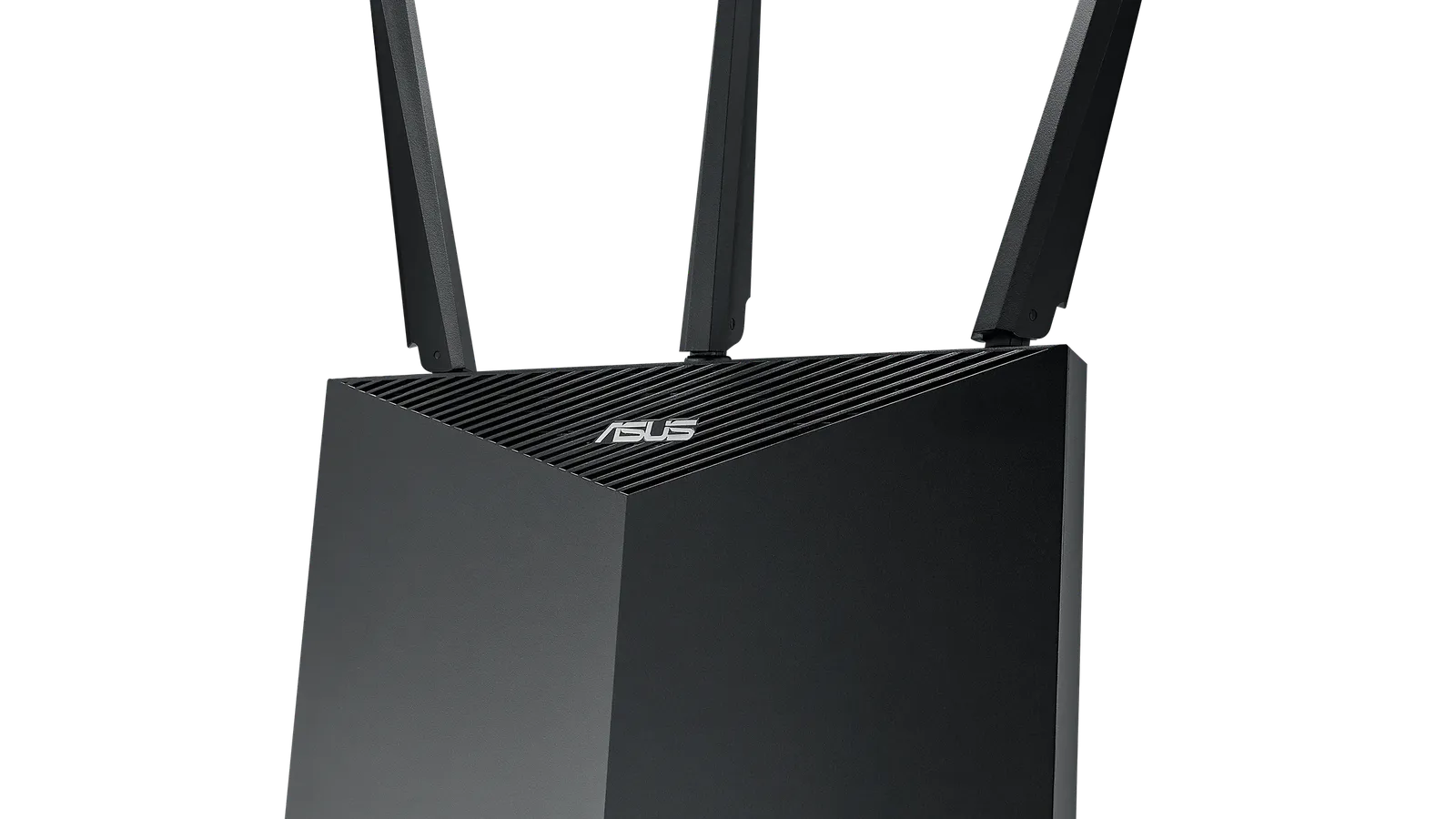
ASUS ZenWiFi ET9
Upper mid mesh without relentless upgrade chasing
- Best for
- Upper mid mesh without relentless upgrade chasing
- Why it is here
- Reliable Wi-Fi 6E stack, ASUS AiMesh path for disciplined expansion, comparatively lighter obligatory subscription narration than some ecosystems.
- Watch-out
- Lacks headline Wi-Fi 7—fine until you standardize laptops that demand that generation end-to-end.
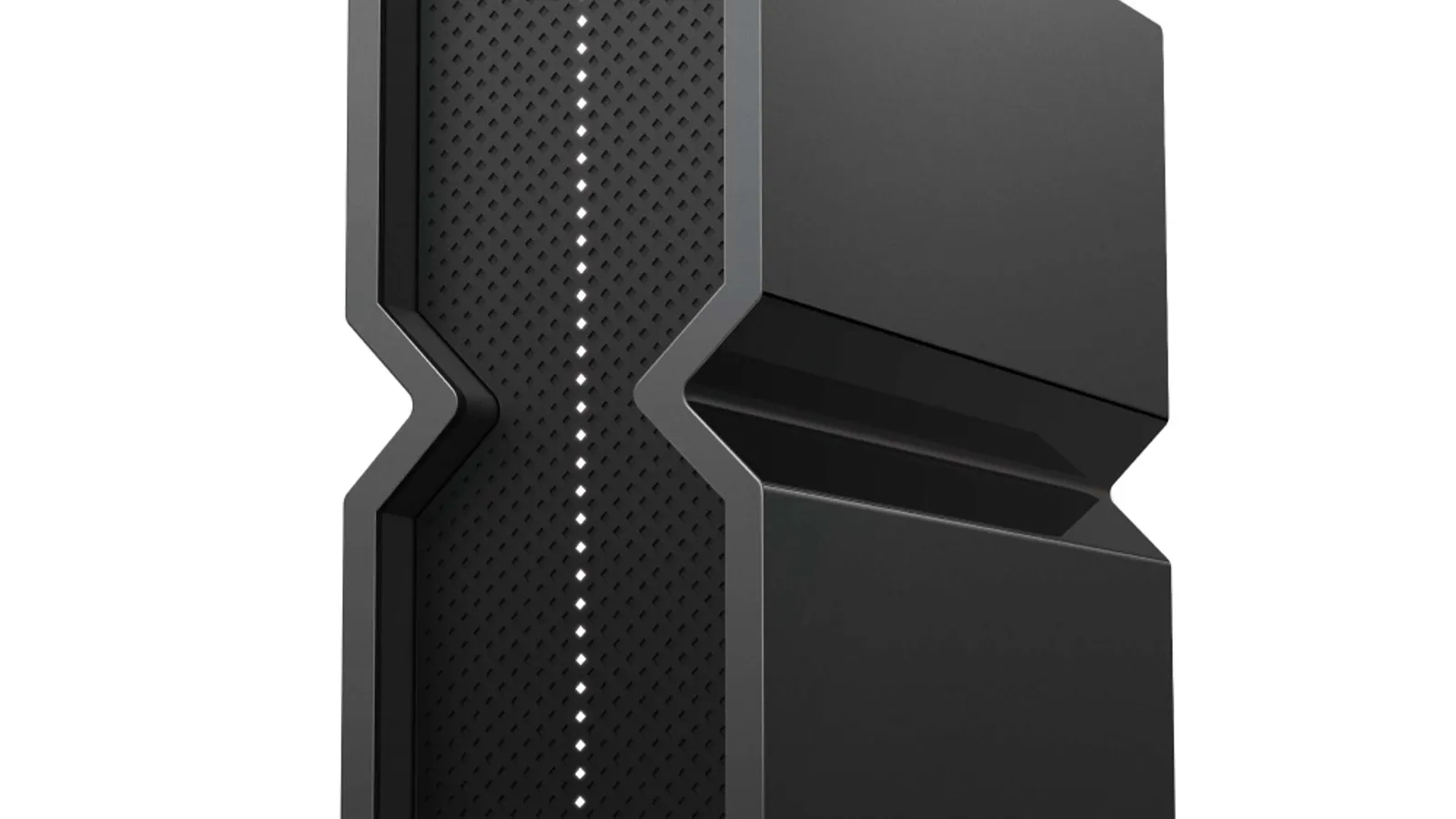
TP-Link Archer BE550
Standalone heavyweight before mesh sprawl
- Best for
- Standalone heavyweight before mesh sprawl
- Why it is here
- Tri-band Wi-Fi 7 centerpiece with dense Ethernet for entertainment stacks refusing wireless hops.
- Watch-out
- Single radios still fade through walls—dead zones imply mesh or wired AP add-ons, not a taller antenna slogan.
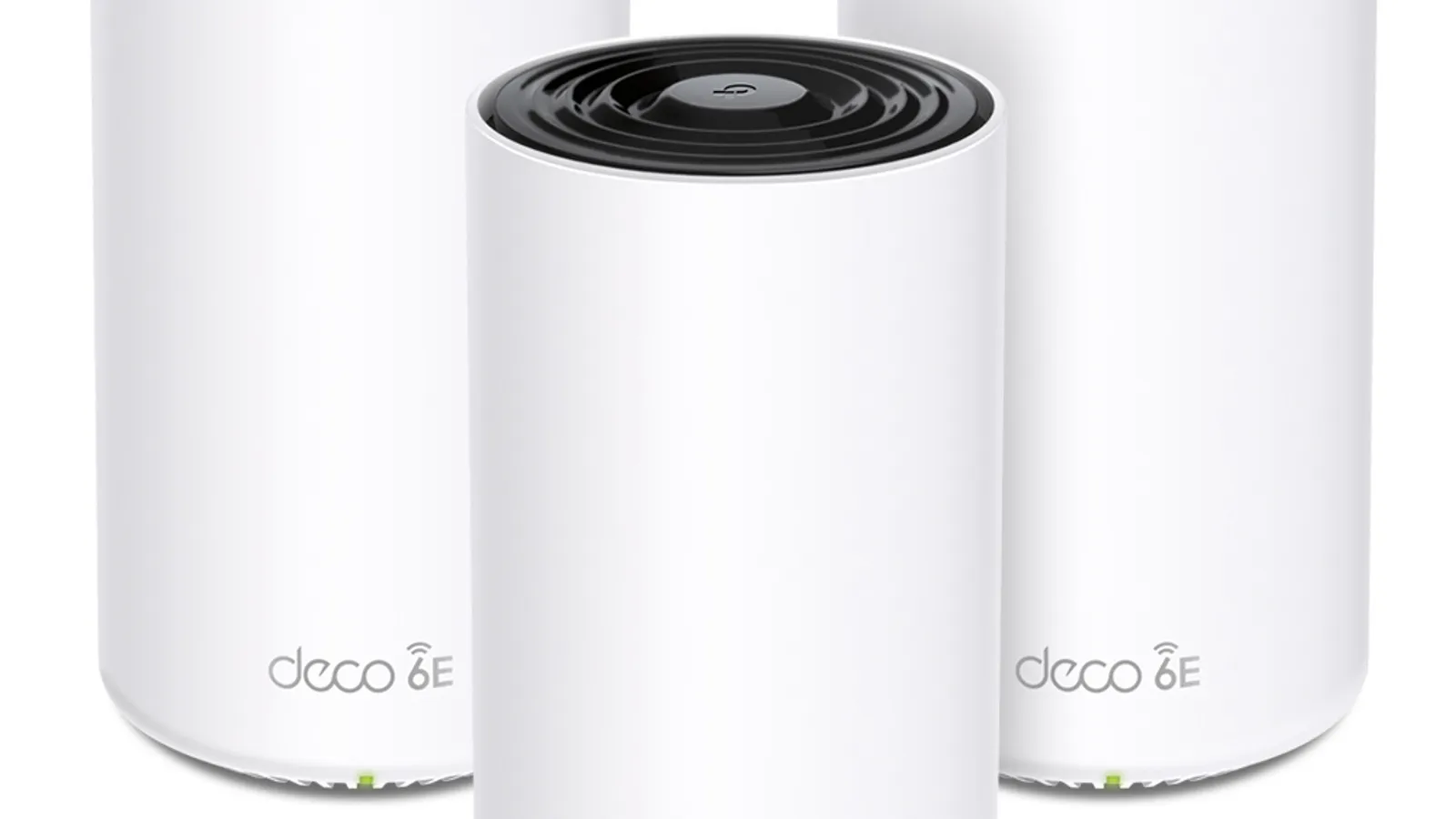
TP-Link Deco XE5300/XE75
Middle-budget seamless roaming
- Best for
- Middle-budget seamless roaming
- Why it is here
- Practical three-radio Wi-Fi 6E mesh envelopes many townhome footprints when nodes spaced deliberately.
- Watch-out
- Gigabit-class LAN may age before radios if symmetrical fiber surpasses gigabit—they remain excellent until you outgrow jacks.

eero 6
Budget-conscious minimal friction
- Best for
- Budget-conscious minimal friction
- Why it is here
- Guided setup, restrained hardware footprints, respectable stability for modest device counts mindful of radios’ class limits.
- Watch-out
- Less granular controls and narrower range versus upscaled kits—heavy streaming households may saturate sooner.
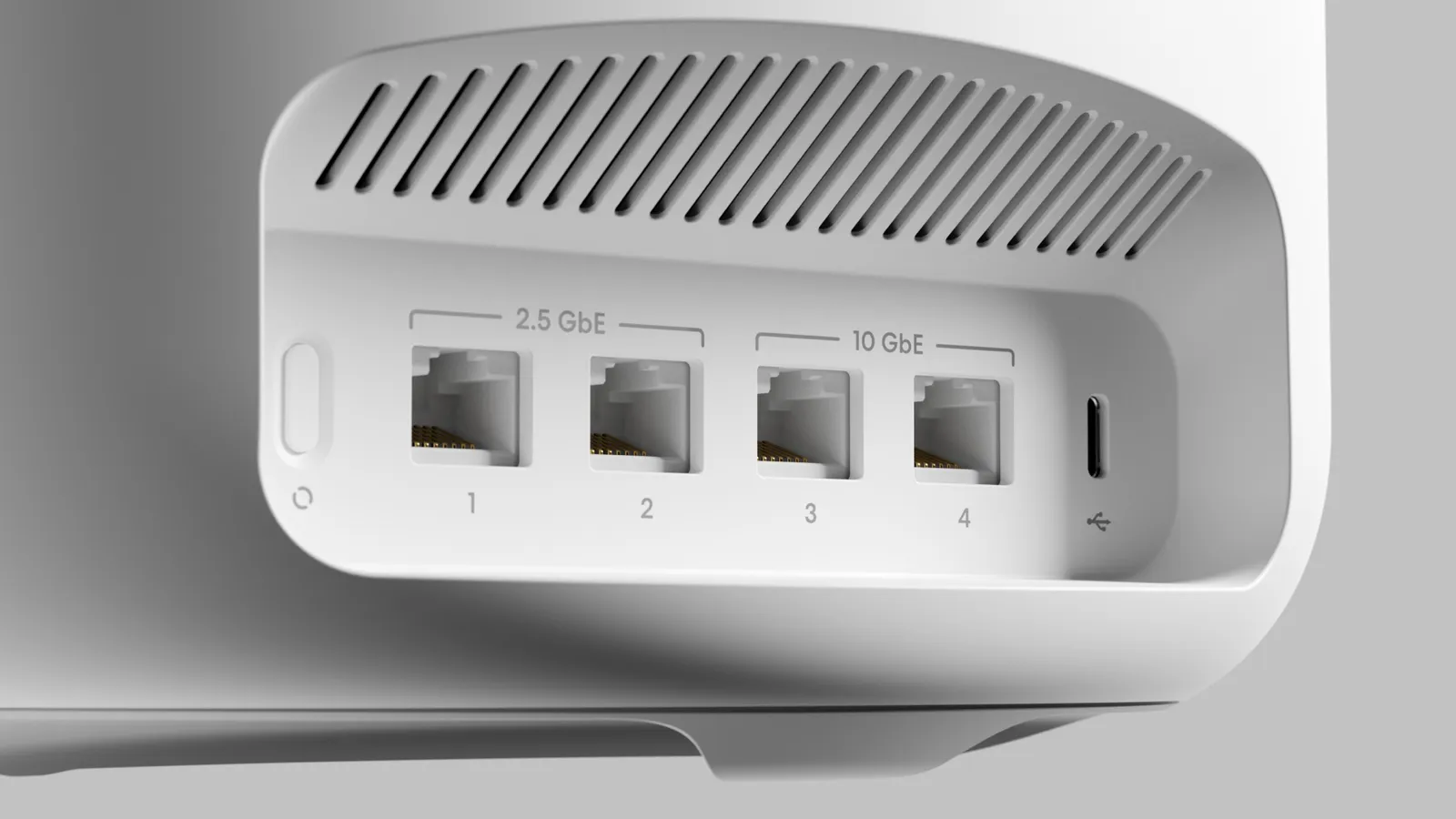
eero Max 7
Premium mesh splurge tolerance
- Best for
- Premium mesh splurge tolerance
- Why it is here
- Punchy Wi-Fi 7 storyline for buyers insisting packaging, polish, support cadence—you pay for reassurance as much as radios.
- Watch-out
- Price-to-performance skeptics rightly cross-shop Deco-class Wi-Fi 7 mesh unless ecosystem loyalty dominates.
Related Networking best lists
Use these networking lists to narrow the shortlist by use case, setup, and buyer constraints.
Best Mesh Wi-Fi Systems
A practical mesh Wi-Fi guide for dead zones, Wi-Fi 7 upgrades, wired backhaul, large homes, budget systems, and easy app setup.
Quick Verdict
Whole-home Wi-Fi is usually a geometry and physics puzzle before it is a “speed class” sticker. One very capable router centered in usable space can outperform sloppy mesh setups—yet multi-story footprints, masonry interior walls, and distant attic offices often behave better once you add radios closer to where people actually sit, sometimes with wired backhaul between those radios.
When a strong single router tends to suffice: ranch-style footprints with open interior drywall runs, centrally located wiring closets, Ethernet drops for desktops, and willingness to reposition hardware away from closets or metal shelves.
When mesh earns its box count: zig-zag floorplans, masonry cores, staggered drywall channels, upstairs kid zones lagging downstairs ISP drop, rentals where cabling retrofits sting.
When wired backhaul matters most: video calls flagged as flaky only “at the kitchen table,” cloud gaming jitter, workstation uploads symmetrical with downloads—anything where each wireless relay hop trims margin on latency and jitter. Ethernet between nodes behaves like scaffolding; purely wireless relay forces trade-offs designers rarely print on glossy retail cards.
Better Buy Lab does not benchmark throughput in-house; framing below maps layouts to architecture choices grounded in mainstream networking wisdom (including RTINGS-style router comparisons as distant reference—not copied claims). No live storefront links, Mbps promises from our desk, numeric speed scores, stock, or first-party throughput charts appear here—verify hardware generations and WAN port headroom personally before buying.
Orient using the networking hub, then widen context with best mesh Wi-Fi systems when node placement resonates more than one big silver box.
Decision map at a glance
Route yourself before SKU hunting:
- Large single-floor open plan: centralized premium router trials first; mesh second if masonry pockets keep appearing after honest placement—not after wishful drywall denial.
- Multi-story stacked living: expect vertical attenuation unless you illuminate upper floors deliberately—almost always favors multiple coordinated radios (mesh pods or wired access points) over “most powerful antennas” folklore.
- Thick plaster, concrete cores, radiant foil barriers: radios need clearer line-of-sight paths—often extra nodes—not one access point punching through masonry with clever packaging alone.
- Gaming/low-latency rooms: Ethernet first; wireless relays—even tidy mesh hops—still add jitter. Fewer hops and cleaner channel picks usually beat chasing maximum Wi-Fi badges alone.
- High smart-device churn: radios need CPU headroom for many clients plus steady firmware patching—association limits matter more than one-shot lab throughput posters.
- Fiber or symmetrical gigabit plans: WAN port speeds and sane NAT implementation matter before Wi-Fi badges; bottleneck hunting starts at ISP handoff—not bedroom laptop tests alone.
- Remote work Zoom fatigue: jitter sensitivity exceeds raw throughput—stability corridors (placement, contention, ethernet backhaul slices) outperform chasing generational badges alone.
Exported builds may show expanded scenario cards above—you can treat those as interactive mirrors of these bullets.
Pick logic — why these six archetypes persist
Hardware roles map to shopper bottlenecks, not trophy collecting:
| Role | Addresses |
|---|---|
| Tri-band Wi-Fi 7 mesh (Deco BE63) | Spacious homes wanting modern Wi-Fi radio headroom plus multiple multi-gig LAN ports per node, sensible mesh scaling. |
| Wi-Fi 6E mesh without Wi-Fi 7 hype (ZenWiFi ET9) | Strong mid-premium radios plus manageable subscription layers for shoppers who see little near-term payoff from chasing the newest sticker. |
| Standalone Wi-Fi 7 powerhouse (Archer BE550) | Ethernet-rich central placement families ready to brute-force open floorplans before multiplying nodes financially. |
| Value-focused Wi-Fi 6E mesh trio (Deco XE5300/XE75) | Cost-aware multi-node coverage acknowledging LAN speed ceilings trade away versus premium kits. |
| Simplicity-forward budget mesh (eero 6) | Non-tinker renters wanting onboarding calm over tinkering—they accept advanced knobs staying shallow. |
| Premium-relief Wi-Fi 7 mesh (eero Max 7) | Buyers explicitly prioritizing marquee hardware polish and maximal spec comfort—budget elasticity assumed. |
Comparison Table
| Pick | Best for | Why it earns a spot | Watch-out |
|---|---|---|---|
| TP-Link Deco BE63 | Router system anchor for sprawling homes | Tri-band Wi-Fi 7 mesh, expansion-friendly ethos, plentiful 2.5GbE jacks per tower for desktops and consoles that deserve copper. | Some advanced parental or security carve-outs may hinge on subscriptions—budget personal policy diligence. |
| ASUS ZenWiFi ET9 | Upper mid mesh without relentless upgrade chasing | Reliable Wi-Fi 6E stack, ASUS AiMesh path for disciplined expansion, comparatively lighter obligatory subscription narration than some ecosystems. | Lacks headline Wi-Fi 7—fine until you standardize laptops that demand that generation end-to-end. |
| TP-Link Archer BE550 | Standalone heavyweight before mesh sprawl | Tri-band Wi-Fi 7 centerpiece with dense Ethernet for entertainment stacks refusing wireless hops. | Single radios still fade through walls—dead zones imply mesh or wired AP add-ons, not a taller antenna slogan. |
| TP-Link Deco XE5300/XE75 | Middle-budget seamless roaming | Practical three-radio Wi-Fi 6E mesh envelopes many townhome footprints when nodes spaced deliberately. | Gigabit-class LAN may age before radios if symmetrical fiber surpasses gigabit—they remain excellent until you outgrow jacks. |
| eero 6 | Budget-conscious minimal friction | Guided setup, restrained hardware footprints, respectable stability for modest device counts mindful of radios’ class limits. | Less granular controls and narrower range versus upscaled kits—heavy streaming households may saturate sooner. |
| eero Max 7 | Premium mesh splurge tolerance | Punchy Wi-Fi 7 storyline for buyers insisting packaging, polish, support cadence—you pay for reassurance as much as radios. | Price-to-performance skeptics rightly cross-shop Deco-class Wi-Fi 7 mesh unless ecosystem loyalty dominates. |
How to evaluate claims before checkout
Coverage marketing vs messy reality. Printed square footage approximations ignore wall composition—treat specs as aspiration; walk problem rooms with repeatable test patterns externally (borrow friendly apps) knowing RF varies hour by hour.
Wi-Fi 6 vs 6E vs 7 shorthand. Wi-Fi 6 improved handling in noisy neighborhoods; 6E layers 6GHz where regulators permit—often cleaner initially but shorter range in practice; 7 adds richer link aggregation features that only pay off once phones and laptops aboard actually support them and your modem or switch wiring keeps up.
Backhaul. Wireless dedicated backhaul radios reduce halving user throughput on dual-band budget mesh; ethernet backhaul dodges contested air altogether when wall fishing cooperates—mesh kits still worthwhile when cabling only reaches select rooms.
Ethernet ports. DVRs, desktop PCs, resale gear—every wired connection frees airtime the radios would otherwise share.
App setup ergonomics. Provisioning hurdles waste Saturday mornings regardless of chipset talent—skim recurring complaints about captive portal flows or mandatory cloud accounts aligning with comfort.
Firmware and security upkeep. Automated patch cadence shields IoT chokepoints routers increasingly guard—prioritize vendors with transparent security bulletins over silent drift.
Device counts. Heavy IoT fleets and cloud cameras stress CPU and RF scheduling beyond headline Wi-Fi badges—budget headroom, not burst lab charts alone.
ISP modem/router double-NAT silliness. Bridge ISP gateway hardware when possible—or accept weird port-forward gremlins; good Wi-Fi rarely compensates sloppy upstream chaining.
Match nuance against our mesh systems guide when roaming handoffs—not peak speed alone—explain your frustrations.
TP-Link Deco BE63 — router system anchor
Choose this if: you want coordinated Wi-Fi 7 mesh radios, plausible multi-node expansion, plentiful switchable LAN per pod for copper-first entertainment stacks.
Skip this if: paid parental-control bundles frustrate you—check whether essentials stay free within your tolerance.
Trade-offs versus peers: newer Wi-Fi generation story than ASUS’s Wi‑Fi 6E kit, heavier spend than Deco XE value packs.
ASUS ZenWiFi ET9 — upper mid mesh practicality
Choose this if: Wi‑Fi 6E satisfies the laptops and phones you already own yet you prize AiMesh modularity instead of hopping every chipset launch.
Skip this if: you standardize laptops demanding Wi-Fi 7 client stacks immediately—you may regret absent 7-label marketing even when empirical gain uncertain.
Trade-offs: fewer bleeding-edge badges than Deco BE63; often calmer recurring fee posture than notorious competitors.
TP-Link Archer BE550 — standalone before nodes multiply
Choose this if: placement can stay central-ish, cabling dreams matter, desktops deserve five nearby 2.5GbE jacks without hunting USB dongles separately.
Skip this if: far bedrooms already fail today—standalone upgrades rarely outperform architectural honesty about needing distributed radios.
Trade-offs: copper-rich convenience swaps away versus automated roaming choreography mesh kits deliver.
TP-Link Deco XE5300/XE75 — value mesh envelope
Choose this if: three-piece Wi‑Fi 6E pricing meets starter whole-home frustration without insisting on flagship-radio bragging rights.
Skip this if: LAN jacks must leap beyond gigabit imminently—your ISP handoff plus internal NAS may saturate ports earlier than radios depreciate aesthetically.
Trade-offs: restrained switch speeds trade for wallet relief—fine until symmetrical multi-gig internal moves matter.
eero 6 — budget serenity path
Choose this if: modest square footage, restrained gadget diversity, onboarding calm beats tweak-every-parameter weekends.
Skip this if: power-users demand VLAN carving, obsessive band-steering control, dense streaming concurrency saturating commodity silicon.
Trade-offs: friendly ecosystem vs brute flexibility—budget clarity matters.
eero Max 7 — premium mesh reassurance lane
Choose this if: Wi-Fi 7 branding, maximal hardware reassurance, concierge-grade packaging justify spend beyond Deco-class alternatives netting similar airtime outcomes.
Skip this if: premium positioning is hard to justify—you can get similar airtime gains from mid-premium Wi‑Fi 7 mesh if you shop features you will actually use.
Trade-offs: you may pay extra for packaging and support polish more than raw range physics—worth it only if that reassurance matches your budget.
Options beyond swapping the router
- Dedicated mesh rundown: escalate to mesh Wi-Fi systems when flaky handoffs and dead hallways—not vanity speed tests—are the real headache.
- Powerline adapters: workable when Wi-Fi is hopeless and coax Ethernet is unavailable—electrical noise can add latency, so treat as a bridge, not a permanent backbone.
- Ethernet + access points: discerning enthusiasts unify SSIDs behind wired ceiling APs sometimes beating consumer mesh ergonomics—invest cabling labor willingly.
- Single powerful tower vs coordinated mesh philosophy: brute central routers win open floorplans; coordinated nodes win obstruction-heavy layouts—match the topology to walls, not to packaging ego.
Editorial transparency
Retail links and storefront modules stay off Better Buy Lab until product facts pass review—read methodology, verification policy, editorial policy before comparing draft depth against what eventually ships publicly.
Common mistakes
- Hiding gateways inside metal AV furniture—it shields signal the same way a metal box shields anything else.
- Demanding flagship Wi-Fi 7 skins while bottlenecking WAN on decade-old ISP combo boxes still routing NAT twice—fix upstream silliness concurrently.
- Skipping Ethernet backhaul when a wall chase already exposes a friendly path—you gain stability for the cost of pulling one cable.
- Assuming one heroic router erases masonry—sometimes you simply need radios closer to the rooms that hurt.
FAQ
Router versus mesh—which fits a large home first?
Often mesh (or equivalently spaced access points sharing logic) distributes radios proximate to occupants; heroic single routers suit open ranch layouts with forgiving walls—choose by obstruction map sincerity, square footage claims alone fool nobody.
Where should you place the primary router?
Central to living concentrations, elevated modestly (shelf—not buried cabinet), antennas oriented per vendor guidance—keep distance from humming microwaves and thick appliance walls whenever possible.
How many mesh nodes usually?
Starter mental model: two nodes cover many split-level footprints; three targets stubborn interference pockets or deep rear additions—walk distant rooms yourself before stacking more cubes for looks.
Does Wi-Fi 7 materially matter?
If your laptops and WAN hardware actually use Wi‑Fi 7 end to end, there is throughput and multi-link headroom—yet Wi‑Fi 5 or Wi‑Fi 6 gear will not magically unlock everything printed on the box.
Why does speed crumble in distant rooms?
Distance and obstacles weaken signal—that is normal physics—and neighboring networks share the same airtime. Fewer wireless hops plus wired links between nodes usually help more than chasing extra antenna jargon alone.
Can a flashy router salvage lousy ISP reliability?
Rarely decisively—bufferbloat upstream, flaky neighborhood cabling, PPPoE quirks happen outside LAN Wi‑Fi polish; new routers stabilize inside-the-home wireless, they do not replace bad ISP installs.