Product snapshot
Product snapshot
This page summarizes where TP-Link Deco XE5300/XE75 fits in our buying guides and what to double-check on the retailer listing you are considering.
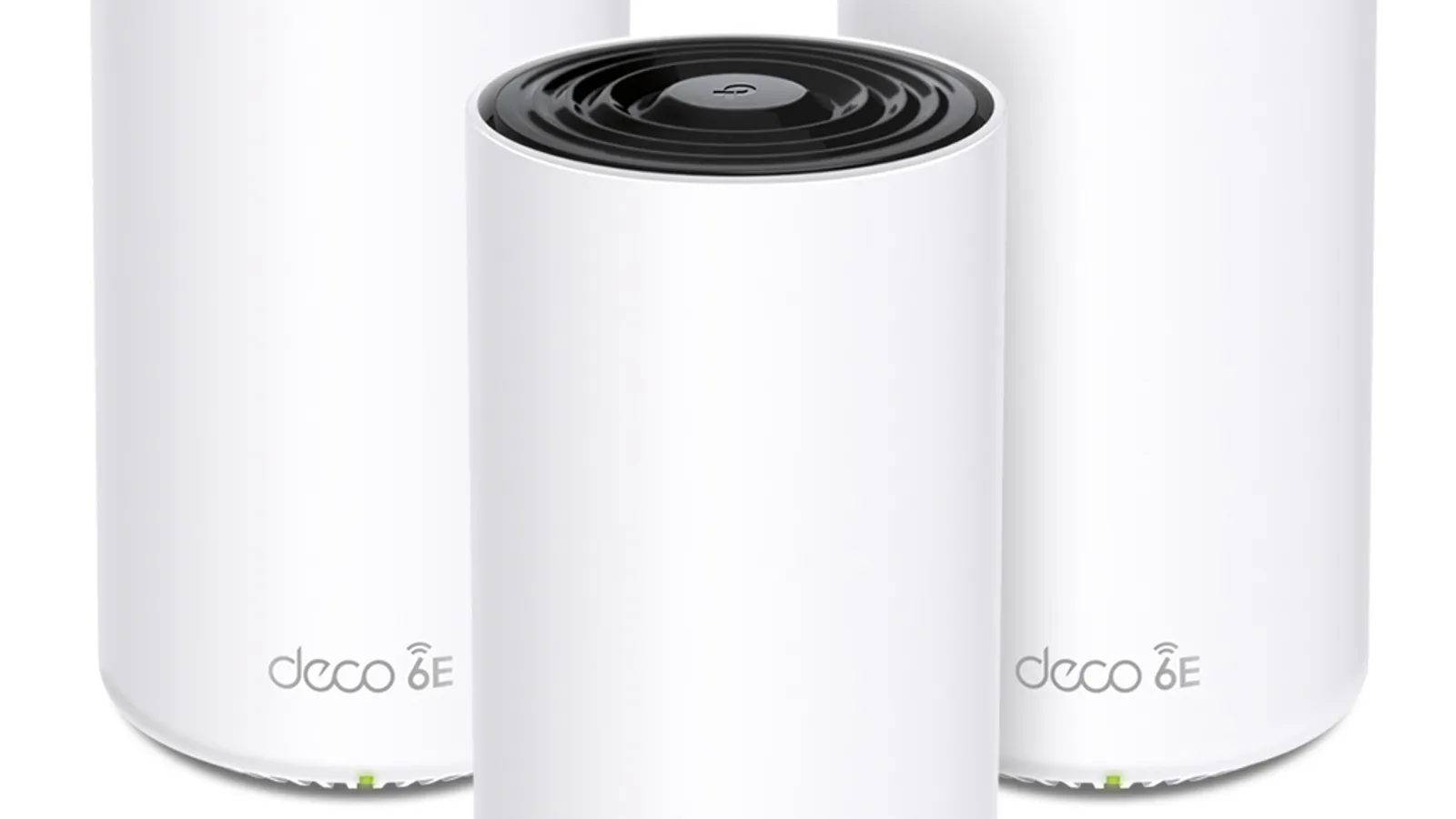
- Brand
- TP-Link
- Category
- Networking
- Where you’ll see it
- 2 buying guides
- Main use
- Best mid-range mesh value
Best mid-range mesh value
Three-pack/mesh value with Wi-Fi 6E and practical coverage for busy homes.
Skip it if gigabit ports limit faster internet plans.
Buying options
Buying options
Use the full buying guide to compare this product against alternatives before choosing.
Quick read
Quick verdict
This product research note is for shoppers who see TP-Link Deco XE5300/XE75 on our Best mesh Wi-Fi systems shortlist as the Best mid-range mesh value pick—not a scored lab review.
- Consider: Three-pack Wi-Fi 6E mesh value when gigabit ports are enough and wired backhaul upgrades can wait.
- Pause: Read caveats on our product sheet and verify listing SKU, bundle contents, and return policy before checkout.
- No lab claims: Better Buy Lab does not independently measure performance here—use guide narrative plus listing facts you verify.
At a glance
Product snapshot
- Shortlist role: Best mid-range mesh value on Best mesh Wi-Fi systems.
- Appears on Better Buy Lab:
- Best Routers for Large Homes — Best mid-range mesh value
- Best Mesh Wi-Fi Systems — Best mid-range mesh value
- networking — Listed on this guide.
Key buying checks
How to choose home Wi-Fi that covers where you actually sit
Node placement, Ethernet wiring where possible, your ISP tier, and wall layout determine coverage more than the Wi-Fi generation label. Below is how we think about TP-Link Deco XE5300/XE75 for real rooms and daily use.
Coverage from layout, not marketing square footage
Too few access points leaves dead zones; poor placement wastes hardware. Wall and floor materials attenuate signal.
Multi-story homes and long narrow layouts.
Enclosed shelves and cabinets shield antennas and reduce performance.
Sketch of floors, wall types, Ethernet paths, current weak spots.
Ethernet backhaul when stability matters
Wireless mesh hops share radio capacity with your devices; wired links between nodes reduce that contention.
Homes with heavy video calls and multiple 4K streams.
All-wireless backhaul struggles when many devices compete at peak hours.
Cable routes, switch location, which satellite can be wired first.
Match router tier to ISP and client devices
A new router cannot fix a slow ISP tier or old laptops that never use the new radio bands.
Households with recent phones and laptops on fast fiber or cable tiers.
Multi-gig marketing ignores typical device mix and interference.
ISP speed, modem limits, age of client devices, need for multi-gig LAN ports.
Single router versus multiple nodes
Many apartments improve with better central placement before adding mesh hardware.
Smaller footprints with a logical central location for the router.
Mesh kits are sometimes sold where a relocated router would suffice.
Whether dead zones persist after central placement trials, major obstructions, interference sources.
Confirm the exact model before you buy
Model names, regions, and bundles change what is in the box. Check the manufacturer page for your country, the seller listing, warranty text, and which accessories are included.
Buyers who shop online and need the shipment to match the configuration they selected.
Small naming differences can mean different ports, stands, or power adapters between regions.
SKU, country variant, return window, warranty, and that photos match the product you add to the cart.
When headline specifications miss real-world limits
A strong specification can still disappoint if glare, noise, edge cleaning, or return terms do not fit how you use the product.
Buyers who want to compare trade-offs before deciding.
Marketing often assumes ideal conditions; your room, hearing, or layout may differ.
Return policy, upkeep (filters, bags, mop pads), physical fit in the space, and whether the downsides are acceptable.
Buyer scenarios
A few ways shoppers land here
- Value mesh buyer: You want three-node coverage without Wi-Fi 7 premium spend.
- Busy household: Practical Wi-Fi 6E mesh for streaming and work-from-home overlap.
- Port-realistic planner: Gigabit Ethernet is enough for current ISP and NAS speeds.
- Step-up compare: You are reading Deco BE63 when multi-gig ports or Wi-Fi 7 matter more.
These moments describe shopper intent—we are not asserting measured throughput, wall penetration, or subscription pricing for every floor plan.
After layout and subscription notes below, return to Best Mesh Wi-Fi Systems for how we cite mesh and large-home router lanes on the shortlist.
Where it fits in the networking cluster
TP-Link Deco XE5300/XE75 is the mid-range mesh value lane—three-node Wi-Fi 6E coverage when multi-gig Ethernet is not the priority yet.
- Parent guide: Best mesh Wi-Fi systems — Best mid-range mesh value lane.
- Category hub: Networking buying guides — sibling lanes and forks.
- Also on: Best routers for large homes — large-home mesh context.
Where it fits
These lanes describe who usually arrives from our mesh guide when mid-range value mesh fits—not a verdict without ISP speed and port checks.
- Three-node value: Slim Deco nodes and easy app setup when Wi-Fi 7 is optional.
- Wi-Fi 6E practical: 6E headroom for supported clients without flagship mesh spend.
- Large footprint staging: Coverage value now with wired backhaul upgrades later.
- BE63 fork: You compare step-up when multi-gig ports or Wi-Fi 7 justify cost.
Highlights to confirm
Pulled from our product sheet—bring it while validating manufacturer pages.
- Three-pack/mesh value with Wi-Fi 6E and practical coverage for busy homes.
- Three-node coverage value, Wi-Fi 6E, slim nodes, and easy app setup.
- Value mesh lane for large footprints when wired backhaul upgrades are staged later.
Trade-offs to double-check
- Skip it if gigabit ports limit faster internet plans.
- Skip it if gigabit Ethernet limits faster internet plans.
What to check before choosing
Pair this list with floor plans, ISP speed tiers, and wired backhaul options nearby.
- Exact model: Deco XE5300 or XE75 pack wording on the carton—not BE63 or older Deco unless intended.
- Three-node pack count versus your floor plan and node placement options.
- Gigabit Ethernet limits: confirm ISP speed and wired NAS plans if you exceed 1Gbps.
- Wi-Fi 6E client support in your household—verify devices benefit before paying for 6E headroom.
- HomeShield subscription tiers for advanced parental controls.
- Wired backhaul staging: plan Ethernet later if Wi-Fi backhaul struggles.
- Return policy if slim nodes still leave dead zones.
Fit filter
Choose if / Skip if
Choose if
- Mid-range mesh value fits and gigabit ports match your current ISP and wired gear.
- You will verify XE5300/XE75 pack wording, node count, and seller before checkout.
- Guide caveats about gigabit limits and subscription tiers still feel acceptable.
Skip if
- Multi-gig internet or NAS paths need 2.5Gbps ports per node—Deco BE63 may fit better.
- Wi-Fi 7 peak capability matters for newest laptops—step-up mesh notes may win.
- You will not verify model suffix, pack count, or return policy before purchase.
Stay on-site next
Alternatives & related guides
Compare mesh, standalone, and large-home paths without leaving Better Buy Lab.
- Networking hub — mesh versus standalone router forks.
- Best mesh Wi-Fi systems — primary mesh shortlist where this model appears today.
- Best routers for large homes — large-home router and mesh context.
- Networking category for every networking guide in this aisle.
FAQ
FAQ
Is Deco XE5300/XE75 good value?
Our mesh guide cites this lane for three-node Wi-Fi 6E value when gigabit ports and slim nodes fit—confirm exact pack wording on the listing.
XE5300/XE75 vs Deco BE63?
Choose XE5300/XE75 when mid-range 6E value and three-node packs cap spend. Choose BE63 when Wi-Fi 7 and four 2.5Gbps ports per node matter more.
Do gigabit ports limit faster internet?
Our notes flag gigabit Ethernet limits on faster ISP plans—verify your speed tier and wired NAS needs before checkout.
Is Wi-Fi 6E enough?
It can be when your clients support 6E and you accept Wi-Fi 7 step-ups for future headroom—match the lane to devices you actually own.
What should I verify before buying XE5300/XE75?
Confirm exact Deco model suffix, three-pack contents, ISP fit, HomeShield tiers, node placement plan, and seller using the checklist below.
Does Better Buy Lab show live prices on this page?
No. This product note is informational. Shopping links and price callouts appear only on networking buying guides after product and retailer details are checked—not on this standalone page.
Editorial transparency
Better Buy Lab uses this page as a product context note linked from our networking buying guides. It supports shortlist reading; it is not a scored review or a storefront.
We describe fit using guide-level notes and shopper checklists. We do not claim independent throughput or coverage measurements performed by Better Buy Lab. No live prices, shopping buttons, or star-style ratings appear here.
In our guides
Buying guides referencing this model today.
Best Mesh Wi-Fi Systems
Best mid-range mesh value
Best Routers for Large Homes
Best mid-range mesh value