Product snapshot
Product snapshot
This page summarizes where TP-Link Archer BE550 fits in our buying guides and what to double-check on the retailer listing you are considering.
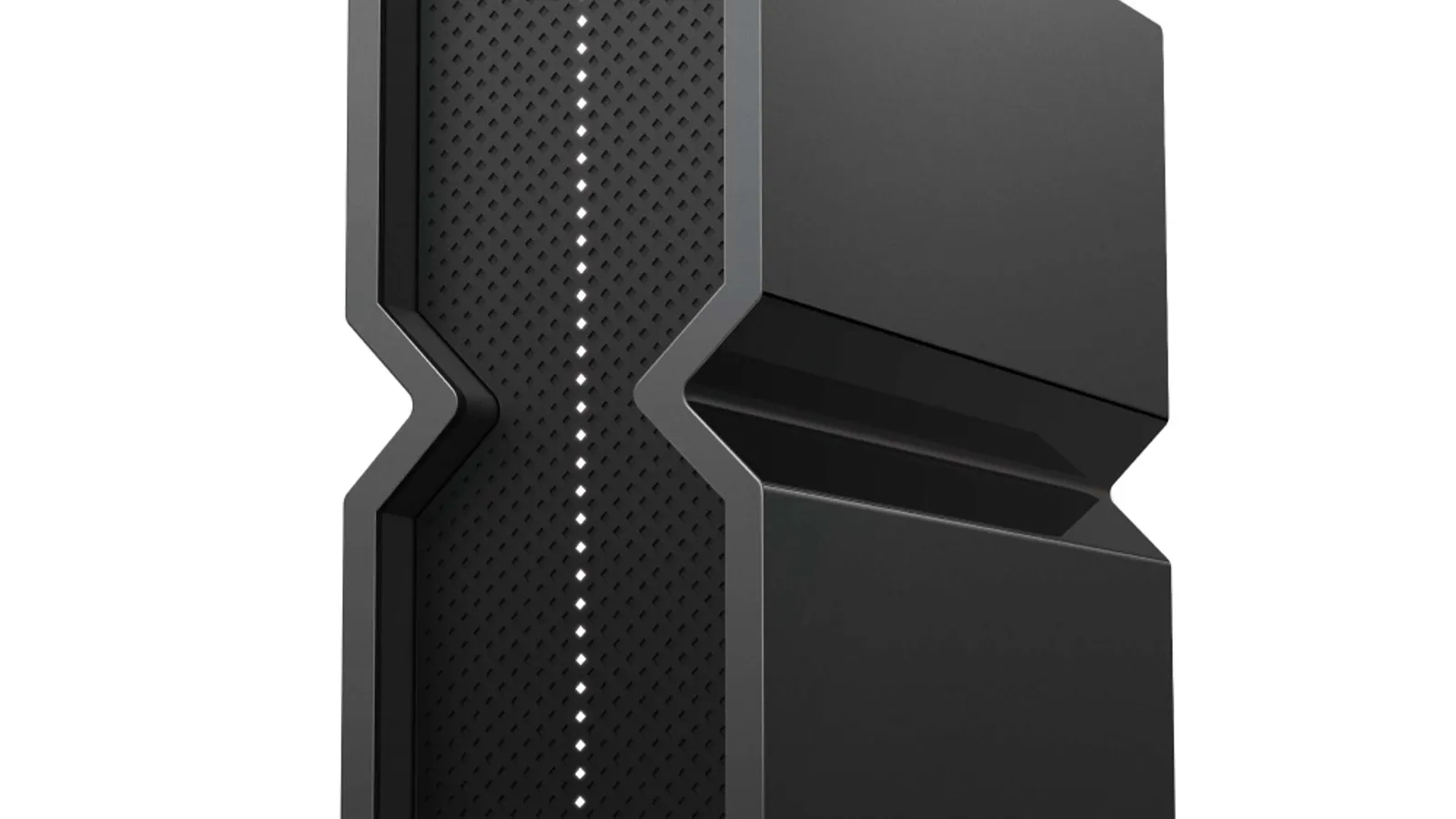
- Brand
- TP-Link
- Category
- Networking
- Where you’ll see it
- 1 buying guide
- Main use
- Best standalone router for large homes
Best standalone router for large homes
Tri-band Wi-Fi 7, five 2.5Gbps Ethernet ports, and strong speed for buyers not ready for mesh.
Skip it if a single router may not solve thick-wall or multi-floor dead zones.
Buying options
Buying options
Use the full buying guide to compare this product against alternatives before choosing.
Quick read
Quick verdict
This product research note is for shoppers who see TP-Link Archer BE550 on our Best routers for large homes shortlist as the Best standalone router for large homes pick—not a scored lab review.
- Consider: Tri-band Wi-Fi 7 standalone with five 2.5Gbps ports when one central router beats mesh nodes—but thick walls may still need mesh later.
- Pause: Read caveats on our product sheet and verify listing SKU, bundle contents, and return policy before checkout.
- No lab claims: Better Buy Lab does not independently measure performance here—use guide narrative plus listing facts you verify.
At a glance
Product snapshot
- Shortlist role: Best standalone router for large homes on Best routers for large homes.
- Appears on Better Buy Lab:
- Best Routers for Large Homes — Best standalone router for large homes
- networking/best-mesh-wifi — Listed on this guide.
- networking — Listed on this guide.
Key buying checks
How to choose home Wi-Fi that covers where you actually sit
Node placement, Ethernet wiring where possible, your ISP tier, and wall layout determine coverage more than the Wi-Fi generation label. Below is how we think about TP-Link Archer BE550 for real rooms and daily use.
Coverage from layout, not marketing square footage
Too few access points leaves dead zones; poor placement wastes hardware. Wall and floor materials attenuate signal.
Multi-story homes and long narrow layouts.
Enclosed shelves and cabinets shield antennas and reduce performance.
Sketch of floors, wall types, Ethernet paths, current weak spots.
Ethernet backhaul when stability matters
Wireless mesh hops share radio capacity with your devices; wired links between nodes reduce that contention.
Homes with heavy video calls and multiple 4K streams.
All-wireless backhaul struggles when many devices compete at peak hours.
Cable routes, switch location, which satellite can be wired first.
Match router tier to ISP and client devices
A new router cannot fix a slow ISP tier or old laptops that never use the new radio bands.
Households with recent phones and laptops on fast fiber or cable tiers.
Multi-gig marketing ignores typical device mix and interference.
ISP speed, modem limits, age of client devices, need for multi-gig LAN ports.
Single router versus multiple nodes
Many apartments improve with better central placement before adding mesh hardware.
Smaller footprints with a logical central location for the router.
Mesh kits are sometimes sold where a relocated router would suffice.
Whether dead zones persist after central placement trials, major obstructions, interference sources.
Confirm the exact model before you buy
Model names, regions, and bundles change what is in the box. Check the manufacturer page for your country, the seller listing, warranty text, and which accessories are included.
Buyers who shop online and need the shipment to match the configuration they selected.
Small naming differences can mean different ports, stands, or power adapters between regions.
SKU, country variant, return window, warranty, and that photos match the product you add to the cart.
When headline specifications miss real-world limits
A strong specification can still disappoint if glare, noise, edge cleaning, or return terms do not fit how you use the product.
Buyers who want to compare trade-offs before deciding.
Marketing often assumes ideal conditions; your room, hearing, or layout may differ.
Return policy, upkeep (filters, bags, mop pads), physical fit in the space, and whether the downsides are acceptable.
Buyer scenarios
A few ways shoppers land here
- Standalone-first buyer: You prefer one powerful router before investing in mesh nodes.
- Wired desktop hub: Five 2.5Gbps ports matter for local Ethernet gear.
- Mesh skeptic: You will test central placement before assuming mesh is required.
- Deco fork: You are comparing BE550 against Deco BE63 when walls defeat a single unit.
These moments describe shopper intent—we are not asserting measured throughput, wall penetration, or subscription pricing for every floor plan.
After layout and subscription notes below, return to Best Routers for Large Homes for how we cite mesh and large-home router lanes on the shortlist.
Where it fits in the networking cluster
TP-Link Archer BE550 is the standalone Wi-Fi 7 lane—not mesh-first—when a central router plus wired desktops beats adding nodes first.
- Parent guide: Best routers for large homes — Best standalone router for large homes lane.
- Category hub: Networking buying guides — sibling lanes and forks.
- Also on: Best mesh Wi-Fi systems — mesh alternative context.
Where it fits
These lanes describe who usually arrives from our large-home router guide when standalone Wi-Fi 7 fits—not a verdict without placement and wall-type checks.
- Central router plan: One BE550 plus wired desktops when mesh feels premature.
- Multi-gig wired desk: Five 2.5Gbps ports for local gear without a separate switch.
- Wi-Fi 7 standalone: You want tri-band headroom without mesh app complexity first.
- Mesh later optional: You may add Deco nodes if placement tests show dead zones.
Highlights to confirm
Pulled from our product sheet—bring it while validating manufacturer pages.
- Tri-band Wi-Fi 7, five 2.5Gbps Ethernet ports, and strong speed for buyers not ready for mesh.
- Standalone lane when a central router plus wired desktops beats adding mesh nodes first.
Trade-offs to double-check
- Skip it if a single router may not solve thick-wall or multi-floor dead zones.
What to check before choosing
Pair this list with floor plans, ISP speed tiers, and wired backhaul options nearby.
- Exact model: TP-Link Archer BE550—not BE9300 router-only bundles or Archer AX class unless intended.
- Standalone placement: central location and antenna clearance versus distant bedrooms.
- Five 2.5Gbps Ethernet ports—map wired NAS, desktop, and console paths before checkout.
- HomeShield or security subscription tiers if advanced parental controls matter.
- ISP modem handoff and multi-gig plan compatibility on the listing.
- Mesh expansion path if standalone coverage fails—confirm Deco compatibility if you may add nodes later.
- Return policy if dead zones persist after reasonable placement tests.
Fit filter
Choose if / Skip if
Choose if
- Standalone router coverage is plausible for your floor plan and you will verify central placement.
- Multi-gig wired ports on the router itself matter for your desk or NAS layout.
- You will verify BE550 SKU, ISP fit, and return policy before checkout.
Skip if
- Thick walls or multi-floor dead zones already defeat standalone routers—mesh notes may fit better.
- You need simplest premium mesh out of the box—eero Max 7 or Deco BE63 may win.
- You will not verify placement, port layout, or seller listing before purchase.
Stay on-site next
Alternatives & related guides
Compare mesh, standalone, and large-home paths without leaving Better Buy Lab.
- Networking hub — mesh versus standalone router forks.
- Best mesh Wi-Fi systems — primary mesh shortlist where this model appears today.
- Best routers for large homes — large-home router and mesh context.
- Networking category for every networking guide in this aisle.
FAQ
FAQ
Is Archer BE550 good without mesh?
Our large-home guide cites BE550 when a standalone Wi-Fi 7 router plus wired gear beats mesh first—still test coverage before treating it as a whole-home fix.
BE550 vs Deco BE63?
Choose BE550 when one central router and five 2.5Gbps ports fit. Choose BE63 when mesh nodes and per-unit ports solve multi-floor dead zones.
Can I add mesh later?
Many households start standalone then add Deco nodes—verify compatibility and app paths on TP-Link listings before assuming seamless expansion.
Why five 2.5Gbps ports?
Our notes highlight multi-gig Ethernet for desktops, NAS, and consoles—map wired paths before assuming Wi-Fi alone carries every device.
What should I verify before buying BE550?
Confirm BE550 SKU, central placement plan, ISP speed fit, HomeShield tiers, wired port needs, and seller using the checklist below.
Does Better Buy Lab show live prices on this page?
No. This product note is informational. Shopping links and price callouts appear only on networking buying guides after product and retailer details are checked—not on this standalone page.
Editorial transparency
Better Buy Lab uses this page as a product context note linked from our networking buying guides. It supports shortlist reading; it is not a scored review or a storefront.
We describe fit using guide-level notes and shopper checklists. We do not claim independent throughput or coverage measurements performed by Better Buy Lab. No live prices, shopping buttons, or star-style ratings appear here.
In our guides
Buying guides referencing this model today.
Best Routers for Large Homes
Best standalone router for large homes