Guide summary
Best OLED TVs by room light and viewing habits
OLED is not one-size-fits-all. Match dark-room cinema, mixed lighting, gaming HDMI needs, and Dolby Vision preferences before you pick a panel family.
6 of 6 shortlist picks have editorial photos on this page.
- Category
- TVs
- Shortlist
- 6 tracked picks
- Lead pick
- Samsung S95F OLED
- Use case
- Best overall
Key buying checks
How to choose a TV that fits your room
Start with how you watch (movies, sports, gaming), room lighting, seating, and placement. Those choices matter as much as peak brightness on the spec sheet. Use these checks while you read the shortlist—they separate good fits from common buyer mistakes.
Choose picture quality for your content and seating
Contrast, tone mapping, and processing should match your typical content and viewing distance, not store demo modes.
Households that care about shadow detail and highlight behavior in HDR and SDR.
Retail demo modes often oversharpen or push brightness; check cinema or filmmaker modes for home use.
Panel type, dimming approach, HDR formats you use, and viewing angle from your seats.
Brightness and finish for daytime viewing
Output level and screen finish affect whether sports and daytime content stay clear when light hits the glass.
Living rooms with windows, skylights, or lamps behind the seating.
Glossy screens can mirror windows; placement relative to bright light sources matters.
Screen finish, placement versus windows, typical daytime use, and whether you use bias lighting.
Console and PC connectivity and game modes
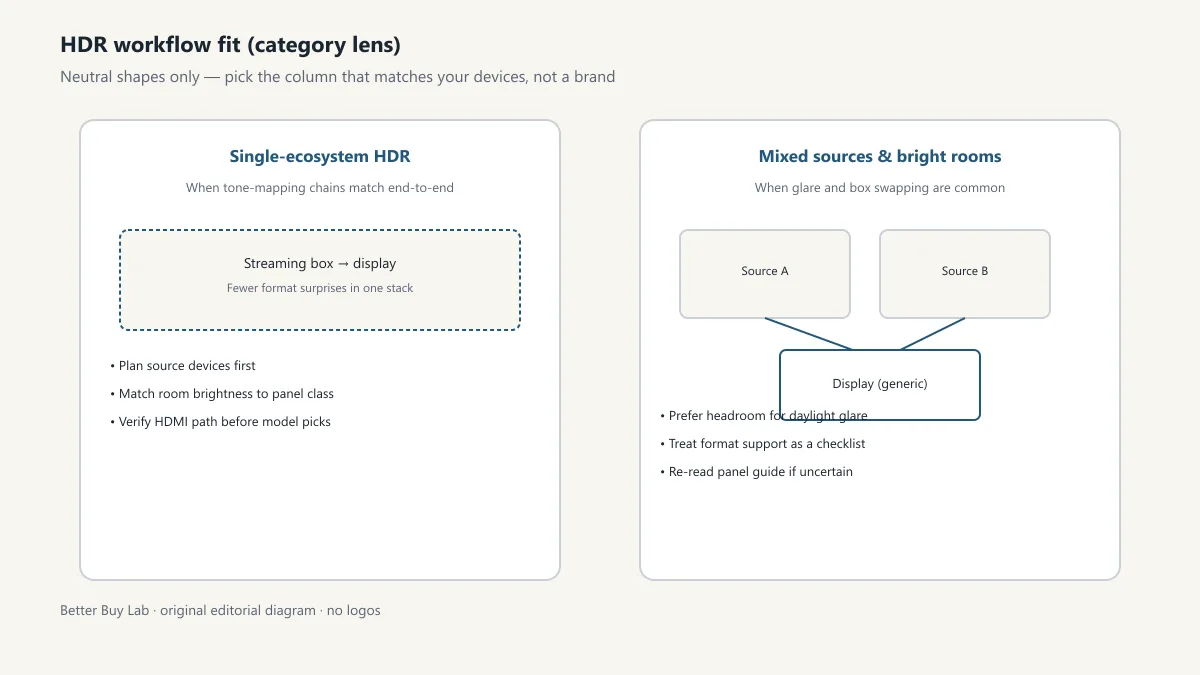
Variable refresh, low latency, and 4K120 require the right HDMI layout, including soundbar or receiver passthrough.
Console or PC gaming where input lag and sync stability matter.
Not every size in a series has identical gaming behavior; some modes change brightness to protect the panel.
HDMI count and capability, VRR range, eARC path, game mode behavior, and audio routing.
Motion handling for sports and games
Motion interpolation can smooth sports but annoy film viewers; game modes may disable processing you like for movies.
Mixed use between sports, action content, and gaming on one TV.
Strong interpolation causes soap-opera effect; some modes add latency for gaming.
Motion settings, separate game mode, and who controls the remote for films versus sports.
Smart TV software and remote
App availability, update support, and remote layout affect whether you need extra streaming devices.
Households that want one remote and minimal extra hardware.
Regional app gaps and account requirements can block a must-have service.
Required apps, update history, remote layout, casting, and voice-assistant requirements.
Measure furniture, wall, and sound placement
Width, stand depth, and port location must fit the furniture and sound equipment you plan to use.
Wall mounts, thin furniture, long soundbars, or tight viewing distances.
Very large screens in small rooms increase reflection and neck strain.
Seating distance, furniture width, port access, soundbar clearance, and delivery path.
Confirm the exact model before you buy
Model names, regions, and bundles change what is in the box. Check the manufacturer page for your country, the seller listing, warranty text, and which accessories are included.
Buyers who shop online and need the shipment to match the configuration they selected.
Small naming differences can mean different ports, stands, or power adapters between regions.
SKU, country variant, return window, warranty, and that photos match the product you add to the cart.
When headline specifications miss real-world limits
A strong specification can still disappoint if glare, noise, edge cleaning, or return terms do not fit how you use the product.
Buyers who want to compare trade-offs before deciding.
Marketing often assumes ideal conditions; your room, hearing, or layout may differ.
Return policy, upkeep (filters, bags, mop pads), physical fit in the space, and whether the downsides are acceptable.
Your situation
How to use this TV guide
Start with the room and habits below, then use the shortlist cards for fit. This section does not add live prices, inventory, or storefront modules.
Use this path if you already know you want OLED and need to compare that shortlist first.
OLED-focused decisions should still start with viewing habits, screen size, reflection risk, and whether the room is mainly controlled or mixed-light.
- Viewing habits and static-screen routines
- Room-light control
- Viewing angle needs
- Gaming input and refresh requirements
- Exact panel/model variant confirmation
- Assuming every OLED pick fits every room
- Skipping region or size variant checks
- Comparing OLED models without first deciding whether OLED is the right panel direction
Before you buy: confirm the listing
OLED listings love to swap panel generations and regional bundles. Match the exact model to your room checklist above, then confirm ports, stand depth, and return rules on the page you will actually buy from.
Related TV decision paths
Best TVs
Start with the broad TV shortlist before narrowing by panel, size, or use case.
Best Gaming TVs
Use the gaming route when console or PC setup is the main constraint.
Samsung S95F vs S90F
Side-by-side buyer-fit contrasts when you split hairs between sibling Samsung OLED models.
Samsung S95F OLED note
Checklist prose for flagship QD‑OLED—no storefront tools on the note.
Samsung S90F OLED note
Checklist prose for Samsung’s step-down QD‑OLED lane.
Best 65-inch TVs
Use the size route when placement and screen class are already decided.
Value-oriented TV shortlist
Use this list when fit and careful checking matter more than premium extras.
OLED vs Mini LED
Use the panel guide before choosing between OLED and Mini LED shortlists.
OLED decision map
Choose OLED for the right room, not just the headline panel type
These paths cover room lighting, movie habits, gaming setup, screen size, and when to read the OLED versus Mini LED guide. They reflect Better Buy Lab editorial research only.
Dark-room movie setup
- Use this path when
- Start here when movie nights, contrast, black-level comfort, and off-angle viewing matter more than maximum daytime brightness.
- Watch out
- OLED can be the wrong first choice if the room is bright for most viewing or if static-screen use is a daily pattern.
- Next step
- Use the OLED shortlist, then open the matching research page for model-specific caveats.
Mixed-light living room
- Use this path when
- Use the broader TV route if you watch in daylight, fight reflections, or share one TV across sports, streaming, and casual family use.
- Watch out
- Do not assume an OLED shortlist is automatically better than a brighter non-OLED path for every room.
- Next step
- Compare OLED against the broader best-TV page before narrowing to one product.
Gaming-first OLED
- Use this path when
- Use this path when console or PC setup, port routing, refresh behavior, and mixed movie/gaming use are the real decision points.
- Watch out
- Do not buy for one gaming headline before checking room brightness, screen size, and static HUD habits.
- Next step
- Use the gaming page to separate setup fit from OLED picture preference.
Size-specific OLED check
- Use this path when
- Use this when a 65-inch-class screen is already the likely fit and placement matters as much as panel type.
- Watch out
- Do not choose a premium OLED path if wall width, stand depth, delivery, or viewing distance makes a different size safer.
- Next step
- Confirm size and room fit before treating the OLED shortlist as final.
OLED vs Mini LED uncertainty
- Use this path when
- Use this guide if you are unsure whether OLED contrast or Mini LED-style brightness better matches your room and habits.
- Watch out
- Do not jump straight to product cards while the panel trade-off is still unresolved.
- Next step
- Pick the panel direction first, then return to the matching best-list.
OLED buyer depth
Inside this OLED TV guide
The public page can help with the panel decision now, while exact product facts, retailer links, image rights, and pricing context wait on listing checks.
When flagship Samsung OLED models stay live in contention, revisit Best TVs overall for the OLED plus Mini LED ladder; Samsung S95F vs Samsung S90F comparison with Samsung S95F OLED product note and Samsung S90F OLED product note so shortlist prose and sibling notes agree. Ledger-approved Amazon Associates PDP buttons accompany eligible OLED picks on this guide beside the disclosure-gated modules. Dolby Vision-strong alternatives also have standalone notes (LG G6 OLED note, LG C5 OLED note, LG B5 OLED note, and Sony BRAVIA 8 OLED note), linked from Related guides.
Panel direction before product picking
The OLED page now explains when OLED is the right starting point and when the broader TV or panel guide should come first.
Bright-room and dark-room split
The guidance separates controlled-room movie use from mixed-light living-room use, so readers do not overbuy around one viewing scenario.
Burn-in caveat without panic
Static-screen habits are framed as an ownership-risk check, not as a universal reason to avoid OLED.
Premium, value, and gaming paths
The page now routes readers toward premium OLED, value-oriented OLED, gaming-first OLED, or non-OLED alternatives before any shopping module appears.
OLED pick logic
How to read this OLED shortlist
These notes explain product roles for this guide. They are not final verdicts, owned test results, prices, retailer claims, or review ratings.
Samsung S95F OLED
- OLED role
- Best overall
- Why it’s listed here
- QD-OLED color, matte reflection control, 4K/165Hz gaming, four HDMI 2.1 ports.
- Watch out
- Skip it if this caveat matters in your setup: No Dolby Vision, premium positioning. That one detail can matter more than the headline spec.
Samsung S90F OLED
- OLED role
- Best upper mid-range OLED
- Why it’s listed here
- Similar OLED punch at a lower-tier positioning, strong gaming feature set.
- Watch out
- Skip it if this caveat matters in your setup: Panel type can vary by size or region; confirm the exact carton on the seller listing. That one detail can matter more than the headline spec.
LG G6 OLED
- OLED role
- Best OLED for Dolby Vision rooms
- Why it’s listed here
- Glossy cinematic look, Dolby Vision support, strong processing, premium design.
- Watch out
- Skip it if this caveat matters in your setup: Usually higher-commitment; verify value against value-positioned LG G5/C5 pricing. That one detail can matter more than the headline spec.
LG C5 OLED
- OLED role
- Best balanced OLED for most LG buyers
- Why it’s listed here
- Dolby Vision, strong gaming support, familiar webOS, often value-positioned.
- Watch out
- Skip it if this caveat matters in your setup: Less color pop than top QD-OLED options. That one detail can matter more than the headline spec.
LG B5 OLED
- OLED role
- Best budget OLED
- Why it’s listed here
- OLED contrast at a lower entry price.
- Watch out
- Skip it if this caveat matters in your setup: Brightness and processing trail the C/G series. That one detail can matter more than the headline spec.
Sony BRAVIA 8 OLED
- OLED role
- Best processing-first OLED alternative
- Why it’s listed here
- Natural motion and movie processing for film-first buyers.
- Watch out
- Skip it if this caveat matters in your setup: Gaming and value-positioning can lag LG/Samsung options. That one detail can matter more than the headline spec.
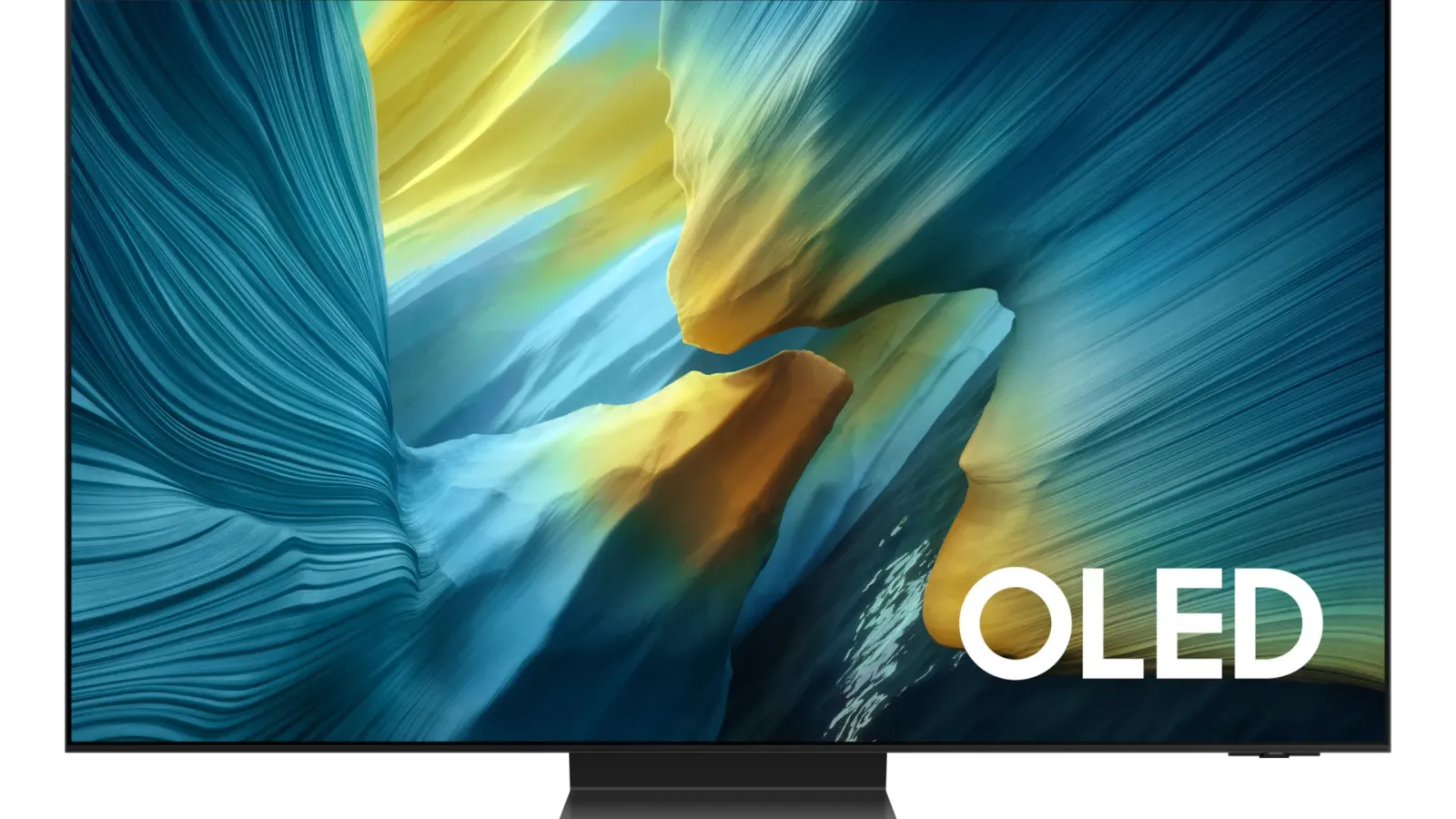
#1 ranked pick
Samsung S95F OLED
Best overall
Shortlist at a glance
Use these cards for buyer-fit context and research notes first. Optional Amazon listing buttons appear only on approved picks—always confirm model, bundle, and seller on the listing you open.
Samsung S95F OLED
Best overall OLED TV
- Best for
- Best overall OLED TV
- Why it is here
- QD-OLED color, excellent reflection control, high brightness for OLED, wide viewing angle, and premium gaming support
- Watch-out
- No Dolby Vision; premium positioning
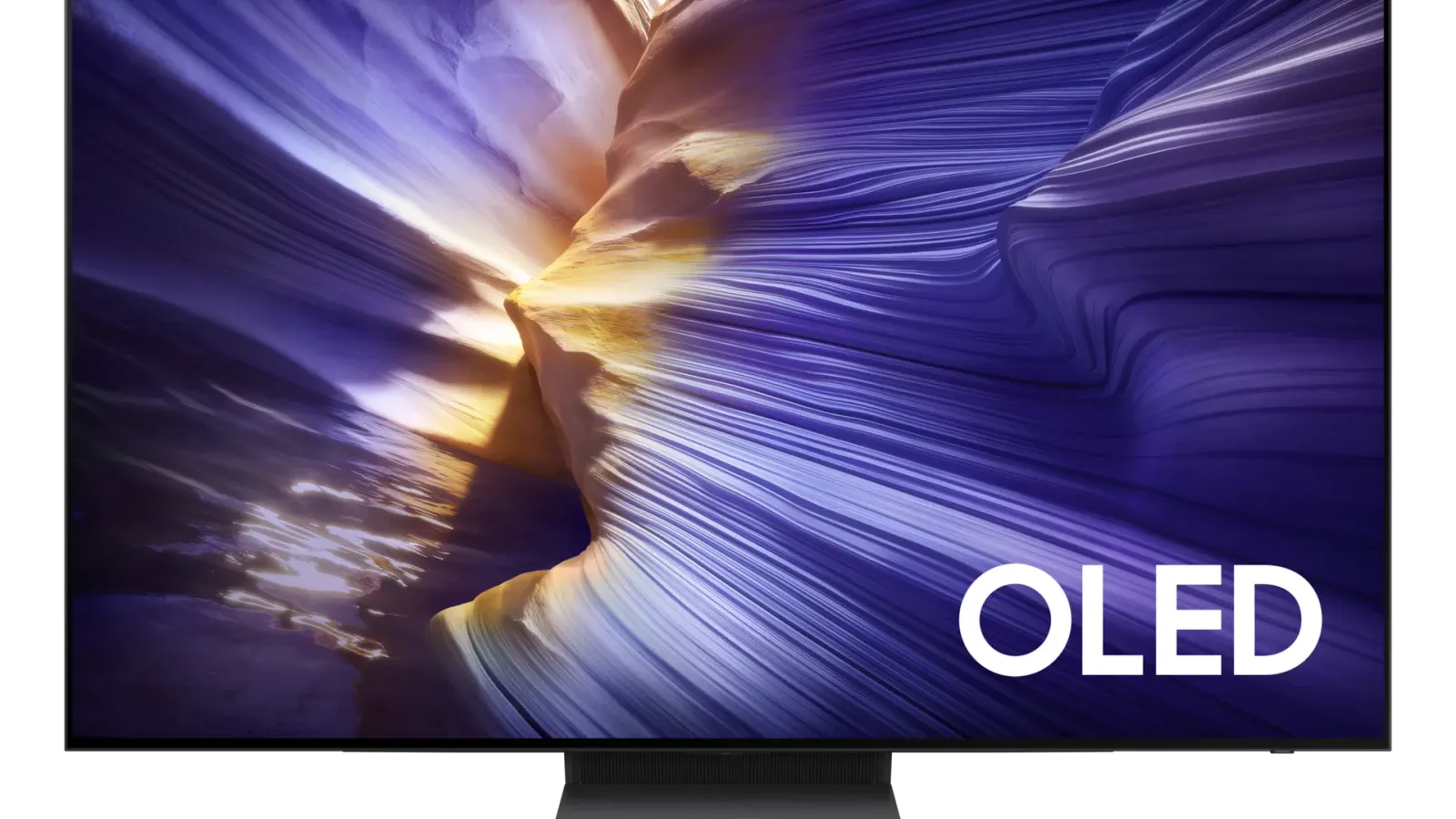
Samsung S90F OLED
Best mid-range OLED TV
- Best for
- Best mid-range OLED TV
- Why it is here
- Similar OLED experience to the S95F in a more value-focused tier, with strong gaming support
- Watch-out
- Glossy finish, no Dolby Vision, and panel type can vary by size/region

LG G6 OLED
Best OLED for Dolby Vision rooms
- Best for
- Best OLED for Dolby Vision rooms
- Why it is here
- Our notes flag this pick as a strong fit for this guide’s buyer scenario.
- Watch-out
- Confirm model numbers, bundles, and return rules on the seller page you plan to use.
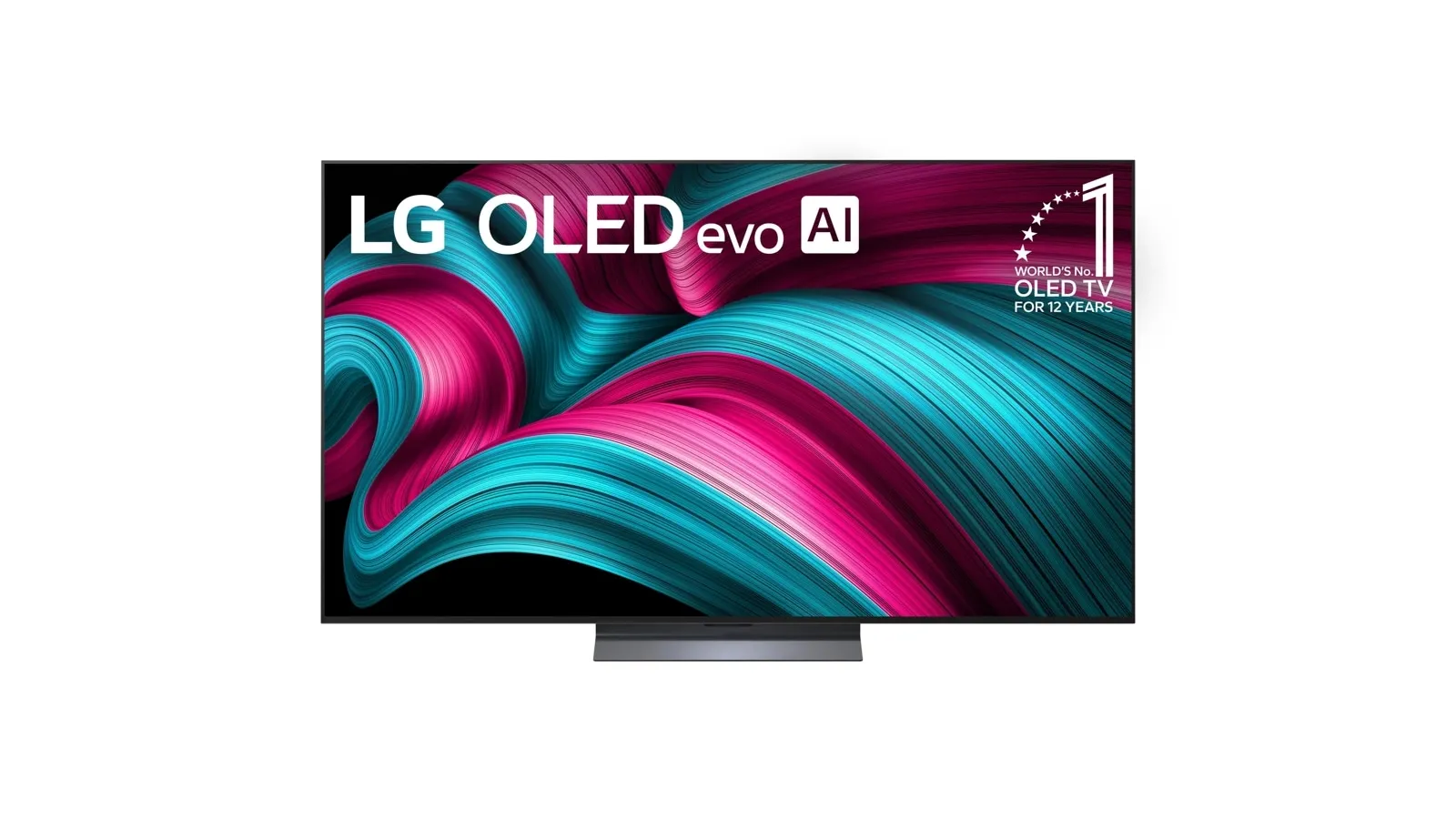
LG C5 OLED
Best balanced OLED for most LG buyers
- Best for
- Best balanced OLED for most LG buyers
- Why it is here
- Our notes flag this pick as a strong fit for this guide’s buyer scenario.
- Watch-out
- Confirm model numbers, bundles, and return rules on the seller page you plan to use.
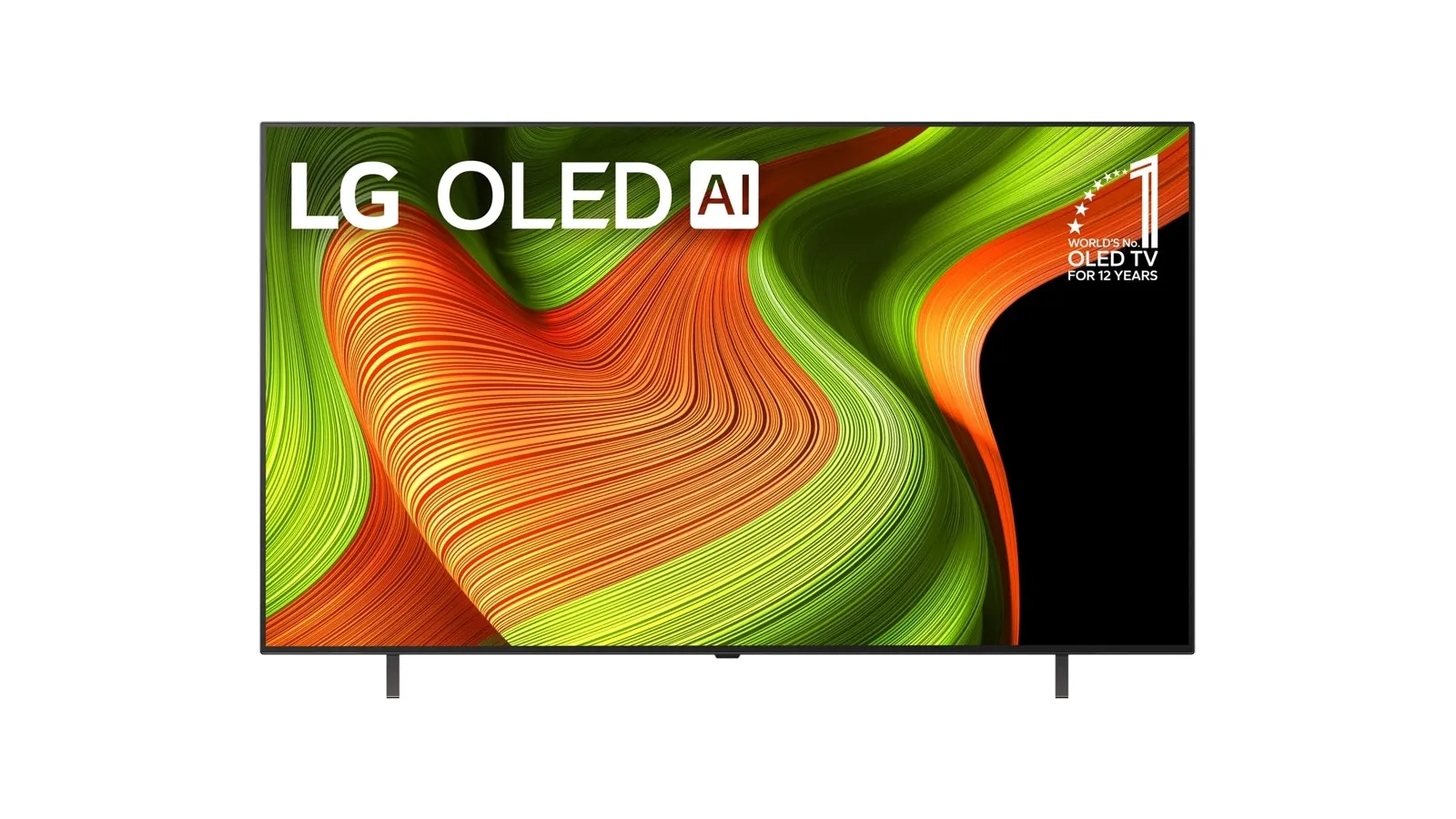
LG B5 OLED
Best budget OLED TV
- Best for
- Best budget OLED TV
- Why it is here
- OLED contrast, Dolby Vision support, four HDMI 2.1 ports, and a lower entry point into OLED
- Watch-out
- Less bright and less vivid than premium QD-OLED picks
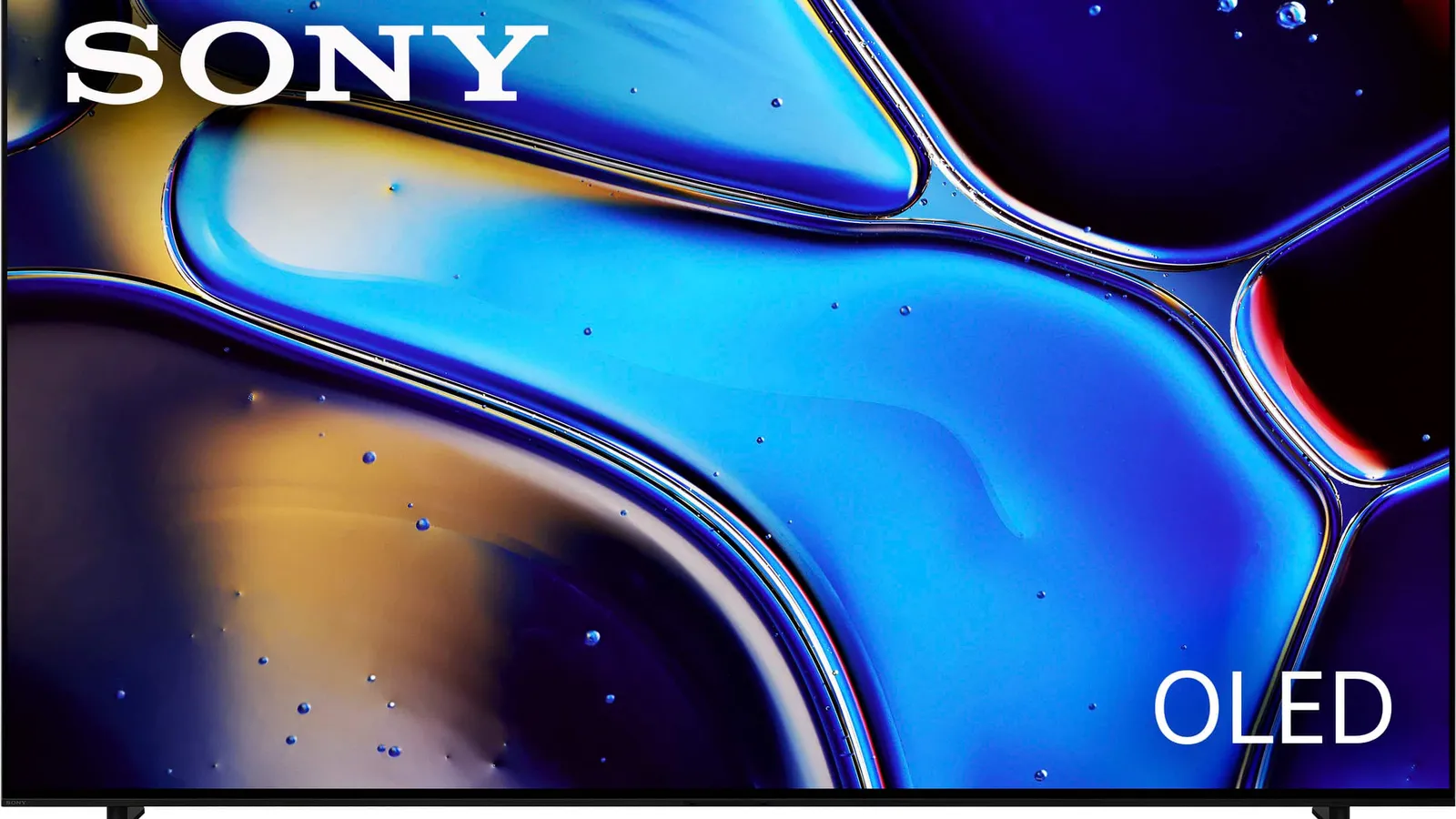
Sony BRAVIA 8 OLED
Best processing-first OLED alternative
- Best for
- Best processing-first OLED alternative
- Why it is here
- Our notes flag this pick as a strong fit for this guide’s buyer scenario.
- Watch-out
- Confirm model numbers, bundles, and return rules on the seller page you plan to use.
Related TVs best lists
Use these tvs lists to narrow the shortlist by use case, setup, and buyer constraints.
Best 65-Inch TVs
The best 65-inch TVs for living rooms, home theater, gaming, and budget shoppers, with size-specific buying advice and CTA placement notes.
Best Gaming TVs for PS5 and Xbox
A Better Buy Lab guide to the best gaming TVs for PS5, Xbox Series X, PC, HDR gaming, bright rooms, and budget setups, built from RTINGS-backed rankings and buyer-first tradeoffs.
Best Budget TVs
The best budget TVs for buyers who want a real upgrade without paying premium TV tiers, including Mini LED, 65-inch, and gaming-focused options.
Best TVs for Most People
A Better Buy Lab guide to the best TVs for movies, bright rooms, sports, gaming, and tighter budgets, with clear RTINGS-backed tradeoffs and buyer-fit advice.
Related comparison
Compare the Samsung S95F and S90F on brightness handling, gaming fit, and day-to-day use cases using the same product notes we keep in our database.
Related buying guide
Use the OLED vs Mini LED guide to choose a panel direction before narrowing down products.
Quick Verdict
OLED is still the easiest TV technology to recommend for deep blacks, movie-night contrast, wide seating, and clean gaming motion. The hard part is choosing the right OLED, because the best model depends on room brightness, HDR format preference, gaming setup, screen finish, and how much you want to spend.
Using RTINGS' current OLED rankings as the reference base, the Better Buy Lab shortlist is simple: Samsung S95F OLED is the best overall OLED, Samsung S90F OLED is the best mid-range OLED path, and LG B5 OLED is the best budget OLED. The main alternatives are not random backups; they are buyer-specific detours for Dolby Vision, LG processing, Sony movie handling, or cheaper QD-OLED access.
Quick Recommendation Summary
| Pick | Best for | Why it is here | Watch-out |
|---|---|---|---|
| Samsung S95F OLED | Best overall OLED TV | QD-OLED color, excellent reflection control, high brightness for OLED, wide viewing angle, and premium gaming support | No Dolby Vision; premium positioning |
| Samsung S90F OLED | Best mid-range OLED TV | Similar OLED experience to the S95F in a more value-focused tier, with strong gaming support | Glossy finish, no Dolby Vision, and panel type can vary by size/region |
| LG B5 OLED | Best budget OLED TV | OLED contrast, Dolby Vision support, four HDMI 2.1 ports, and a lower entry point into OLED | Less bright and less vivid than premium QD-OLED picks |
OLED Buyer Decision Map
| If you care most about | Start with | Why |
|---|---|---|
| Best overall OLED with the fewest room compromises | Samsung S95F OLED | It is the strongest mix of color, reflection control, viewing angle, and gaming in the OLED shortlist. |
| Premium OLED feel without paying for the top model | Samsung S90F OLED | It keeps most of Samsung's QD-OLED appeal and gaming support while stepping down a tier. |
| Lower-cost OLED with Dolby Vision | LG B5 OLED | It gives you the core OLED look and LG's HDR format support without moving into flagship OLED territory. |
| Dolby Vision and LG processing over Samsung color punch | LG C5 or LG G5 alternative | Consider LG if your streaming library and home theater preferences lean heavily toward Dolby Vision. |
| Movie processing and Sony image handling | Sony BRAVIA 8 II alternative | Consider Sony if film handling matters more than all-around value or gaming strength. |
| Static-screen-heavy usage | Mini LED instead | Use /tv/OLED-vs-mini-led before buying OLED if news tickers, static PC use, or long HUD-heavy gaming sessions dominate. |
How We Chose
This OLED guide uses RTINGS' current OLED testing conclusions as the reference base, then rewrites the shortlist around practical buyer fit. The main filters are:
- QD-OLED vs WOLED picture character
- bright-room reflection handling
- dark-room black-level performance
- HDR color and highlight impact
- Dolby Vision vs HDR10+ preference
- HDMI 2.1 and refresh support
- viewing angle
- burn-in risk by real usage pattern
- whether a cheaper OLED gets close enough to the top pick
Better Buy Lab does not claim owned OLED lab testing for this draft. The value we add is decision structure: which OLED path fits which buyer, and where the obvious alternatives make more sense.
1. Samsung S95F OLED: Best Overall OLED TV
The Samsung S95F OLED is the best OLED TV for most buyers who want the highest-confidence pick. Its QD-OLED panel gives colors a vivid, bright look that cheaper WOLED models usually cannot match, and its reflection handling makes it more forgiving in real living rooms than many OLEDs. It is also a serious gaming TV, not just a movie-first display.
Choose this if:
- you want the best all-around OLED in the current shortlist
- your room has lamps, windows, or daytime use
- you want an OLED that also works for sports and gaming
- you sit off-center or have a wide seating layout
- you want high-end gaming support and four HDMI 2.1 ports
Avoid this if:
- Dolby Vision is non-negotiable
- you prefer a glossy cinematic OLED finish
- you do not need premium brightness or reflection handling
- your budget would be better spent on screen size, audio, or a lower-tier OLED
The S95F is the right recommendation when the OLED has to work in more than a dark home theater. The lack of Dolby Vision is the headline downside, but for many buyers the stronger reflection handling and all-around performance matter more.
2. Samsung S90F OLED: Best Mid-Range OLED TV
The Samsung S90F OLED is the value-minded way into Samsung's OLED picture style. It keeps the important OLED strengths - deep blacks, vivid color on key QD-OLED sizes, wide viewing angle, and excellent gaming features - while dropping the top model's matte-screen advantage and some premium positioning.
Choose this if:
- you want a premium-looking OLED without choosing the highest tier
- your room is not extremely bright
- you want strong console and PC gaming support
- you like Samsung's HDR10+ direction and do not need Dolby Vision
- you are willing to confirm the exact size and panel type before buying
Avoid this if:
- you need the best reflection handling Samsung offers
- you want Dolby Vision
- you are shopping a smaller or region-specific size and do not want to check panel details
- the LG C5 is much more attractive in your local buying context
The S90F is the "most of the OLED magic, fewer top-pick costs" choice. Its main job is to protect buyers from overpaying for the S95F when their room does not need the S95F's specific advantages.
3. LG B5 OLED: Best Budget OLED TV
The LG B5 OLED is the budget OLED path. It does not match the Samsung QD-OLED picks for vividness or bright-room punch, but it gives buyers the core reason to buy OLED in the first place: pixel-level contrast, deep blacks, wide enough viewing, fast response, and a cinematic image in controlled rooms.
Choose this if:
- you want OLED contrast at a lower tier
- Dolby Vision support matters
- your room is moderately lit or easy to control
- you mostly watch movies, streaming, and console games
- you want four HDMI 2.1 ports without moving to a higher OLED tier
Avoid this if:
- your room is very bright
- you expect premium HDR brightness
- you want the most vivid OLED color listed
- you are buying mainly for daytime sports and news
The B5 should not be oversold as a cheap version of the S95F. It is better framed as the accessible OLED: great for buyers who want the OLED look and accept that brightness, color volume, and processing sit below the premium models.
Notable Alternatives
LG G5 OLED: The premium LG alternative for buyers who want Dolby Vision and a brighter LG OLED path. It is worth considering if your home theater is Dolby Vision-heavy, but the Samsung S95F remains the cleaner all-around reference pick in this draft because of vividness, reflection handling, and gaming balance.
Sony BRAVIA 8 II OLED: The movie-lover alternative. Choose this direction if Sony processing, Dolby Vision, and film handling matter more than gaming value or all-around brightness. It is not the default pick for most buyers, but it is an important alternative for picky movie watchers.
LG C5 OLED: The practical LG alternative to the Samsung S90F. Consider it if Dolby Vision, LG webOS, or LG's size options fit your room better. The Samsung remains the reference mid-range pick because of color and gaming-mode strengths, but the C5 can be the more comfortable home theater choice.
Panasonic Z85A OLED: A niche alternative for buyers who care about processing and lower-quality content smoothing. It is not the broad recommendation because Samsung's S90F is the stronger all-around path for most shoppers.
Samsung S85F OLED: A cheaper QD-OLED-adjacent alternative on the right sizes and markets. Treat it as a value check, not the default budget pick, because LG's B5 is more consistent as the budget OLED recommendation.
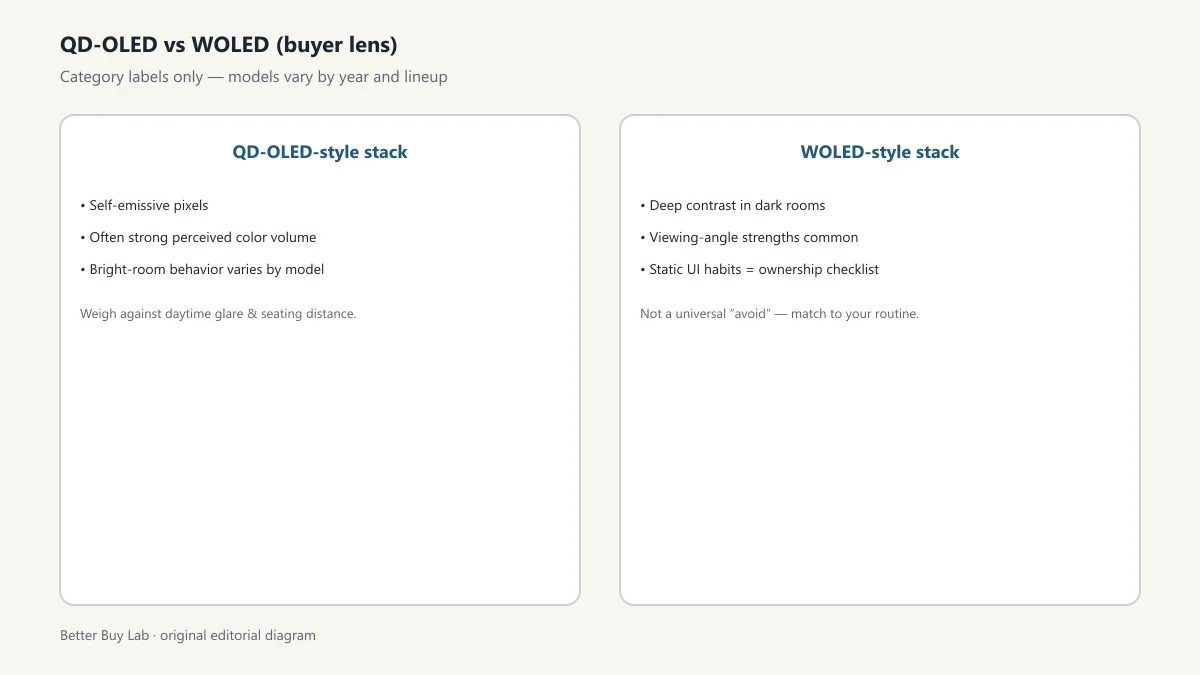
QD-OLED vs WOLED: The Short Version
QD-OLED, used by the top Samsung picks, is the better starting point if you want brighter, punchier color and stronger gaming-oriented OLED performance. WOLED, common in LG's lineup, is the better starting point if Dolby Vision, LG's platform, and a more traditional OLED path matter more.
Most buyers should not choose based on panel jargon alone. Choose by room:
- bright living room: start with Samsung S95F or consider Mini LED
- controlled movie room: Samsung S90F, LG B5, or LG C5 can all make sense
- Dolby Vision-heavy streaming: look at LG or Sony alternatives
- high-end gaming: start with Samsung S95F or S90F
- budget OLED: start with LG B5
OLED Caveats That Actually Matter
Burn-in risk: OLED is not automatically fragile, but static-screen habits matter. If the TV will show news tickers, sports scoreboards, PC taskbars, or the same game HUD for long sessions every day, consider Mini LED or build better usage habits.
Room brightness: OLED has improved, but brightness still affects satisfaction. The S95F is the most bright-room-friendly OLED in this guide; the LG B5 is much better in controlled rooms than harsh daylight rooms.
HDR format support: Samsung does not support Dolby Vision. LG and Sony do. This matters most if you care deeply about Dolby Vision streaming and home theater tone mapping.
Panel and size variation: Do not assume every size of every OLED behaves exactly the same. The exact size, region, and model code can change the details.
FAQ
What is the best OLED TV for most people?
The Samsung S95F OLED is the best overall OLED in this RTINGS-backed draft because it combines premium QD-OLED color, strong brightness for OLED, excellent reflection handling, wide viewing angles, and high-end gaming support.
What is the best budget OLED TV?
The LG B5 OLED is the best budget OLED path because it gives buyers the core OLED experience at a lower tier while keeping Dolby Vision and modern gaming support.
Is QD-OLED better than WOLED?
QD-OLED is usually better for vivid color and punchy HDR, while WOLED often makes more sense for Dolby Vision buyers and value-focused LG shoppers. The better choice depends on your room, content, and gaming needs.
Should I avoid OLED because of burn-in?
Not automatically. OLED is a good fit for varied movies, shows, sports, and gaming. Consider Mini LED if your usage is dominated by static content, PC desktop work, news channels, or the same HUD-heavy game for long sessions.
Is Dolby Vision a deal-breaker?
No, but it can be a deciding factor. If your streaming habits and home theater preferences are Dolby Vision-heavy, LG and Sony alternatives deserve a serious look. If you want the best all-around OLED, Samsung's lack of Dolby Vision may be less important than its picture and gaming strengths.
Should I buy an OLED or a Mini LED TV?
Buy OLED for contrast, viewing angle, and cinematic dark-room quality. Buy Mini LED for very bright rooms, larger screens in lower commercial tiers, or static-screen-heavy usage.