Quick comparison
Samsung S95F OLED vs Samsung S90F OLED
Support readers who leaned on our Best TVs guide and Best OLED TVs guide yet still need calibration between Samsung’s flagship-style slot and its step-down sibling—those buying guides carry manifest-governed Amazon Associates buttons beside eligible picks, while this page stays commerce-free.
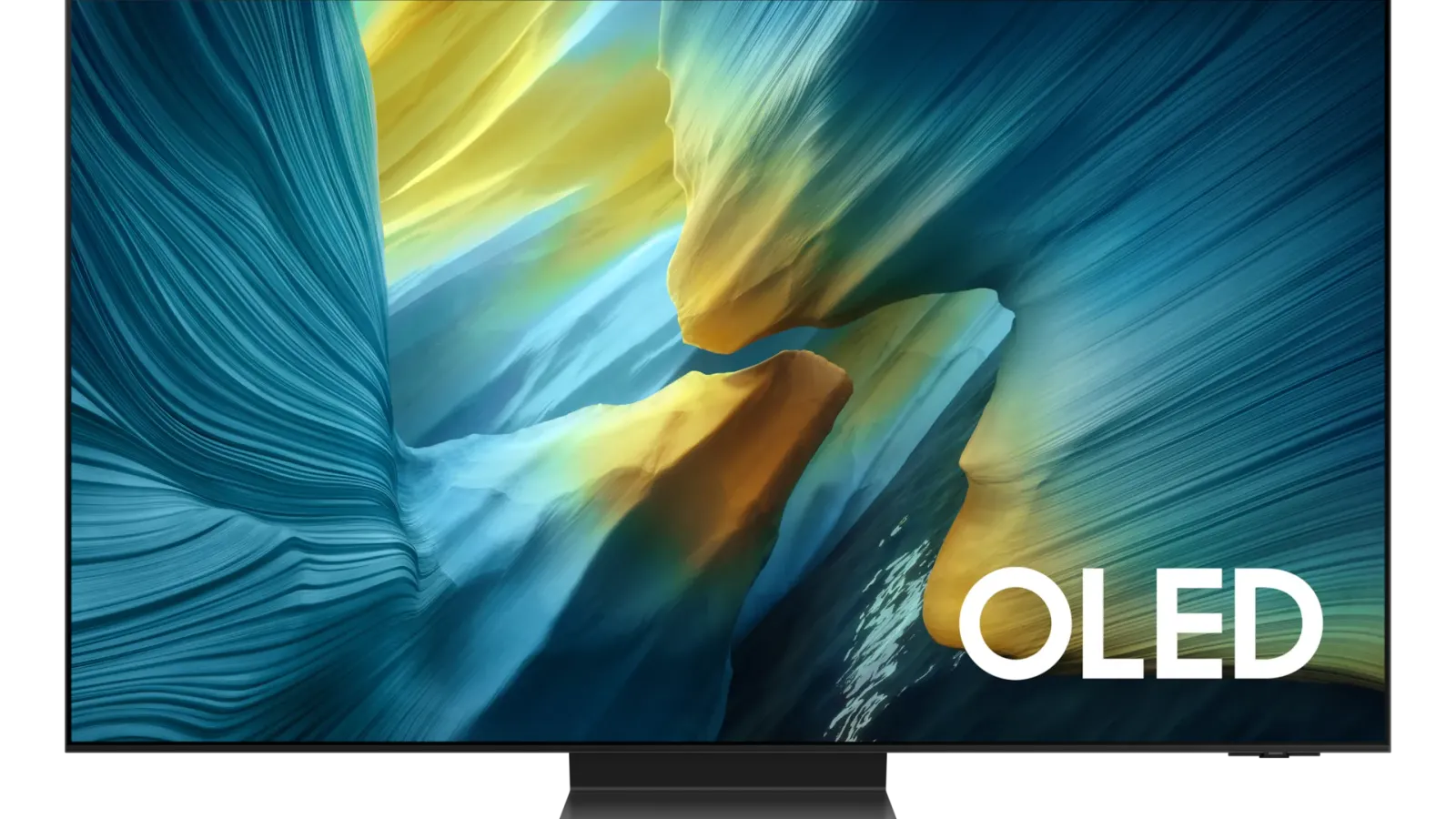
Samsung S95F OLED
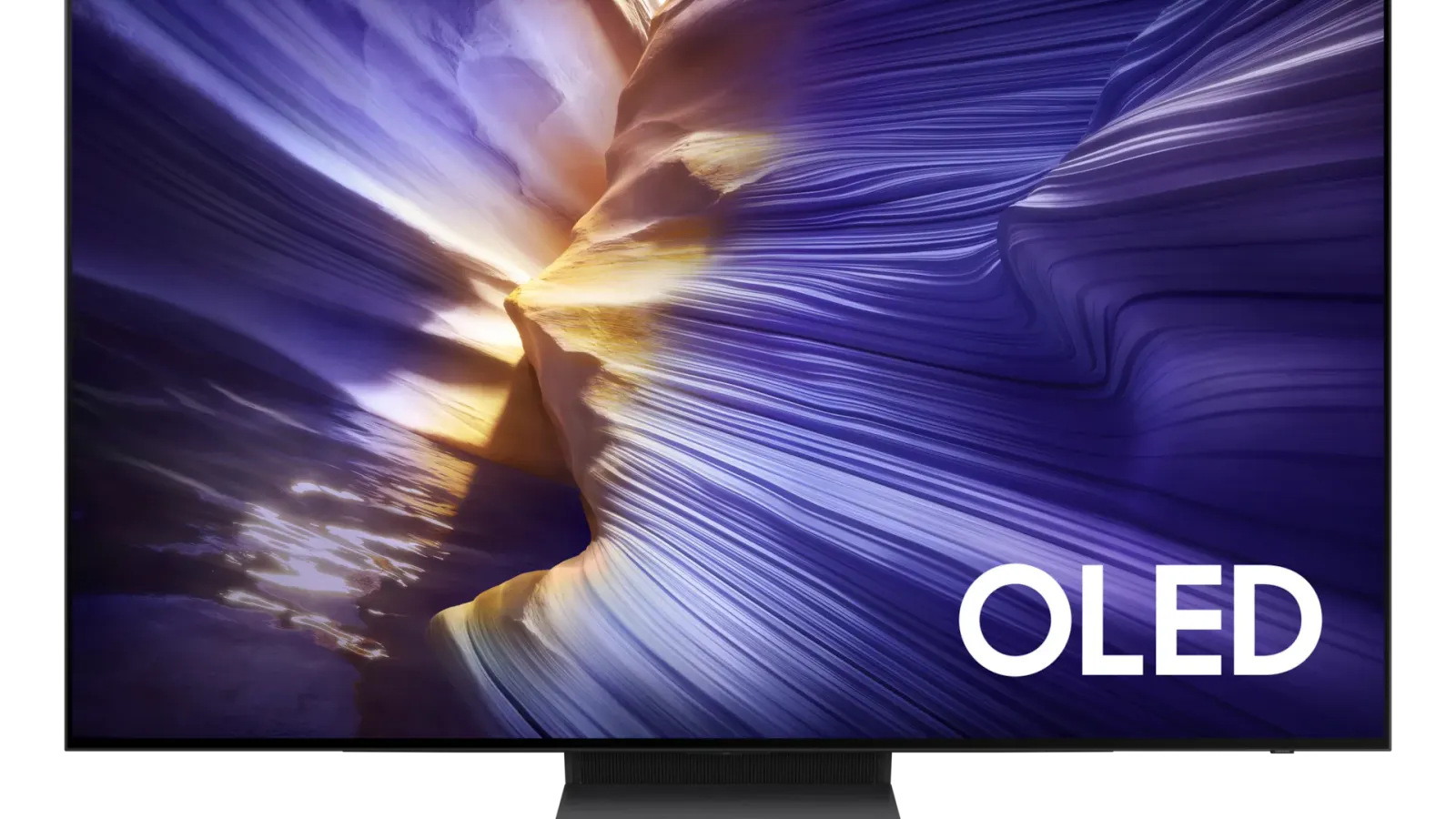
Samsung S90F OLED
- Models compared
- Samsung S95F OLED and Samsung S90F OLED
- Category
- TVs and Home Theater
- What you will find here
- Buyer-fit differences and checklists. Shopping links, prices, and review labels stay off until product details and retailer paths are checked.
Quick answer
One sentence: pick the halo S95F lane when glare control and brightest Samsung QD‑OLED ambitions match your budget; choose S90F when you mainly want sibling motion and richness after you reconcile SKU quirks on trustworthy listings—or leave entirely if Dolby Vision fidelity, dim-room-only viewing, brighter LCD peaks, or much lower spend better describe you.
- Choose the Samsung S95F OLED lane when mixed daylight and reflection stress matter most—you are buying Samsung’s glare-forward QD‑OLED story plus the HDMI headroom narrated across our flagship guides—and you accept Dolby Vision not being part of Samsung’s HDR stack.
- Choose the Samsung S90F OLED lane when you still want enthusiast-grade QD‑OLED motion at a softer spend—then slow down long enough to match carton codes, stand depth, bundled remotes/accessories, and regional brightness wording before you swipe a card.
- Step toward other OLED picks or Mini LED: if LG/Sony Dolby Vision ecosystems, tighter budgets without Samsung siblings, or sun-flooded rooms that need LCD-class muscle fit better—use Best OLED TVs, OLED versus Mini LED, then Best TVs overall before returning.
Editorial transparency
This comparison summarizes buyer-fit differences using our TV guide context. Shopping links are currently handled on the approved buying guide page, while this page focuses on deciding which model fits better.
These pages carry the same buyer-fit notes as each model’s research page. Shopping links, prices, and review labels stay off until product details and retailer paths are checked. We also keep numbered scores off this comparison so the page stays descriptive, not graded.
Key buying checks
How to choose a TV that fits your room
Start with how you watch (movies, sports, gaming), room lighting, seating, and placement. Those choices matter as much as peak brightness on the spec sheet. Use the same questions to compare Samsung S95F OLED and Samsung S90F OLED on fit—pick what matches your setup, not a forced “winner.”
Choose picture quality for your content and seating
Contrast, tone mapping, and processing should match your typical content and viewing distance, not store demo modes.
Households that care about shadow detail and highlight behavior in HDR and SDR.
Retail demo modes often oversharpen or push brightness; check cinema or filmmaker modes for home use.
Panel type, dimming approach, HDR formats you use, and viewing angle from your seats.
Brightness and finish for daytime viewing
Output level and screen finish affect whether sports and daytime content stay clear when light hits the glass.
Living rooms with windows, skylights, or lamps behind the seating.
Glossy screens can mirror windows; placement relative to bright light sources matters.
Screen finish, placement versus windows, typical daytime use, and whether you use bias lighting.
Console and PC connectivity and game modes
Variable refresh, low latency, and 4K120 require the right HDMI layout, including soundbar or receiver passthrough.
Console or PC gaming where input lag and sync stability matter.
Not every size in a series has identical gaming behavior; some modes change brightness to protect the panel.
HDMI count and capability, VRR range, eARC path, game mode behavior, and audio routing.
Motion handling for sports and games
Motion interpolation can smooth sports but annoy film viewers; game modes may disable processing you like for movies.
Mixed use between sports, action content, and gaming on one TV.
Strong interpolation causes soap-opera effect; some modes add latency for gaming.
Motion settings, separate game mode, and who controls the remote for films versus sports.
Smart TV software and remote
App availability, update support, and remote layout affect whether you need extra streaming devices.
Households that want one remote and minimal extra hardware.
Regional app gaps and account requirements can block a must-have service.
Required apps, update history, remote layout, casting, and voice-assistant requirements.
Measure furniture, wall, and sound placement
Width, stand depth, and port location must fit the furniture and sound equipment you plan to use.
Wall mounts, thin furniture, long soundbars, or tight viewing distances.
Very large screens in small rooms increase reflection and neck strain.
Seating distance, furniture width, port access, soundbar clearance, and delivery path.
Confirm the exact model before you buy
Model names, regions, and bundles change what is in the box. Check the manufacturer page for your country, the seller listing, warranty text, and which accessories are included.
Buyers who shop online and need the shipment to match the configuration they selected.
Small naming differences can mean different ports, stands, or power adapters between regions.
SKU, country variant, return window, warranty, and that photos match the product you add to the cart.
When headline specifications miss real-world limits
A strong specification can still disappoint if glare, noise, edge cleaning, or return terms do not fit how you use the product.
Buyers who want to compare trade-offs before deciding.
Marketing often assumes ideal conditions; your room, hearing, or layout may differ.
Return policy, upkeep (filters, bags, mop pads), physical fit in the space, and whether the downsides are acceptable.
Side-by-side buyer table
Reader-facing contrasts only—still confirm every line on retailer pages for your SKU and geography.
| Topic | Samsung S95F OLED | Samsung S90F OLED |
|---|---|---|
| Best for | Buyers chasing Samsung’s top QD‑OLED halo fit in bright rooms plus the strongest gaming HDMI story in our shortlists—knowing Dolby Vision playback is outside Samsung’s stack. | Buyers chasing QD‑OLED richness with more cash kept in pocket after you confirm the exact SKU you are staring at locally. |
| Room brightness / reflections | Prefer when sunny windows or heavy lamps collide with daytime viewing—the matte-glare story is geared to keep mixed-light sessions calmer. | Still capable in many living rooms but expect reflections and peak punch to behave more modestly beside the halo pick—plan real-world glare tests before committing. |
| Gaming readiness | Matches heavy console / PC docking needs in our narratives: plentiful HDMI 2.1 context, tight motion, and adaptive refresh wording that aligns with storefront claims—not lab-measured latency numbers. | Delivers enthusiast gaming features Samsung advertises together with OLED motion at a softer price—same reminder to audit port layout and firmware notes on live listings. |
| Movie streaming / HDR posture | Expect cinematic color richness and OLED contrast—but confirm whether your apps or discs lean on Dolby Vision; if Dolby Vision dominates your library you may reroute. | Same HDR ecosystem homework applies; Dolby Vision remains outside Samsung OLED by design, so prioritize sources that tolerate HDR10+ / HDR10 instead. |
| Value position | Pays the premium for the halo slot and design polish—you are funding extra brightness tooling and standout finish more than radically different smart software. | Splits the flagship bill while keeping OLED motion and modern gaming ergonomics—you trade some brightness headroom versus the halo pick. |
| Design / placement | Typically the prestige industrial story in Samsung OLED—yet still measure bezel/stand footprint for your cabinet or bracket template. | Usually slimmer wallets with slightly quieter industrial drama; stand depth varies by SKU so measure before installers mount hardware. |
| Ownership caveats | Treat still-image interfaces and persistent logos thoughtfully—any OLED warrants mindful usage; Dolby Vision exclusions may matter beyond panel pride. | Panel sourcing can diverge across sizes/regions plus brightness trails the halo OLED—triple-check carton labels and localized reviews before swapping cash. |
| Who should skip | Pure budget shoppers or anyone insisting on Dolby Vision end-to-end, or shoppers whose rooms truly need blazing Mini LED backlight peaks. | Ultra-bright-room viewers without mitigation, buyers allergic to SKU homework, or those requiring absolute brightness crowns should pause and revisit broader guides. |
Decision map
Pick the shopper path that mirrors your nerves, room, or library—each card hands off to listings or sibling guides afterward.
Start here when glare control and daytime punch matter alongside OLED contrast. Narrow on the S95F lane if halo brightness tooling feels mandatory, then corroborate on your showroom sample.
Use the S90F lane when bank balance matters alongside QD‑OLED motion. Double-check SKU-specific listings so you fully understand brightness and panel variants before swapping funds.
Map console or PC docks, HDMI congestion, motion smoothing preferences, then compare how each model’s advertised gaming stack aligns with storefront reality—not synthetic benchmark tables.
Stress cinematic contrast versus HDR format needs. Dolby Vision-heavy libraries steer you toward OLED lines that openly support it or keep expectations aligned with HDR10/HDR10+ playback.
If burn-in chatter or parental controls around static dashboards concern you, read our OLED references and mitigation habits first—either Samsung path remains OLED-backed trade-offs versus Mini LED.
When peak brightness outweighs OLED contrast, revisit OLED versus Mini LED plus Best TVs—only return here once Samsung OLED still feels directionally correct.
Key differences
Plain-language distinctions echoing how we cite these models elsewhere—nothing here is framed as proprietary lab scoring.
Samsung casts Samsung S95F OLED as the halo experience and Samsung S90F OLED as the practical sibling—you pay for extra brightness tooling, glare handling ambition, and design polish versus keeping more budget flexibility.
Samsung S95F OLED targets tougher mixed-light lounges with matte-directional glare handling treatments and brighter peak ambition in Samsung’s flagship messaging. Samsung S90F OLED can still thrill in typical rooms—just expect comparatively gentler reflection handling unless your viewing space cooperates.
Both emphasize modern HDMI stacks, OLED motion clarity, and adaptive refresh stories exactly as advertised—compare port counts, labeling, and any firmware notes on retailer pages rather than extrapolating unpublished measurements here.
You largely decide whether flagship brightness polish justifies wallet stretch—or whether the sibling already nails your motion and HDR expectations after hands-on spotting.
Samsung S90F OLED is more sensitive to size and region SKU drift; Samsung S95F OLED still deserves bundle checks. Always match carton codes plus warranty wording for your country.
Samsung TVs generally share Galaxy-friendly controls, Smart Hub pacing, and similar remote families year to year—but accessories, Matter readiness, or soundbar combos can swing by SKU, so skim the boxed contents list before assuming identical kits.
Supporting snapshot from shared research notes
We keep deeper spec lines on each model note—here is the paired reminder table only.
| Topic | Samsung S95F OLED | Samsung S90F OLED |
|---|---|---|
| Product | Samsung S95F OLED | Samsung S90F OLED |
| Brand | Samsung | Samsung |
| Product type | TV | TV |
| Main use in our guides | Best overall | Best upper mid-range OLED |
| Key note from our sheet | QD-OLED color, matte reflection control, 4K/165Hz gaming, four HDMI 2.1 ports. | Similar OLED punch at a lower-tier positioning, strong gaming feature set. |
| Use cases we track | Best overall; Best overall OLED; Best gaming TV overall | Best upper mid-range OLED; Best value QD-OLED; Best high-end value gaming OLED |
| Highlights from our notes | QD-OLED color, matte reflection control, 4K/165Hz gaming, four HDMI 2.1 ports.; QD-OLED color volume, matte anti-reflection finish, 4K/165Hz, excellent for bright rooms.; 4K/165Hz, four HDMI 2.1 ports, VRR, instant OLED motion, bright QD-OLED color. | Similar OLED punch at a lower-tier positioning, strong gaming feature set.; High-end color and gaming at lower-tier positioning than S95F.; OLED motion and HDMI 2.1 gaming at a lower-tier positioning. |
| Caveats to double-check | Skip it if this caveat matters in your setup: No Dolby Vision, premium positioning. That one detail can matter more than the headline spec.; Skip it if this caveat matters in your setup: No Dolby Vision. That one detail can matter more than the headline spec.; Skip it if this caveat matters in your setup: No Dolby Vision gaming. That one detail can matter more than the headline spec. | Skip it if this caveat matters in your setup: Panel type can vary by size or region; confirm the exact carton on the seller listing. That one detail can matter more than the headline spec.; Skip it if this caveat matters in your setup: Panel sourcing can vary on some sizes; match the listing to the size you plan to buy. That one detail can matter more than the headline spec.; Skip it if this caveat matters in your setup: Brightness and reflection handling trail the S95F in very bright rooms. That one detail can matter more than the headline spec. |
| Editorial check-in | Not finalized yet | Not finalized yet |
Choose Samsung S95F OLED
- Mixed daylight matters and you crave Samsung’s halo-grade anti-glare story.
- Console or PC gaming traffic needs maximum advertised HDMI elasticity for your rack.
- Ambient Dolby Vision scarcity is acceptable because HDR10+/HDR10 dominates your queues.
- Premium cabinetry and finish expectations justify flagship styling—even before plug-in testing.
Choose Samsung S90F OLED
- You crave QD‑OLED richness but want slack in the receipt after accessories and mounts.
- Your theater can manage reflections without insisting on halo brightness margins.
- You are comfortable validating panel variants and bundles on local listings yourself.
- Dual-use gaming and cinematic nights still matter—you just prioritize cash-on-hand smoothing.
Skip both if
- You still need materially cheaper OLED or LCD options—browse Best TVs overall or budget lane guides before pinning Samsung halo spend.
- You want curated Amazon PDP tooling from Better Buy Lab—those buttons appear beside eligible picks only on manifest-listed guides such as Best TVs overall and Best OLED TVs, never on commerce-free compare pages like this.
- Ultra-bright sunrooms dominate usage and LCD-class backlight muscle is mandatory—study OLED versus Mini LED first.
- Dolby Vision coverage or processing-first OLED alternatives matter more—return to Best OLED TVs before locking Samsung HDR trade-offs alone.
- OLED ownership compromises (manage static dashboards, parental controls around logos, etc.) genuinely bother you versus contrast gains.
- Price sensitivity dominates but you refuse to reconcile MSRP deltas without live storefront math—pause until you revisit listings with credible numbers suited to your region.
Caveats worth a second look
Confirm these bundles and warnings on retailer listings—they change how the TV behaves in your room.
Skip it if this caveat matters in your setup: No Dolby Vision, premium positioning. That one detail can matter more than the headline spec.
Skip it if this caveat matters in your setup: Panel type can vary by size or region; confirm the exact carton on the seller listing. That one detail can matter more than the headline spec.
What to check before choosing
Match model numbers and bundles against the storefront you intend to buy from—in particular HDMI layouts, glare behavior, Dolby Vision dependence, regional SKUs, and return timing we keep framed here without PDP links.
- Exact model name, bundle, and regional variant match the listing you might buy
- Current availability, warranty, and return policy read clearly on the seller page
- Retailer links and shopping tools appear only after we recheck details
- On-site photos respect image rights and match the configuration shown
- Price and offer language is verified whenever we show pricing context
- How the page may appear in search is reviewed when we add extra detail there
FAQ
Is Samsung S95F worth choosing over S90F?
Samsung S95F OLED buys extra brightness tooling, glare polish, and flagship industrial polish per Samsung’s storytelling. Pick it when those upgrades map to daylight stress or gaming rack demands. Stick with Samsung S90F OLED when those extras feel intangible after you scout pricing yourself on trusted listings.
Which is better for bright rooms?
Our guide language leans toward the halo pick for tough mixed lighting, but every room is different—watch real content under your lamps or curtains before deciding.
Which is better for gaming?
Both carry flagship-level gaming expectations in Samsung’s materials; compare HDMI layout, refresh claims, and motion preferences from your console or PC perspective—no hidden benchmark tables here.
Should I choose Mini LED instead?
When peak brightness or sun-blasted rooms dominate, Mini LED can win on raw light output. Use the OLED versus Mini LED explainer, then Best TVs to map class winners before returning to Samsung OLED siblings.
Does Better Buy Lab show live prices on this comparison?
No—this page stays commerce-free. When we publish pricing context it will follow verification and policy checks; today you should read retailer listings directly.
Why are there no scores on this comparison page?
We focus on fit language instead of synthetic star ratings so decisions stay tied to your room and library—not a single aggregated number.