Product snapshot
Product snapshot
This page summarizes where TCL QM7K fits in our buying guides and what to double-check on the retailer listing you are considering.
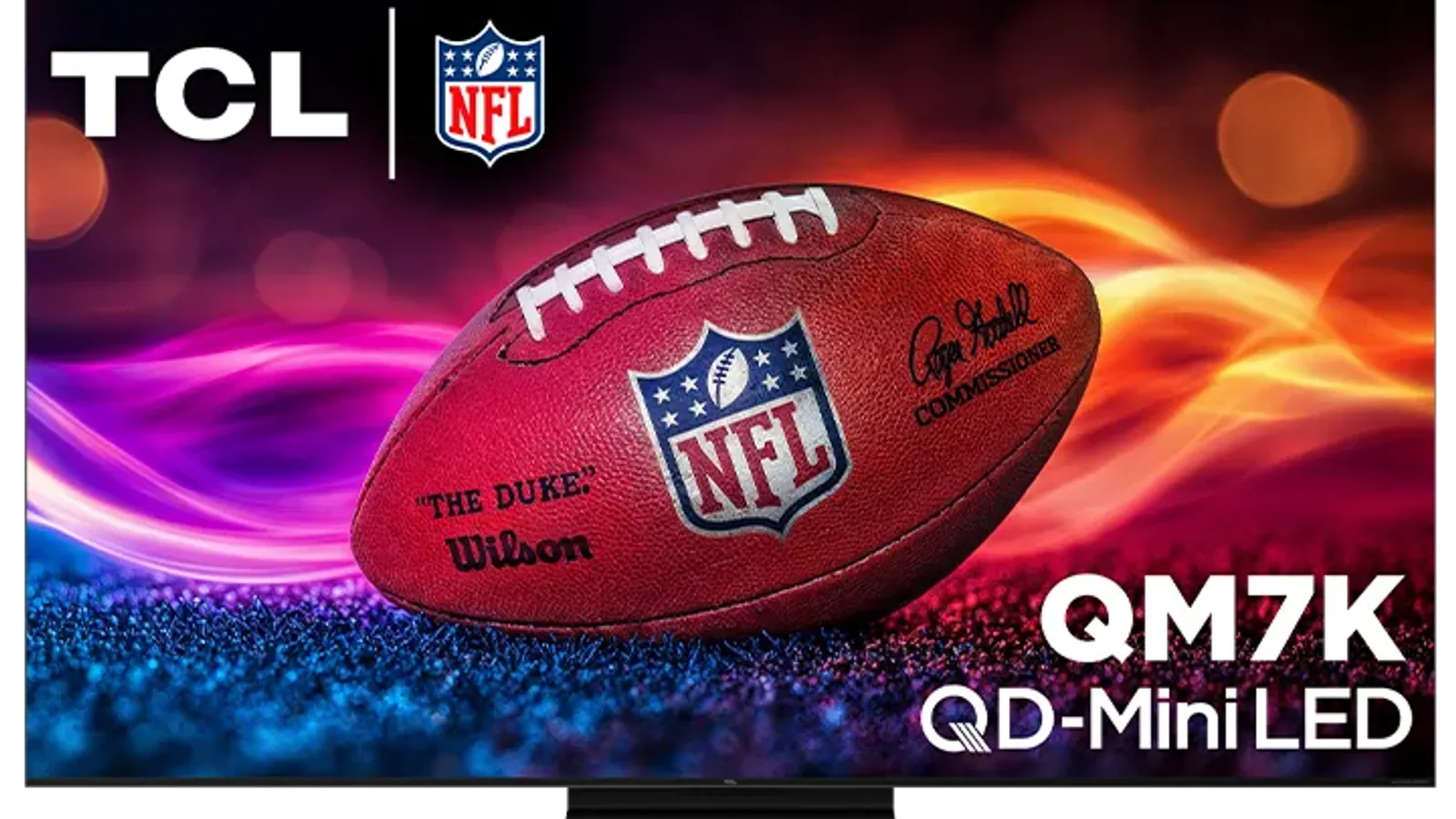
- Brand
- TCL
- Category
- TVs
- Where you’ll see it
- 2 buying guides
- Main use
- Best lower mid-range TV
Best lower mid-range TV
Great value, 4K/144Hz, VRR, strong contrast for the money.
Skip it if this caveat matters in your setup: Narrower viewing angle than OLED. That one detail can matter more than the headline spec.
Buying options
Buying options
This page does not show live prices. Use the retailer listing to verify the exact model, size, color, bundle, and return policy before buying.
Quick read
Quick verdict
This product research note is for shoppers who see TCL QM7K on our Best TVs and Best gaming TVs shortlists and want calm homework before they open a storefront listing—not a scored lab review.
- Who this note helps: Buyers considering TCL Mini LED who want a more value-conscious lane than TCL QM8K product note and need choose/skip framing before they trust a shortlist label.
- Where QM7K sits in the TCL Mini LED lane: Below or near QM8K on our guides—still Mini LED HDR for mixed rooms, but you should compare step-up brightness and port layout on real listings before you assume QM7K is enough.
- When to compare siblings: Versus TCL QM8K product note when flagship TCL Mini LED is still in play; versus Samsung S95F OLED product note or LG G6 OLED product note when OLED black level matters; versus budget TV picks on Best TVs when spend is the main constraint.
- Consider: You want mainstream Mini LED value on our shortlists, mixed TV use matters, and you will verify model year, size, and gaming claims on the exact listing you plan to buy.
- Pause: You want the flagship TCL Mini LED lane, OLED off-angle behavior is the priority, or you need the simplest budget TV without SKU homework.
- How we phrase performance: We describe fit using guide notes and listing checklists—we do not claim hands-on lab testing or calibrated measurements by Better Buy Lab.
At a glance
Buyer role snapshot
- Best fit: Value-conscious TCL Mini LED on Best TVs or Best gaming TVs when you accept verifying listing details before checkout.
- Buyer type: Mixed-use living-room shopper comparing QM7K against QM8K step-up and OLED alternatives—not chasing the lowest generic TV price alone.
- Main reason to consider: Strong feature set for the money on our guides when Mini LED HDR and gaming-friendly claims match how you actually watch and play.
- Main reason to pause: You need flagship TCL Mini LED polish, OLED contrast, or you do not want to reconcile model year, size, regional naming, and listing titles.
- What to verify before buying: Model year, screen size, retailer title, regional variant, gaming ports, stand or mount fit, warranty, and delivery for large panels—detailed checklist below.
- Category: Living-room TV—lower mid-range Mini LED on our flagship TV and gaming TV shortlists.
- Panel type: TCL QD-Mini LED class as described in our guides—confirm size, generation, and regional variant on the seller listing.
- Appears on Better Buy Lab:
- Best TVs for Most People — Best lower mid-range TV | Best mid-range gaming TV
- Best Gaming TVs for PS5 and Xbox — Best lower mid-range TV | Best mid-range gaming TV
- tv/best-65-inch-tvs — Listed on this guide.
- TCL sibling: The TCL QM8K product note covers the brighter flagship TCL Mini LED lane when QM7K feels like a compromise.
Key buying checks
How to choose a TV that fits your room
Start with how you watch (movies, sports, gaming), room lighting, seating, and placement. Those choices matter as much as peak brightness on the spec sheet. Below is how we think about TCL QM7K for real rooms and daily use.
Choose picture quality for your content and seating
Contrast, tone mapping, and processing should match your typical content and viewing distance, not store demo modes.
Households that care about shadow detail and highlight behavior in HDR and SDR.
Retail demo modes often oversharpen or push brightness; check cinema or filmmaker modes for home use.
Panel type, dimming approach, HDR formats you use, and viewing angle from your seats.
Brightness and finish for daytime viewing
Output level and screen finish affect whether sports and daytime content stay clear when light hits the glass.
Living rooms with windows, skylights, or lamps behind the seating.
Glossy screens can mirror windows; placement relative to bright light sources matters.
Screen finish, placement versus windows, typical daytime use, and whether you use bias lighting.
Console and PC connectivity and game modes
Variable refresh, low latency, and 4K120 require the right HDMI layout, including soundbar or receiver passthrough.
Console or PC gaming where input lag and sync stability matter.
Not every size in a series has identical gaming behavior; some modes change brightness to protect the panel.
HDMI count and capability, VRR range, eARC path, game mode behavior, and audio routing.
Motion handling for sports and games
Motion interpolation can smooth sports but annoy film viewers; game modes may disable processing you like for movies.
Mixed use between sports, action content, and gaming on one TV.
Strong interpolation causes soap-opera effect; some modes add latency for gaming.
Motion settings, separate game mode, and who controls the remote for films versus sports.
Smart TV software and remote
App availability, update support, and remote layout affect whether you need extra streaming devices.
Households that want one remote and minimal extra hardware.
Regional app gaps and account requirements can block a must-have service.
Required apps, update history, remote layout, casting, and voice-assistant requirements.
Measure furniture, wall, and sound placement
Width, stand depth, and port location must fit the furniture and sound equipment you plan to use.
Wall mounts, thin furniture, long soundbars, or tight viewing distances.
Very large screens in small rooms increase reflection and neck strain.
Seating distance, furniture width, port access, soundbar clearance, and delivery path.
Confirm the exact model before you buy
Model names, regions, and bundles change what is in the box. Check the manufacturer page for your country, the seller listing, warranty text, and which accessories are included.
Buyers who shop online and need the shipment to match the configuration they selected.
Small naming differences can mean different ports, stands, or power adapters between regions.
SKU, country variant, return window, warranty, and that photos match the product you add to the cart.
When headline specifications miss real-world limits
A strong specification can still disappoint if glare, noise, edge cleaning, or return terms do not fit how you use the product.
Buyers who want to compare trade-offs before deciding.
Marketing often assumes ideal conditions; your room, hearing, or layout may differ.
Return policy, upkeep (filters, bags, mop pads), physical fit in the space, and whether the downsides are acceptable.
Your situation
How to read this TV research page
This page summarizes fit and caveats from our notes—not a final scored review. Use it alongside fresh listings before you buy.
Best lower mid-range TV
A gaming TV still needs to fit the room: seating distance, glare, screen size, sound setup, and whether the same screen is used for movies or sports.
Skip it if this caveat matters in your setup: Narrower viewing angle than OLED. That one detail can matter more than the headline spec.
Best Gaming TVs for PS5 and Xbox
- Console or PC source
- Refresh-rate and VRR needs
- HDMI port count and soundbar routing
- Input mode expectations
- Room brightness and screen-size fit
- Buying around a single gaming spec while ignoring port layout
- Forgetting that the TV may also need to handle movies, sports, or family viewing
- Assuming every size of a model has the same practical setup profile
Before you buy: quick listing checks
Game modes, HDMI port layout, and VRR behavior can differ by size and region. Verify the live listing for your screen size before you lock in wall mounts, receiver routing, or soundbar placement.
Related TV decision paths
Best TVs
Start with the broad TV shortlist before narrowing by panel, size, or use case.
Best OLED TVs
Use the OLED route when the panel direction is already narrowed.
Best Gaming TVs
Use the gaming route when console or PC setup is the main constraint.
Samsung S95F vs S90F
Side-by-side buyer-fit contrasts when you split hairs between sibling Samsung OLED models.
Samsung S95F OLED note
Checklist prose for flagship QD‑OLED—no storefront tools on the note.
Samsung S90F OLED note
Checklist prose for Samsung’s step-down QD‑OLED lane.
Best 65-inch TVs
Use the size route when placement and screen class are already decided.
Value-oriented TV shortlist
Use this list when fit and careful checking matter more than premium extras.
Where it fits
These lanes describe who usually arrives from Best TVs or Best gaming TVs when TCL Mini LED value leads the decision—not a verdict on your room without listing checks.
- Value-conscious TCL Mini LED buyer: You want Mini LED HDR on our shortlists without paying for the flagship QM8K tier when listings still look fair.
- Mixed TV use: You split movies, sports, and casual streaming and will confirm HDR formats and apps on the seller page—not forum screenshots alone.
- Gaming-forward but listing-cautious: You appear on our gaming TV lane when refresh and VRR claims matter, but you will verify HDMI layout on the exact SKU before you buy.
- Mainstream shortlist shopper: You want a credible Best TVs candidate while still reading OLED versus Mini LED and sibling TCL notes before checkout.
Highlights to confirm
Carry these highlights to the storefront listing—treat them as reminders, not benchmark printouts.
- Great value, 4K/144Hz, VRR, strong contrast for the money.
- Very strong gaming spec set for what it costs.
Trade-offs to double-check
- Skip it if this caveat matters in your setup: Narrower viewing angle than OLED. That one detail can matter more than the headline spec.
- Skip it if this caveat matters in your setup: Narrow viewing angle. That one detail can matter more than the headline spec.
What to verify before buying
Walk down this list with your room photos and HDMI gear nearby.
- Exact model year on the carton and seller title—QM7K generation wording, not an older TCL bundle or open-box substitute.
- Exact screen size for your seating distance, furniture width, and delivery path through doorways and stairs.
- Retailer listing title: watch for renewed, bundle, or third-party seller wording that changes what ships.
- Regional model naming: tuners, apps, power specs, and warranty region must match where you will use the TV.
- Gaming port and refresh-rate claims on the listing—HDMI layout, VRR, and game-mode wording for your console or PC setup.
- Stand width and furniture fit before you assume the included feet clear your media console.
- Wall-mount compatibility: VESA pattern, bolt depth, and cable slack if you plan to hang the panel.
- Warranty and return policy on the storefront you intend to purchase from—not headline marketing alone.
- Delivery handling for large sizes: who unboxes, haul-away options, and damage reporting windows.
Fit filter
Choose if / Skip if
Pair these prompts with fresh listings—they stay lightweight on purpose.
Choose if
- You are considering TCL Mini LED but want a more value-conscious lane than QM8K on real listings.
- Mixed TV use matters and you will confirm HDR and app behavior on the storefront page you trust.
- Gaming features matter and you are willing to verify exact listing claims for ports, VRR, and game mode.
- You want a mainstream TV shortlist candidate on Best TVs or Best gaming TVs—not a universal default without comparisons.
Skip if
- You want the flagship TCL Mini LED lane—read the QM8K product note and compare listings before you settle.
- OLED black-level behavior is the priority—use Best OLED TVs and the OLED versus Mini LED explainer first.
- You need the simplest budget TV without SKU homework—budget lanes on Best TVs may fit better.
- You do not want to verify model year, size, regional model naming, and retailer listing title before purchase.
Keep exploring
Alternatives & next reads
Stay inside Better Buy Lab while you compare Mini LED, OLED, and shortlist picks.
- Best TVs guide — primary shortlist where this model appears today.
- Best OLED TVs when infinite contrast matters more than peak brightness.
- Best gaming TVs when console or PC ergonomics dictate the lane.
- OLED versus Mini LED explainer before you assume HDR behavior.
- TCL QM8K product note for the flagship TCL Mini LED lane.
- TCL QM6K product note for budget Mini LED context.
- Samsung S95F OLED product note when premium QD‑OLED is still in play.
- Samsung S90F OLED product note for Samsung’s step-down QD‑OLED lane.
- LG G6 OLED product note when premium Dolby Vision OLED is still in play.
- TVs hub for every TV guide in this aisle.
FAQ
FAQ
Should I compare TCL QM7K with TCL QM8K?
Yes when you are still in the TCL Mini LED family. QM8K is the brighter flagship lane on our guides; QM7K fits when value and mixed use matter more than maximum Mini LED headroom. Read both product notes and compare the listings you actually plan to buy.
Is TCL QM7K a good OLED alternative?
It can be when bright-room Mini LED HDR and price matter more than infinite contrast. If off-angle behavior or OLED black levels drive your decision, read Best OLED TVs, the OLED versus Mini LED explainer, and Samsung or LG OLED product notes before you treat QM7K as an OLED substitute.
Is it mainly for gaming, bright rooms, or mixed TV use?
Our notes place QM7K on both Best TVs and Best gaming TVs, so mixed use is the honest default. Gaming shoppers should still verify port and refresh claims on the listing; bright-room shoppers should compare QM8K and OLED paths when sun glare is daily.
What should I verify before buying?
Match model year and size on the carton, reconcile regional naming, read the retailer title carefully, confirm gaming port claims, measure stand or mount fit, and read warranty, return, and large-panel delivery terms on the storefront you trust.
Does Better Buy Lab show live prices on this page?
When this model is eligible, the Buying options section includes a disclosed retailer link. We still do not show live prices or star-style ratings on this page.
Editorial transparency
Better Buy Lab uses this page as a product research note linked from Best TVs and Best gaming TVs. It supports shortlist reading; it is not a scored review or a storefront. We do not show live prices on this page unless separately verified. Approved affiliate links appear only on designated TV buying guides with reader-visible disclosure—not here. Listings can change—verify the exact SKU on the retailer page before you buy.
We describe fit using guide-level notes and shopper checklists. We do not claim independent lab measurements performed by Better Buy Lab. Notes refresh when listings evolve. Disclosed retailer links on eligible product pages appear in the Buying options section. This page does not show live prices or star-style ratings. Disclosed retailer links appear in the Buying options section above when this model is eligible.
In our guides
Buying guides referencing this SKU today.
Best Gaming TVs for PS5 and Xbox
Best lower mid-range TV | Best mid-range gaming TV
Best TVs for Most People
Best lower mid-range TV | Best mid-range gaming TV