Product snapshot
Product snapshot
This page summarizes where Microsoft Surface Laptop 7 15-inch fits in our buying guides and what to double-check on the retailer listing you are considering.
- Brand
- Microsoft
- Category
- Laptops
- Where you’ll see it
- 1 buying guide
- Main use
- Best Windows college laptop
Best Windows college laptop
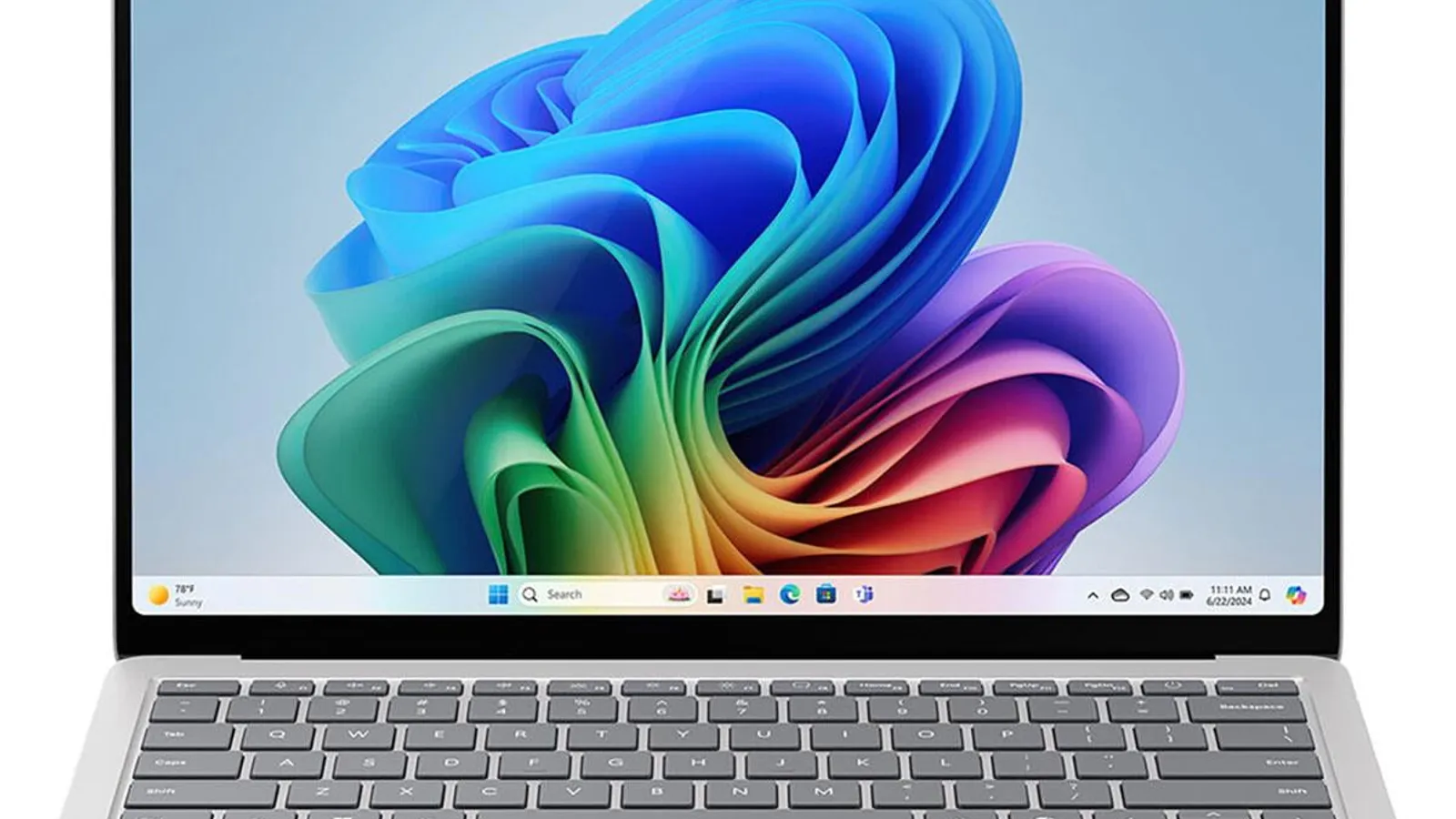
Premium Windows experience with a bright 120Hz touchscreen, comfortable keyboard, and broader port selection than a MacBook Air.
Skip it if Check ARM compatibility with school software before buying.
Buying options
Buying options
This page does not show live prices. Use the retailer listing to verify the exact model, size, color, bundle, and return policy before buying.
Quick read
Quick verdict
This product research note is for shoppers who see Microsoft Surface Laptop 7 15-inch on our Best college laptops shortlist as the Best Windows college laptop pick—not a scored lab review.
- Consider: Premium Windows with a bright 120Hz touchscreen, comfortable keyboard, and broader ports than a MacBook Air when ARM software compatibility checks out for your major.
- Pause: Read caveats on our product sheet and verify listing SKU, bundle contents, and return policy before purchase.
- No lab claims: Better Buy Lab does not independently measure performance here—use guide narrative plus listing facts you verify.
At a glance
Product snapshot
- Shortlist role: Best Windows college laptop on Best college laptops.
- Appears on Better Buy Lab:
- Best Laptops for College — Best Windows college laptop
- laptops/best-budget-laptops — Listed on this guide.
- laptops — Listed on this guide.
Key buying checks
How to choose a laptop that survives your real workload
Sustained performance under the programs you run, display comfort, realistic battery life, and port layout matter for daily use. Below is how we think about Microsoft Surface Laptop 7 15-inch for real rooms and daily use.
Cooling and noise under your typical load
Thin designs may throttle under long renders or exports. Match CPU and GPU class to software you run simultaneously.
Developers, creators, and heavy multitaskers.
Sustained heat rises in warm rooms or when vents are blocked on a soft surface.
CPU and GPU tier, fan noise tolerance, RAM maximum, storage upgrades.
Brightness, coating, and hinge quality
Dim panels are hard outdoors; glossy screens pick up reflections. A loose hinge hurts lap use.
Long daily use for work or study.
Some users are sensitive to PWM dimming; verify if you have eye strain history.
Brightness rating, matte versus glossy, scaling comfort, webcam quality, hinge stiffness.
Battery for real brightness and workloads
Manufacturer video-run benchmarks rarely match multitasking at higher brightness.
Commuters between outlets or campus use.
Small power bricks mean slow recharge if you forget to plug in overnight.
Battery watt-hours, adapter wattage, fast charge claims, sleep drain reports.
Ports before you rely on a single connector
One USB-C port must cover display, charging, and peripherals unless you plan a dock.
Dual monitors, SD cards, Ethernet, or external drives.
Missing bandwidth or charging passthrough limits dock setups.
Port speeds, display output limits, charging while docked, peripheral count.
Confirm the exact model before you buy
Model names, regions, and bundles change what is in the box. Check the manufacturer page for your country, the seller listing, warranty text, and which accessories are included.
Buyers who shop online and need the shipment to match the configuration they selected.
Small naming differences can mean different ports, stands, or power adapters between regions.
SKU, country variant, return window, warranty, and that photos match the product you add to the cart.
When headline specifications miss real-world limits
A strong specification can still disappoint if glare, noise, edge cleaning, or return terms do not fit how you use the product.
Buyers who want to compare trade-offs before deciding.
Marketing often assumes ideal conditions; your room, hearing, or layout may differ.
Return policy, upkeep (filters, bags, mop pads), physical fit in the space, and whether the downsides are acceptable.
Buyer scenarios
A few ways shoppers land here
- Windows-first student: You want a premium clamshell when macOS is optional for your program.
- Touch and pen curious: 120Hz touchscreen fits note-taking and media habits you will verify on the listing.
- Port-flexible commuter: Broader port selection matters versus ultraportable Mac paths.
- ARM homework: You will confirm school software runs on ARM Windows before purchase.
These moments describe shopper intent—we are not asserting measured battery life, benchmark scores, or thermal behavior for every major and room setup.
Need sibling picks in plain language next? Jump to Best Laptops for College after you list required software and carry constraints.
Where it fits
These lanes describe who usually arrives from our college laptop guide when premium Windows fit leads—not a verdict without software checks.
- Windows college default: Premium daily driver when ARM compatibility passes your syllabus.
- Touch-first notes: Bright 120Hz panel for reading and markup when weight still fits your bag.
- MacBook fork: You cross-read MacBook Air notes when macOS or longer battery calm leads.
- Mid-range compare: You read Swift Go 14 when spend caps the decision.
Highlights to confirm
Carry these highlights to the storefront listing—treat them as reminders, not benchmark printouts.
- Premium Windows experience with a bright 120Hz touchscreen, comfortable keyboard, and broader port selection than a MacBook Air.
Trade-offs to double-check
- Skip it if Check ARM compatibility with school software before buying.
What to verify before buying
Walk through this list with your syllabus, carry bag, and required software list nearby.
- Exact model: Microsoft Surface Laptop 7 15-inch—not Surface Laptop 6, Pro, or Go-class bundles unless intended.
- ARM processor class and Snapdragon branding on the carton versus Intel paths you may have confused.
- School software list: confirm required apps run on ARM Windows before treating this as a safe college pick.
- RAM and storage configuration on the listing—base versus upgraded SKUs change longevity.
- 120Hz touchscreen, keyboard layout, and port selection versus MacBook Air paths on our guide.
- Charger and accessory package: what ships in the box versus sold separately.
- Warranty and return policy on the storefront you intend to purchase from.
Fit filter
Choose if / Skip if
Pair these bullets with refreshed listings—we keep them succinct on purpose.
Choose if
- Windows is your platform and ARM software checks pass for your major.
- Touchscreen, keyboard comfort, and port layout fit how you study and commute.
- You will verify Surface Laptop 7 15-inch SKU, configuration, and return policy before purchase.
Skip if
- Required desktop apps block ARM Windows—verify before assuming this shortlist label is safe.
- Lowest spend caps the decision—budget Windows notes may fit better.
- You will not verify software rules, RAM and storage, or seller listing before purchase.
Stay on-site next
Alternatives & related guides
Compare college, budget, and desk-setup paths without leaving Better Buy Lab.
- Laptops hub — branch among college, budget, and platform lanes.
- Best college laptops — primary shortlist where this model appears today.
- Best budget laptops when spend caps the decision or Windows alternatives matter.
- Best noise-canceling headphones when study and focus setups pair with a new laptop.
- Best 4K monitors when a dorm or apartment desk adds an external display.
- Laptops category for every laptop guide in this aisle.
FAQ
FAQ
Is Surface Laptop 7 15-inch good for college?
Our college guide cites it as the Windows pick when premium build, touchscreen, and ports fit—still confirm ARM compatibility with school software before purchase.
Surface Laptop 7 vs MacBook Air?
Choose Surface when Windows, touchscreen, and broader ports lead. Choose MacBook Air when macOS, ecosystem habits, and ultraportable calm fit your major.
What is the ARM compatibility caveat?
Our notes flag school software must be checked on ARM Windows—verify lab tools, VPN clients, and major-specific apps on the listing path you trust.
Surface Laptop 7 vs Acer Swift Go 14?
Choose Surface when premium keyboard, touchscreen, and polish justify spend. Choose Swift Go when mid-range Windows value and 14-inch portability cap cost.
What should I verify before buying Surface Laptop 7 15-inch?
Confirm Laptop 7 15-inch SKU, ARM software fit, RAM and storage, keyboard region, charger contents, warranty, and seller using the checklist below.
Does Better Buy Lab show live prices on this page?
When this model is eligible, the Buying options section includes a disclosed retailer link. We still do not show live prices or star-style ratings on this page.
Editorial transparency
Better Buy Lab uses this page as a product context note linked from our laptop buying guides—especially Best college laptops. It supports shortlist reading; it is not a scored review or a storefront.
We describe fit using guide-level notes and shopper checklists. We do not claim independent lab battery tests, benchmark runs, or thermal measurements performed by Better Buy Lab. Notes refresh when listings evolve. Disclosed retailer links on eligible product pages appear in the Buying options section. This page does not show live prices or star-style ratings. Disclosed retailer links appear in the Buying options section above when this model is eligible.
In our guides
Buying guides referencing this SKU today.
Best Laptops for College
Best Windows college laptop