Product snapshot
Product snapshot
This page summarizes where Hisense QD6QF fits in our buying guides and what to double-check on the retailer listing you are considering.
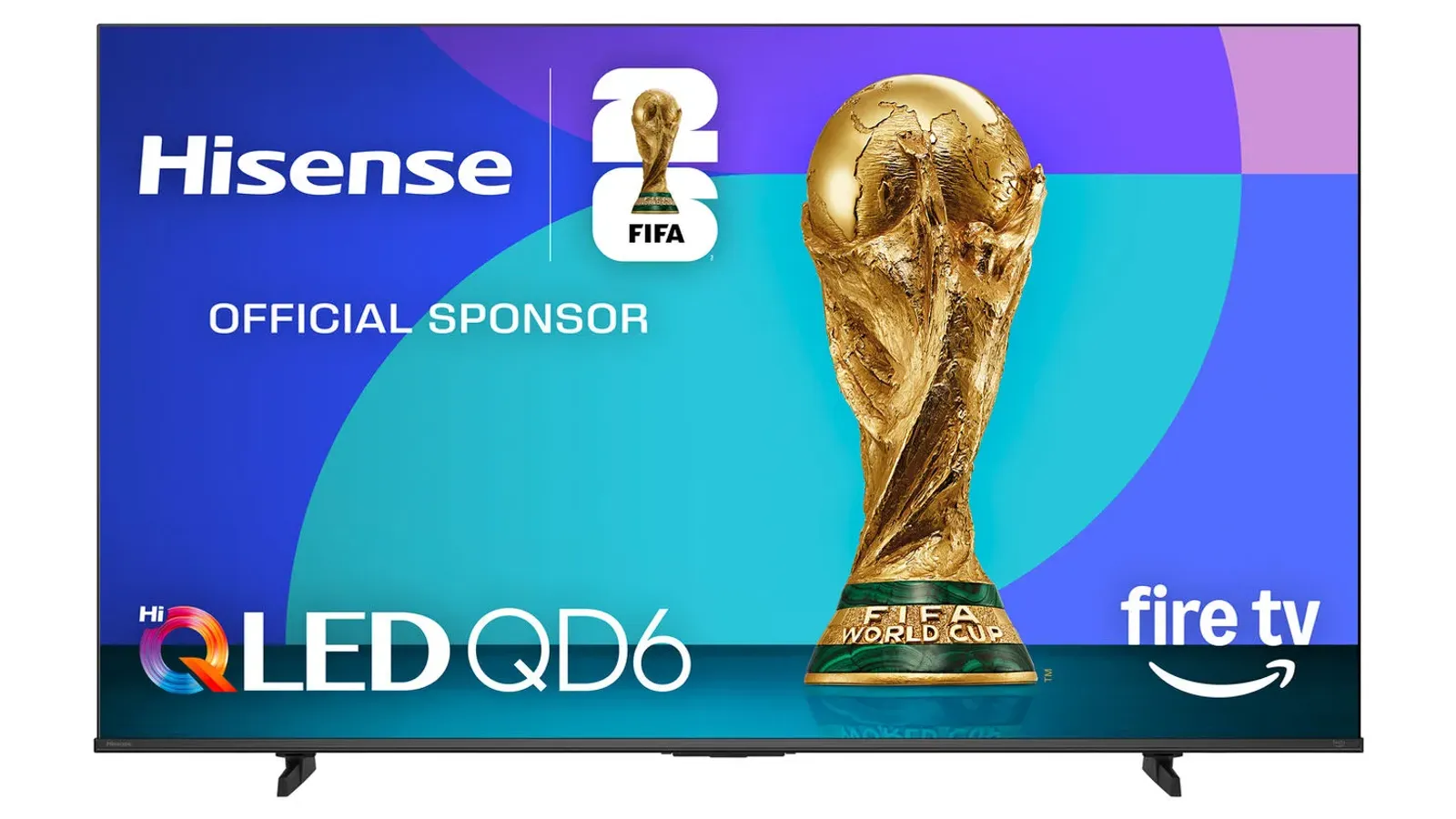
- Brand
- Hisense
- Category
- TVs
- Where you’ll see it
- 3 buying guides
- Main use
- Best cheap TV
Best cheap TV
Large screen sizes and broad app support at a lower price.
Skip it if this caveat matters in your setup: No local dimming and limited gaming performance. That one detail can matter more than the headline spec.
Buying options
Buying options
Use the full buying guide to compare this product against alternatives before choosing.
Quick read
Quick verdict
This product research note is for shoppers who see Hisense QD6QF on our Best TVs and budget TV buying guide shortlists as the Best cheap TV lane and want calm homework before opening a storefront listing—not a scored lab review or a “best TV for everyone” claim.
QD6QF fits buyers who prioritize large screen sizes, broad app support, and acceptable everyday streaming over premium brightness, local dimming, contrast refinement, or flagship gaming features. Our product sheet cites low spend and many sizes for casual use—verify those still match the exact listing you trust.
Where it compromises: our notes flag no local dimming, weaker HDR, and limited gaming performance versus TCL Mini LED siblings and premium panels—compare TCL QM6K product note, TCL QM7K product note, and Hisense U65QF product note when those trade-offs matter more than the lowest acceptable spend.
At a glance
Buyer role snapshot
- Budget-first TV shopper: You want a credible cheap-TV candidate on our shortlists and will compare Hisense and TCL siblings before you treat a sale label as safe.
- Casual streaming household: News, sports, and streaming apps matter more than home-theater HDR polish or calibrated movie modes.
- Guest room or secondary TV: Acceptable picture for occasional viewing when premium contrast is not the goal.
- Size-flexible buyer: You need multiple screen sizes at a budget tier and will confirm stand width and delivery path for the exact inch count.
- Skip if you need premium picture or gaming headroom: Local dimming, brighter HDR, and stronger HDMI gaming claims live on TCL QM6K product note, TCL QM7K product note, and step-up guides—not on this cheap-TV lane.
- Listed on Better Buy Lab:
- Best Gaming TVs for PS5 and Xbox — Best cheap TV
- Best Budget TVs — Best cheap TV
- Best TVs for Most People — Best cheap TV
Key buying checks
How to choose a TV that fits your room
Start with how you watch (movies, sports, gaming), room lighting, seating, and placement. Those choices matter as much as peak brightness on the spec sheet. Below is how we think about Hisense QD6QF for real rooms and daily use.
Choose picture quality for your content and seating
Contrast, tone mapping, and processing should match your typical content and viewing distance, not store demo modes.
Households that care about shadow detail and highlight behavior in HDR and SDR.
Retail demo modes often oversharpen or push brightness; check cinema or filmmaker modes for home use.
Panel type, dimming approach, HDR formats you use, and viewing angle from your seats.
Brightness and finish for daytime viewing
Output level and screen finish affect whether sports and daytime content stay clear when light hits the glass.
Living rooms with windows, skylights, or lamps behind the seating.
Glossy screens can mirror windows; placement relative to bright light sources matters.
Screen finish, placement versus windows, typical daytime use, and whether you use bias lighting.
Console and PC connectivity and game modes
Variable refresh, low latency, and 4K120 require the right HDMI layout, including soundbar or receiver passthrough.
Console or PC gaming where input lag and sync stability matter.
Not every size in a series has identical gaming behavior; some modes change brightness to protect the panel.
HDMI count and capability, VRR range, eARC path, game mode behavior, and audio routing.
Motion handling for sports and games
Motion interpolation can smooth sports but annoy film viewers; game modes may disable processing you like for movies.
Mixed use between sports, action content, and gaming on one TV.
Strong interpolation causes soap-opera effect; some modes add latency for gaming.
Motion settings, separate game mode, and who controls the remote for films versus sports.
Smart TV software and remote
App availability, update support, and remote layout affect whether you need extra streaming devices.
Households that want one remote and minimal extra hardware.
Regional app gaps and account requirements can block a must-have service.
Required apps, update history, remote layout, casting, and voice-assistant requirements.
Measure furniture, wall, and sound placement
Width, stand depth, and port location must fit the furniture and sound equipment you plan to use.
Wall mounts, thin furniture, long soundbars, or tight viewing distances.
Very large screens in small rooms increase reflection and neck strain.
Seating distance, furniture width, port access, soundbar clearance, and delivery path.
Confirm the exact model before you buy
Model names, regions, and bundles change what is in the box. Check the manufacturer page for your country, the seller listing, warranty text, and which accessories are included.
Buyers who shop online and need the shipment to match the configuration they selected.
Small naming differences can mean different ports, stands, or power adapters between regions.
SKU, country variant, return window, warranty, and that photos match the product you add to the cart.
When headline specifications miss real-world limits
A strong specification can still disappoint if glare, noise, edge cleaning, or return terms do not fit how you use the product.
Buyers who want to compare trade-offs before deciding.
Marketing often assumes ideal conditions; your room, hearing, or layout may differ.
Return policy, upkeep (filters, bags, mop pads), physical fit in the space, and whether the downsides are acceptable.
Buyer scenarios
Common reasons readers open this note
- Under-500 homework: You are comparing QD6QF against U65QF, TCL QM6K, and QM7K without assuming the cheapest Hisense wins every room.
- Best cheap TV cross-check: You saw QD6QF on Best TVs and want choose/skip framing before you stretch to Mini LED or OLED.
- Bright-room realism: You accept budget QLED trade-offs and will judge glare and seating distance—not marketing contrast claims alone.
- Casual gaming sanity check: You play sometimes but will verify port layout and game-mode wording on the listing—not esports-grade expectations.
Intent snapshots only—not measured brightness, contrast, or input-lag scores by Better Buy Lab.
Return to Best Gaming TVs for PS5 and Xbox after fit notes to see how we pair budget and step-up TVs on the shortlist.
Where it fits in the budget TV cluster
QD6QF is the cheap-but-acceptable lane on our TV shortlists—not the premium Mini LED, OLED, or best-gaming default.
- Parent guides: Best TVs overall and Budget TV buying guide — shortlist context and price-cap forks.
- Gaming fork: Best gaming TVs — when HDMI latency and refresh claims must lead over the lowest sticker tier.
- Category hub: TV buying guides — compare OLED, Mini LED, and budget lanes before you lock a panel family.
- Hisense budget sibling: Hisense U65QF product note — bright-room budget alternative on our under-500 guide.
- TCL budget Mini LED: TCL QM6K product note — local dimming and gaming step-up within budget TCL.
- TCL value Mini LED: TCL QM7K product note — brighter HDR lane when QD6QF feels limiting.
Where it fits
Shopper lanes tied to our TV guides—not a universal ranking.
- Best cheap TV shortlist: Entry budget candidate when acceptable trade-offs beat premium polish.
- Under-500 comparison: Cross-read U65QF, QM6K, and QM7K notes before you treat QD6QF as the final pick.
- Casual streaming rooms: Everyday apps and sports when HDR accuracy is secondary.
- Secondary or guest TV: Lower-stakes rooms where contrast perfection is not the goal.
Highlights to confirm
From our product sheet—verify against the storefront listing you trust.
- Large screen sizes and broad app support at a lower price.
- Entry-level positioning, many sizes, fine for streaming and casual use.
Trade-offs to double-check
Budget TV compromises our guides call out—brightness, contrast, local dimming, gaming, motion, and room lighting expectations.
- Skip it if this caveat matters in your setup: No local dimming and limited gaming performance. That one detail can matter more than the headline spec.
- Skip it if this caveat matters in your setup: No local dimming and weaker HDR. That one detail can matter more than the headline spec.
What to verify before buying
Walk this list with your room photos and HDMI gear nearby. We do not show live prices or stock on this page.
- Exact model name and series suffix on the box and seller title: Hisense QD6QF / QD6 series—not U65QF, U6, A6, or a bundle with a different panel generation.
- Exact screen size for your seating distance, furniture width, and delivery path; QD6QF appears in multiple sizes with different stand footprints.
- Return policy and delivery damage window on the storefront you trust—budget TVs are easier to return when you verify fit early.
- Smart TV platform on the listing: Fire TV versus other Hisense SKUs; confirm apps and voice assistant match your household.
- Local dimming and HDR wording on the seller page—our notes flag no local dimming; do not assume Mini LED or full-array behavior from marketing photos.
- Gaming feature claims: HDMI port count, refresh wording, VRR, and game-mode labels for your console or PC—verify against your gear list.
- Room lighting expectations: bright windows and overhead lights punish budget QLED contrast; measure glare before you assume night-mode polish.
- Warranty, seller of record, and listing condition—watch for renewed, open-box, or third-party seller wording that changes support.
Fit filter
Choose if / Skip if
Choose if
- Budget-first TV shopping is the priority and you accept no local dimming and weaker HDR on our shortlist notes.
- Casual streaming, guest-room, or secondary-TV use matters more than premium movie-room polish.
- You want many size options at a low tier and will verify exact QD6QF model suffix and screen inch count before checkout.
- You are comparing QD6QF against Hisense U65QF and TCL QM6K or QM7K with realistic budget-TV expectations.
- Room lighting is manageable or you will adjust curtains and seating—not expect flagship brightness headroom.
Skip if
- Premium HDR impact, deep contrast, or local dimming drive the decision—read TCL Mini LED notes and OLED paths first.
- Flagship or competitive gaming features are the priority—compare Best gaming TVs and QM6K or QM7K product notes.
- Bright-room glare is severe and you need step-up brightness without verifying alternatives on live listings.
- You cannot verify exact model year, screen size, regional naming, smart platform, and retailer listing title before purchase.
- You want a universal “best TV” pick—QD6QF is a budget candidate with clear compromises, not a premium default.
Stay oriented
Alternatives & related guides
- Budget TV buying guide — primary shortlist when price caps the decision.
- Best TVs overall — full shortlist and step-up paths when budget is flexible.
- Best gaming TVs — when HDMI latency and refresh claims matter more than the lowest spend.
- TVs buying guides — compare OLED, Mini LED, and budget lanes before checkout.
- Hisense U65QF product note — bright-room budget Hisense alternative on our under-500 guide.
- TCL QM6K product note — budget TCL Mini LED lane when local dimming and gaming headroom matter more.
- TCL QM7K product note — value-conscious TCL Mini LED step-up when QD6QF HDR feels limiting.
FAQ
FAQ
Is Hisense QD6QF still worth it?
For budget-focused shoppers on our Best TVs and budget TV shortlists, QD6QF remains the cheap-but-acceptable lane when large sizes and streaming apps matter more than local dimming, HDR punch, or gaming headroom. Verify the exact model and seller listing before you buy—our note does not track live deals or stock.
Is QD6QF good for a bright room?
Budget QLED can look acceptable in mixed light but our notes flag weaker HDR and no local dimming—bright windows and overhead glare punish contrast. Compare Hisense U65QF and TCL Mini LED siblings when room lighting is harsh; measure your space before you assume night-mode marketing applies.
Is QD6QF better than TCL QM6K?
Not when local dimming, brighter HDR, and stronger gaming claims matter—QM6K is the budget TCL Mini LED lane on our guides. QD6QF fits when the lowest acceptable spend and Hisense size options beat Mini LED pricing on the listings you actually plan to buy.
Should I compare QD6QF with Hisense U65QF?
Yes when both Hisense budget lanes are live on your shortlist. U65QF is positioned as a bright-room budget alternative on our under-500 guide; QD6QF is the broader cheap-TV pick on Best TVs. Read both product notes and compare seller pages for size, platform, and feature wording.
What should I check before buying QD6QF?
Confirm QD6QF model suffix and screen size, smart TV platform, local dimming and HDR claims, gaming port layout, stand or mount fit, return policy, warranty and seller, and that the listing is new—not renewed or refurbished—using the checklist below.
Should I buy QD6QF or step up to QM7K or premium TVs?
Stay on QD6QF when budget caps the decision and you accept listed trade-offs. Step up to TCL QM7K, QM6K, or Best TVs overall when brightness, contrast, motion handling, or HDMI gaming features justify higher spend on the storefront listings you trust.
Editorial transparency
Better Buy Lab uses product research, category fit, spec comparison, buyer trade-offs, and guide context on this page—it is not a scored review or a storefront. We describe fit using guide-level notes and shopper checklists. We do not claim hands-on lab testing or independent brightness, contrast, HDR, gaming, or motion measurements performed by Better Buy Lab.
No live prices, shipment promises, shopping buttons, star-style ratings, or stock claims appear here. Readers should verify exact model name (Hisense QD6QF), screen size, seller, return policy, and listing condition on the retailer page before buying. Approved affiliate links appear only on designated TV buying guides with reader-visible disclosure—not on this product research note.
In our guides
Buying guides referencing this model today.
Best Gaming TVs for PS5 and Xbox
Best cheap TV
Best Budget TVs
Best cheap TV
Best TVs for Most People
Best cheap TV