Product snapshot
Product snapshot
This page summarizes where SteelSeries Arctis Nova 7 Wireless fits in our buying guides and what to double-check on the retailer listing you are considering.
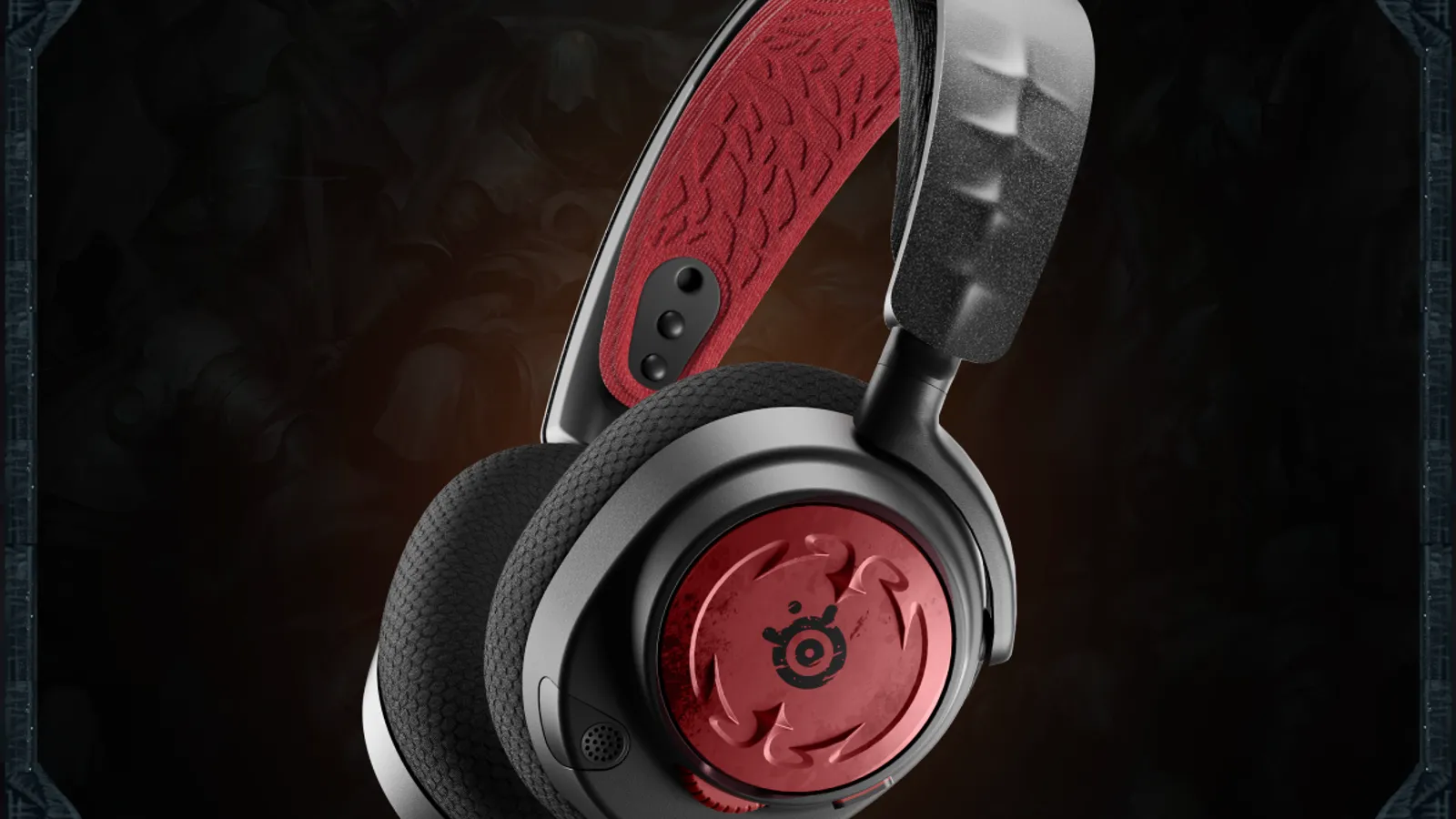
- Brand
- SteelSeries
- Category
- Headphones
- Where you’ll see it
- 1 buying guide
- Main use
- Best mid-range multiplatform headset
Best mid-range multiplatform headset
Comfortable, versatile, and available in variants for PC, PlayStation, and Xbox.
Skip it if Audio quality is good, not audiophile-grade.
Buying options
Buying options
This page does not show live prices. Use the retailer listing to verify the exact model, size, color, bundle, and return policy before buying.
Quick read
Quick verdict
This product research note is for shoppers who see SteelSeries Arctis Nova 7 Wireless on our Best gaming headsets shortlist as the Best mid-range multiplatform headset pick—not a scored lab review.
- Consider: Comfortable versatile wireless with PC, PlayStation, and Xbox variants when listing SKU still matches your stack.
- Pause: Audio quality is good, not audiophile-grade—compare Audeze Maxwell 2 product note when sound and mic polish lead.
- How we phrase performance: We describe fit using guide notes and listing checklists—we do not claim measured latency or mic rejection by Better Buy Lab.
At a glance
Buyer role snapshot
- Best fit: Multiplatform gamer who wants comfortable mid-range wireless without flagship headset pricing.
- Appears on Better Buy Lab:
- Best Gaming Headsets — Best mid-range multiplatform headset
- headphones — Listed on this guide.
Key buying checks
How to choose headphones or earbuds you will keep using
Comfort for your wear time, noise needs, microphone quality for calls, and preferred sound profile should drive the decision. Below is how we think about SteelSeries Arctis Nova 7 Wireless for real rooms and daily use.
Comfort over long listening sessions
Clamp pressure, pad material, heat buildup, and glasses clearance determine whether you will wear them daily.
Long desk sessions, flights, or commutes.
High clamp can feel fine briefly and uncomfortable after an hour.
Pad material, weight, adjustment range, glasses clearance, over-ear versus in-ear preference.
Noise cancellation for your environment
Active noise cancellation varies with rumble, wind, and ear seal. Transparency modes matter for awareness outdoors or in traffic.
Offices, transit, and travel where noise changes throughout the day.
Wind and movement can expose weak microphones or uneven ANC.
Wind noise, ambient or transparency modes, seal with your ear shape, multi-device switching.
Microphone quality for calls and meetings
Clear voice pickup matters more than bass emphasis if you use the headset or buds for regular calls.
Remote work, teaching, or daily video calls.
Laptop Bluetooth stacks can compress voice; a wired option may be worth carrying.
Microphone design, multipoint reliability, laptop pairing, optional wired mic path.
Sound tuning for your main content
Neutral, bass-forward, and speech-focused tunings suit different content. One profile rarely optimizes podcasts, music, and games equally.
Listeners with a clear primary use (music, calls, or gaming).
Wireless codecs and source quality cap detail regardless of tuning.
EQ software, wired listening option, and the content you play most often.
Confirm the exact model before you buy
Model names, regions, and bundles change what is in the box. Check the manufacturer page for your country, the seller listing, warranty text, and which accessories are included.
Buyers who shop online and need the shipment to match the configuration they selected.
Small naming differences can mean different ports, stands, or power adapters between regions.
SKU, country variant, return window, warranty, and that photos match the product you add to the cart.
When headline specifications miss real-world limits
A strong specification can still disappoint if glare, noise, edge cleaning, or return terms do not fit how you use the product.
Buyers who want to compare trade-offs before deciding.
Marketing often assumes ideal conditions; your room, hearing, or layout may differ.
Return policy, upkeep (filters, bags, mop pads), physical fit in the space, and whether the downsides are acceptable.
Buyer scenarios
A few ways shoppers land here
- Multiplatform household: PC, PlayStation, and Xbox swaps when you will verify the correct Nova 7 variant on the listing.
- Mid-range wireless shopper: Comfortable daily gaming without Maxwell 2 or A50 X spend.
- Chat-heavy party play: Game and voice mix habits matter on the platforms you actually use.
- Step-up compare: You are weighing Nova 7 against HyperX Alpha Wireless or Razer BlackShark before checkout.
These moments describe shopper intent—we are not asserting measured latency, mic rejection, or wireless range for every platform stack.
Need sibling picks in plain language next? Jump to Best Gaming Headsets after you note console, PC, and chat habits.
Where it fits in the gaming headset cluster
SteelSeries Arctis Nova 7 Wireless is the mid-range multiplatform wireless lane—comfortable everyday gaming when you accept good-not-audiophile sound per our notes.
- Parent guide: Best gaming headsets — Best mid-range multiplatform headset lane.
- Headphones hub: Headphones buying guides — gaming versus ANC forks.
- Gaming headset sibling: Astro A50 X product note — premium console dock lane.
- Gaming headset sibling: HyperX Cloud Alpha Wireless product note — battery-life wireless lane.
- Gaming headset sibling: Audeze Maxwell 2 product note — planar magnetic overall pick.
- Gaming headset sibling: Razer BlackShark V3 Pro product note — esports wireless lane.
Where it fits
These lanes describe who usually arrives from our gaming headset guide when mid-range multiplatform wireless leads—not a verdict without variant checks.
- Mid-range multiplatform: Everyday wireless gaming across PC and consoles when variant choice is verified.
- Comfort-first lane: Arctis fit for long sessions without flagship planar spend.
- Chat-heavy play: Voice mix habits when mic polish is good—not lab-measured here.
- Sibling compare: You are cross-reading HyperX, Maxwell, and BlackShark notes before checkout.
Highlights to confirm
Carry these highlights to the storefront listing—treat them as reminders, not benchmark printouts.
- Comfortable, versatile, and available in variants for PC, PlayStation, and Xbox.
Trade-offs to double-check
- Skip it if Audio quality is good, not audiophile-grade.
What to verify before buying
Walk through this list with your console, PC, and chat stack in mind.
- Exact variant: Arctis Nova 7 Wireless for PC, PlayStation, or Xbox—not Nova 7P, Nova 7X, or wired Nova unless intended.
- Wireless dongle and simultaneous device behavior on the seller page for your stack.
- SteelSeries GG or companion app support on your OS if you expect EQ or firmware updates.
- Mic monitoring, sidetone, and chat mix claims for your typical voice apps.
- Battery runtime for your session length—not headline marketing alone.
- Ear pad fit and ski-goggle headband comfort for multi-hour wear.
- Warranty, return policy, and seller accuracy on the storefront you trust.
Fit filter
Choose if / Skip if
Pair these bullets with refreshed listings—we keep them succinct on purpose.
Choose if
- Mid-range multiplatform wireless fits your console and PC habits after variant checks.
- Comfortable Arctis fit matters more than audiophile tuning per our product sheet.
- You accept good-not-audiophile sound versus Maxwell 2 step-ups.
- You will verify Nova 7 variant, dongle contents, and return policy before checkout.
Skip if
- Audiophile-grade sound or planar magnetic tuning drives the decision—read Maxwell 2 notes.
- Battery marathon sessions matter most—HyperX Cloud Alpha Wireless notes may fit better.
- Premium console dock switching is the priority—compare Astro A50 X notes.
- You will not verify platform variant, app support, or seller accuracy before purchase.
Stay on-site next
Alternatives & related guides
Compare gaming headsets with ANC and earbud paths without leaving Better Buy Lab.
- Headphones hub — branch among gaming, ANC, and earbud lanes.
- Best gaming headsets — primary shortlist where this model appears today.
- Best noise-canceling headphones when travel or office focus beats living-room chat.
- Best wireless earbuds when pocketable voice chat fits better than over-ear cups.
- Headphones category for every headphones guide in this aisle.
FAQ
FAQ
Is SteelSeries Arctis Nova 7 Wireless worth it?
For mid-range shoppers on our gaming headset shortlist, Nova 7 fits when multiplatform comfort beats flagship spend—still confirm PC, PlayStation, or Xbox variant on your listing.
Nova 7 vs Audeze Maxwell 2?
Choose Nova 7 when mid-range multiplatform value caps the decision. Choose Maxwell 2 when planar sound and improved boom mic justify premium money—read both notes.
Which Nova 7 variant should I buy?
Match the listing to the platform you play most—PC, PlayStation, and Xbox SKUs are not interchangeable dongles. Verify variant wording on the seller page before checkout.
Nova 7 vs Razer BlackShark V3 Pro?
Choose Nova 7 for versatile mid-range comfort. Choose BlackShark V3 Pro when esports tuning and ANC tools lead—read both notes.
What should I check before buying Nova 7?
Confirm variant SKU, dongle platforms, battery claims, app support, pad fit, warranty, and seller using the checklist below.
Does Better Buy Lab show live prices on this page?
When this model is eligible, the Buying options section includes a disclosed retailer link. We still do not show live prices or star-style ratings on this page.
Editorial transparency
Better Buy Lab uses this page as a product context note linked from our Best gaming headsets guide. It supports shortlist reading; it is not a scored review or a storefront.
We describe fit using guide-level notes and shopper checklists. We do not claim independent lab latency or microphone measurements performed by Better Buy Lab. No live prices, shopping buttons, or star-style ratings appear here.
In our guides
Buying guides referencing this model today.
Best Gaming Headsets
Best mid-range multiplatform headset